logo elektroda
logo elektroda
X
logo elektroda
Dostępna jest polska wersja

Czy wolisz polską wersję strony elektroda?

Nie, dziękuję Przekieruj mnie tam

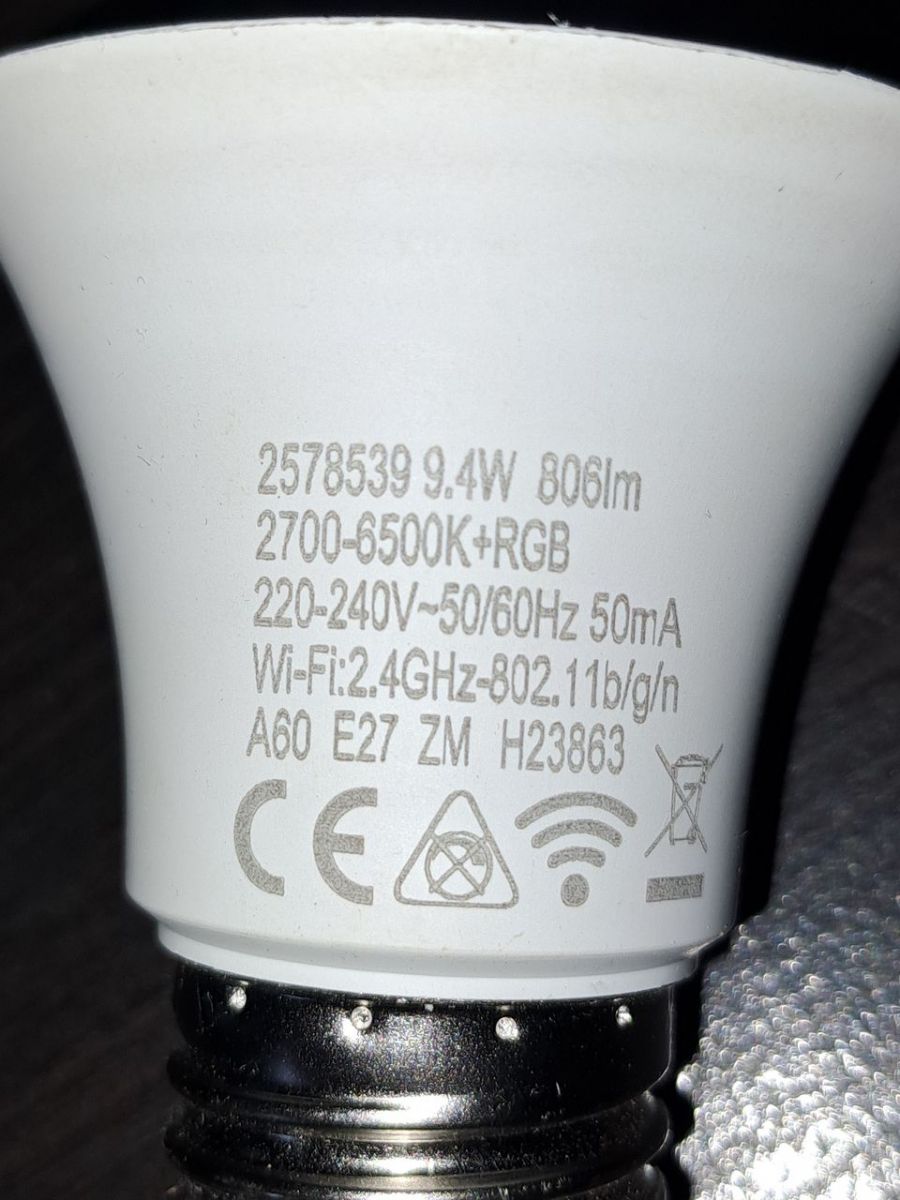
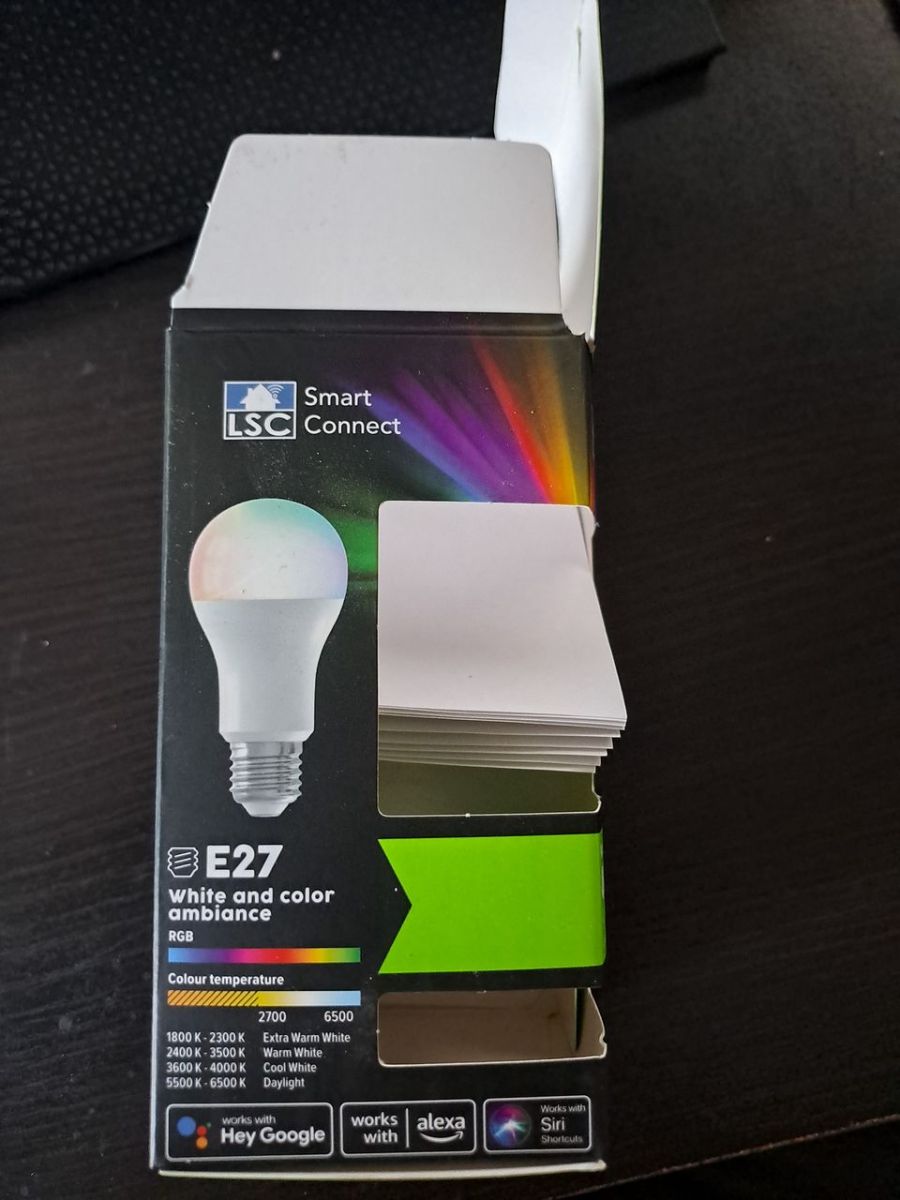
[BK7231N/CB2L] [KP18068] LSC LED Smart white and color ambiance E27 9.4W 806lm 2578539

lucgfx 2781 1

TL;DR

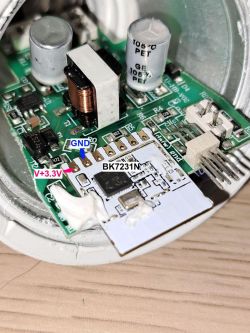
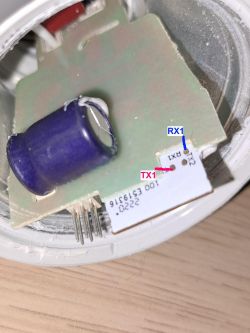
  • Żarówka LSC LED Smart white and color ambiance E27 9.4W 806lm 2578539 na BK7231N/CB2L została rozebrana i przygotowana do flashowania przez piny RX1/TX1.
  • Do odczytu i wgrania użyto BK7231GUIFlashTool oraz CP2102, wykonując kopię zapasową i wgrywając OpenBK7231T_App.
  • Tuya cloud-cutter nie zadziałał przez wersję 1.5.21, a podczas komunikatu resetu odłączono pin od masy.
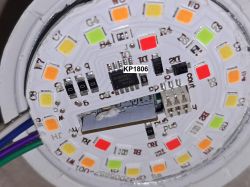
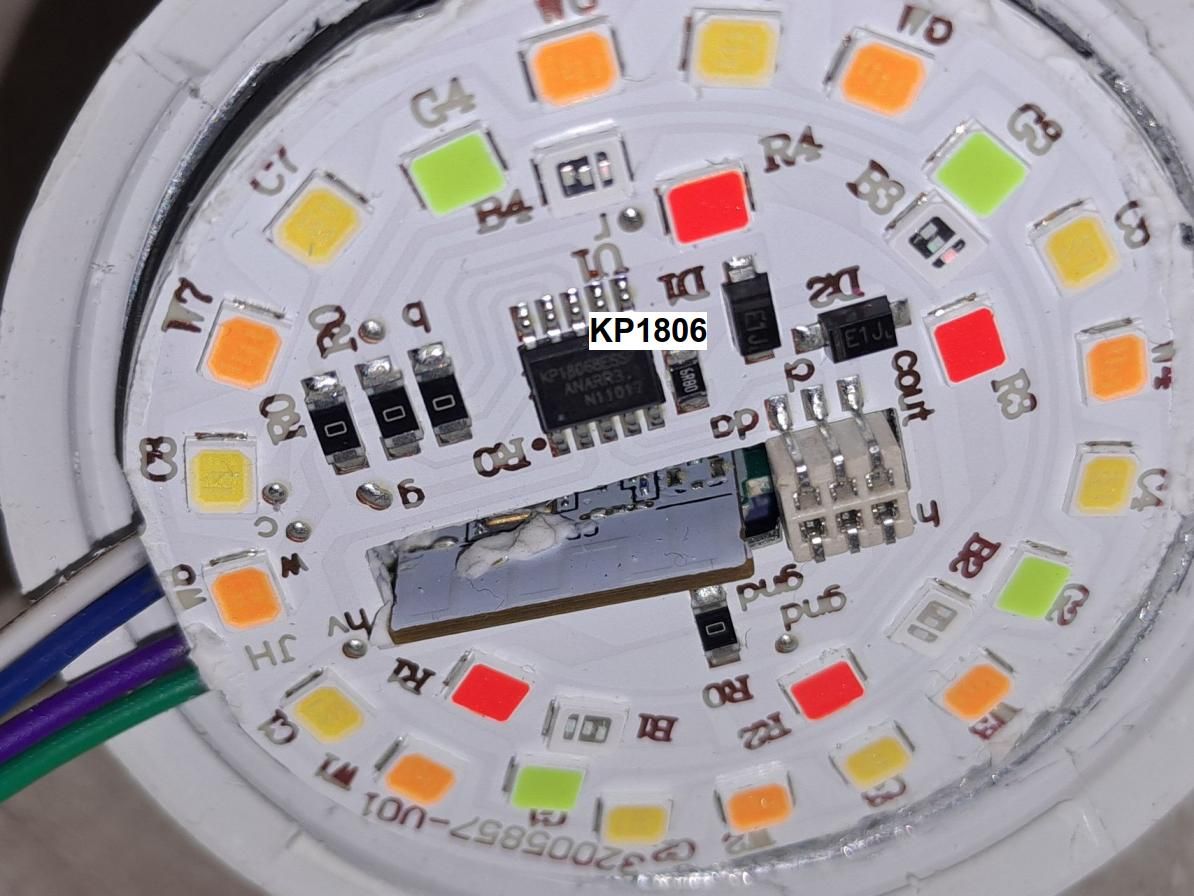
  • W środku znaleziono kontroler KP18068, choć inne rewizje miały BP, i dla tego egzemplarza działa sterownik KP18058.
  • Zastosowano startDriver KP18058 oraz KP18058_Map 1 2 0 4 3, ale mapowanie kolorów nadal wymaga poprawy.
Generated by the language model.
ADVERTISEMENT
📢 Listen (AI):
  • First time playing with flash. Bulb with action, none of the configurations fit. The bulb has been present in at least 3 revisions. One of the forums had identical packaging but on the BP module. Tuya cloud-cutter does not work due to version 1.5.21.

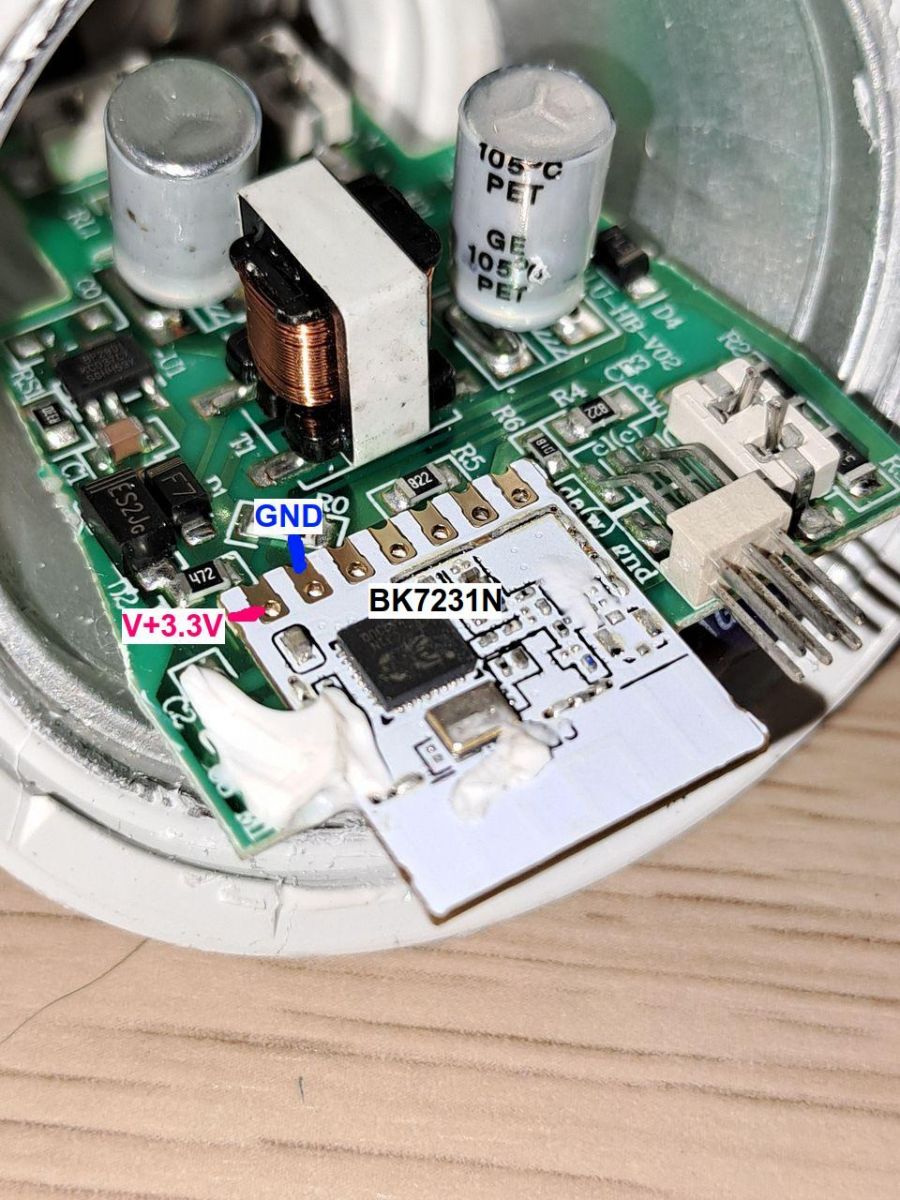
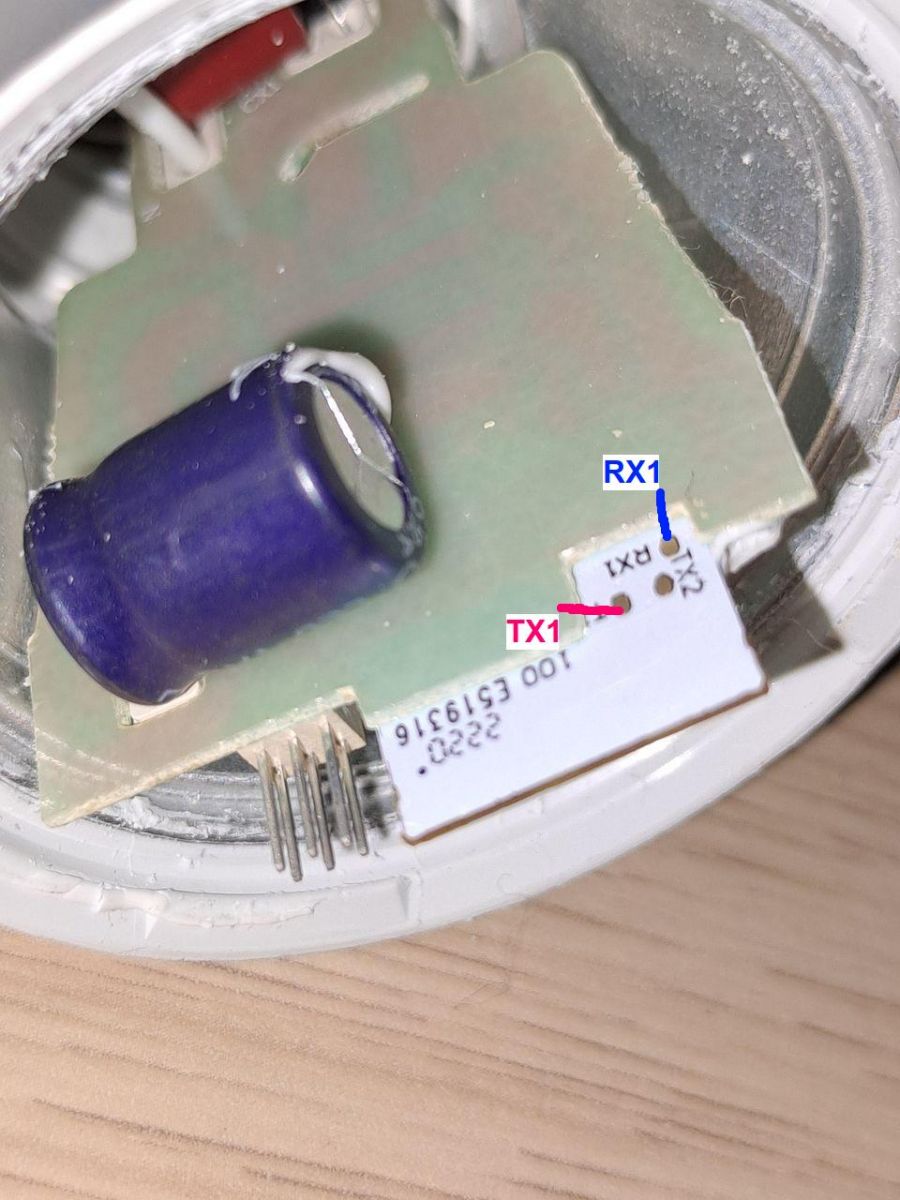
    I disassemble the bulb, remove the cover with a knife, then glue it around the LED board and take it out. Access to the pins is sufficient without further disassembly as in the photos. Pins RX1, TX1 are available without desoldering the element. We solder and connect, I used cp2102. We download BK7231GUIFlashTool and make a backup, and then flash OpenBK7231T_App. During the module reset message, I disconnected the pin from ground and it went away.

    Experience acquired, always check the controller. It turned out that I had KP18068 and not like other BP revisions... but the KP18058 driver works correctly. The color mapping still needs to be improved and you need to create a startDriver:

    startDriver KP18058
    KP18058_Map 1 2 0 4 3


    Below are the photos and the ready json for import.
    {
      "vendor": "LSC",
      "bDetailed": "0",
      "name": "LSC LED Smart white and color ambiance E27 9.4W 806lm 2578539",
      "chip": "BK7231N",
      "board": "on pcb",
      "flags": "0",
      "keywords": [
        "RGBCW",
        "LED",
        "Action",
        "E27",
        "bulb",
        "KP18068",
        "CB2L"
      ],
      "pins": {
        "7": "KP18058_CLK;1",
        "8": "KP18058_DAT;0"
      },
      "command": "\"backlog startDriver KP18058; KP18058_Map 1 2 0 4 3\"",
      "image": "https://obrazki.elektroda.pl/7583804800_1712132196_thumb.jpg",
      "wiki": "https://www.elektroda.com/rtvforum/topic4046526.html"
    }
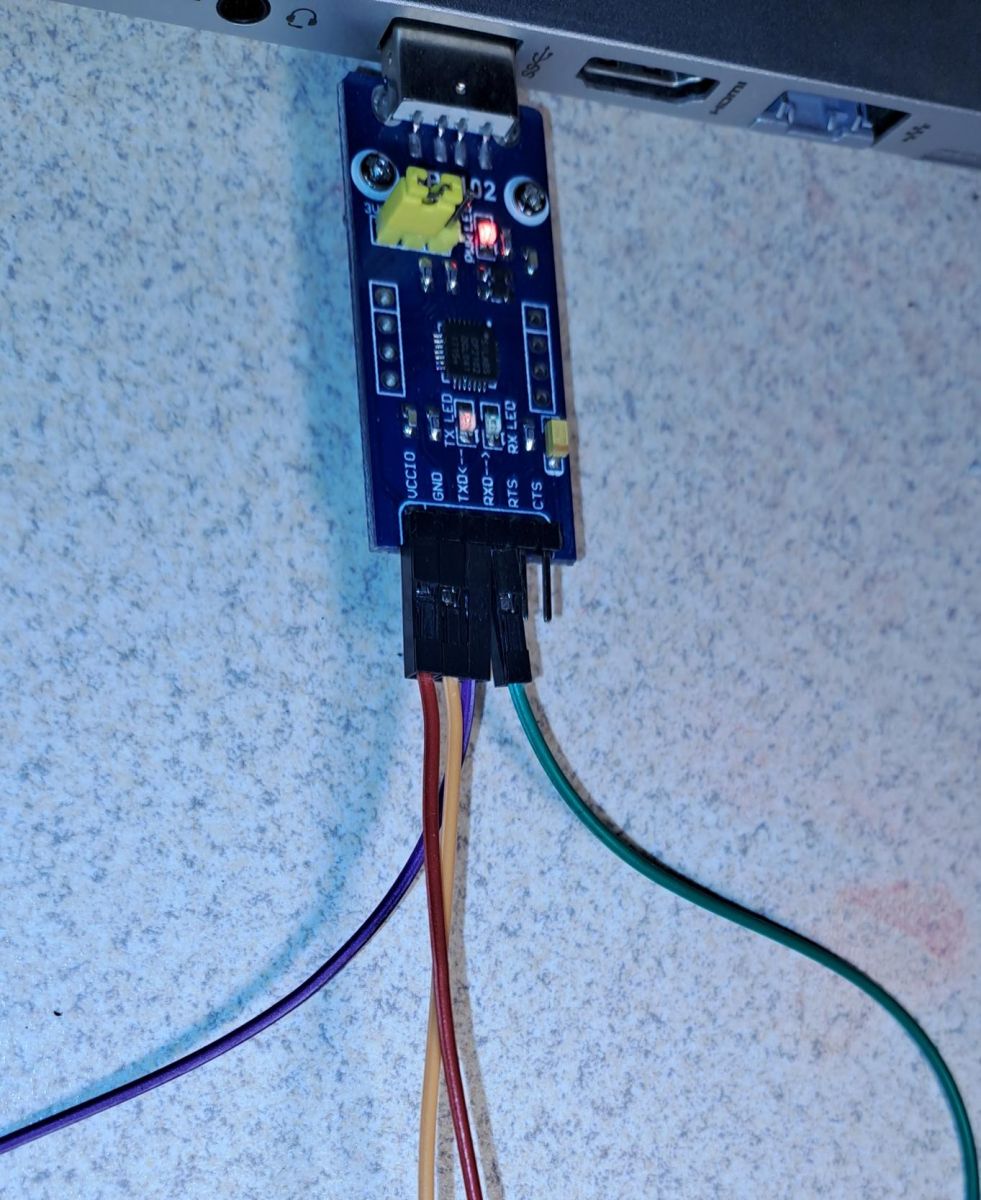


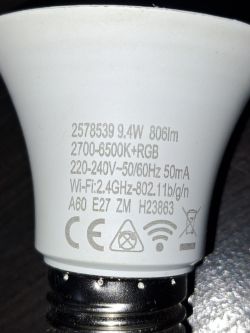
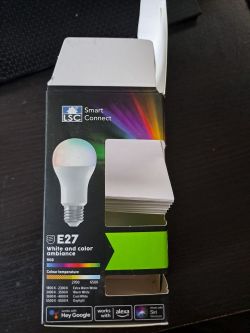
    CP2102 module connected to a board via wires. Close-up of the interior of a smart LED bulb showing electronic components. Close-up of the inside of a smart bulb, showing a PCB with the label BK7231N. Close-up photo of a circuit board with marked RX1 and TX1 pins. Close-up of an LED bulb with visible technical markings. Packaging of the LSC Smart Connect E27 smart bulb.

    Cool? Ranking DIY
    About Author
    lucgfx
    Level 1  
    Offline 
    lucgfx wrote 1 posts with rating 1. Been with us since 2010 year.
  • ADVERTISEMENT
  • #2 21031132
    p.kaczmarek2
    Moderator Smart Home
    You`re very lucky that RX and TX are available. In the photo I can see that the manufacturer probably cut out a special place in the PCB for them. When I flashed a similar product, I had to desolder the entire module:


    Good to hear that the KP18058 driver works. The protocol of this system was unknown, I had to figure it out using a logic analyzer, details in this topic:
    Reverse engineering of an unknown I2C protocol with the Sigrok analyzer using the example of an LED controller
    Helpful post? Buy me a coffee.
📢 Listen (AI):

FAQ

TL;DR: Flashing this 9.4 W E27 smart bulb succeeded in under 5 minutes—“Good to hear that the KP18058 driver works”[Elektroda, p.kaczmarek2, post #21031132] RX/TX test pads are exposed, giving a 100 % solder-free flash success in this PCB revision[Elektroda, lucgfx, post #21030520] Why it matters: Quick pin access lets makers install open firmware without destroying the lamp.

Quick Facts

• Power: 9.4 W nominal, E27 base [Elektroda, lucgfx, post #21030520] • Luminous flux: 806 lm white mode [Elektroda, lucgfx, post #21030520] • Controller SoC: BK7231N/CB2L module [Elektroda, lucgfx, post #21030520] • LED driver IC: KP18068; works with KP18058 driver code [Elektroda, lucgfx, post #21030520] • Factory firmware: Tuya 1.5.21; cloud-cutter exploit blocked [Elektroda, lucgfx, post #21030520]

Which hardware revision is inside the LSC 2578539 bulb?

The examined unit carries a BK7231N/CB2L Wi-Fi module paired with a KP18068 LED driver IC [Elektroda, lucgfx, post #21030520]

How do I put the bulb into flash mode without desoldering?

Short BOOT to GND, power the board, then release GND when the BK7231GUIFlashTool prompts “reset module” [Elektroda, lucgfx, post #21030520]

Why does Tuya cloud-cutter fail on this bulb?

The shipped firmware is Tuya version 1.5.21, which patches the OTA exploit used by cloud-cutter [Elektroda, lucgfx, post #21030520]

What tools are required for backup and flashing?

You need a 3.3 V USB-to-UART adapter (e.g., CP2102) and BK7231GUIFlashTool for Windows or Linux [Elektroda, lucgfx, post #21030520]

What’s the risk of bricking the bulb?

Backing up flash first reduces risk. Users report a 100 % success rate on this PCB when RX/TX are exposed [Elektroda, lucgfx, post #21030520] Power cuts during erase remain the main failure case.

Is there an open-source firmware alternative?

Yes, OpenBK7231T_App provides MQTT, Home Assistant, and HTTP control without Tuya cloud ties [Elektroda, lucgfx, post #21030520]

How was the KP18058 protocol decoded?

A logic analyzer and Sigrok were used to reverse-engineer the unidentified I²C frames [Elektroda, p.kaczmarek2, post #21031132] “I had to figure it out using a logic analyzer,” notes the author.

Quick 3-step flashing guide?

  1. Expose RX1, TX1, 3.3 V, GND; solder jumper wires.
  2. Short BOOT to GND, connect USB-UART, and run BK7231GUIFlashTool to read backup.
  3. Flash OpenBK7231T_App, then issue driver commands via the web console [Elektroda, lucgfx, post #21030520]
Generated by the language model.
ADVERTISEMENT