logo elektroda
logo elektroda
X
logo elektroda
Dostępna jest polska wersja

Czy wolisz polską wersję strony elektroda?

Nie, dziękuję Przekieruj mnie tam

WHDZ03 Smart Plug with Energy Monitoring BK7231N - Need help configuring

jkwim 8649 53
Best answers

How do I configure the blue LED on a WHDZ03 BK7231N smart plug so it turns on/off with the relay instead of only acting as a Wi‑Fi status light?

Configure P8 as `LED_n` (or `LED` on channel 1) if you want the blue LED to follow the relay state; `WiFiLED`/`WiFiLED_n` is only for Wi‑Fi status [#20345657][#20945446] If your plug has only one controllable LED, you have to choose between Wi‑Fi indication and power indication unless you switch the role dynamically [#20345657] The thread confirms that P8 as `LED Channel 1` works as expected: blue when the relay is OFF and dark when it is ON, and that `WiFi LED on P8` makes it flash during Wi‑Fi connection but not track relay state [#20346072][#20945566] A script/autoexec can change the LED behavior on the fly, and an example for this kind of dynamic LED control is referenced in the OpenBK autoexec examples [#20347246][#20945522]
Generated by the language model.
ADVERTISEMENT
  • #1 20345445
    jkwim
    Level 13  
    I flashed WHDZ03 Smart Plug with Energy Monitoring BK7231N using cloudcutter.
    WHDZ03 Smart Plug with Energy Monitoring BK7231N - Need help configuring
    WHDZ03 Smart Plug with Energy Monitoring BK7231N - Need help configuring

    Managed to configure PINs for energy monitoring and button toggle.

    I cannot get to turn on the Blue LED for button toggle.

    Do I need to assign a PIN for LED (WifiLed is working)?

    The LED worked with Tuya App.

    WHDZ03 Smart Plug with Energy Monitoring BK7231N - Need help configuring
  • ADVERTISEMENT
  • #2 20345578
    ferbulous
    Level 18  
    Try configure pin 8 as WifiLED_N
  • #3 20345657
    p.kaczmarek2
    Moderator Smart Home
    @jkwim , do your device has two separate controllable LEDs or do you just want to remove WiFiLED role and just use LED for that?

    WiFiLED_n (or without _n) is a WiFi status indicator
    LED (or LED_n) is a diode that follows the channel value like a relay, so it shows whether relay is on or off (can be swapped)

    Some devices might have just single diode available so you have to choose which role you want.
    Helpful post? Buy me a coffee.
  • ADVERTISEMENT
  • #4 20346072
    jkwim
    Level 13  
    I was playing with it.

    Pin 8 = LED Channel 1

    Works as expected: Blue when relay is OFF. Dark when Relay is ON.

    If I recall properly there was a light blue in one state with Tuya FW.

    I was also playing with Pin 10.

    At one point I saw the light blue status but could not reproduce again.

    Nevertheless, is it possible to change the pin role on the fly via a script?

    Say:
    1. On boot up Pin8=WiFiLED
    2. Once WiFi is up Pin8=LED Channel 1
    3. If WiFi is lost Pin8=WiFiLED


    Also second question:
    How to control brightness of LED via command or script?
  • #5 20347246
    p.kaczmarek2
    Moderator Smart Home
    It is possible to change the pin role on the fly. You could also catch a WiFi event, although I am not sure if WiFi events are already added.

    Still, your idea seems very useable, maybe I will just add a special pin role? Something like.... i don't know how to call it. WiFiAndPowerLED ?

    Quote:

    How to control brightness of LED via command or script?

    It has to be on the PWM pin. We don't have software PWM yet.
    Helpful post? Buy me a coffee.
  • #6 20347844
    jkwim
    Level 13  
    p.kaczmarek2 wrote:
    It is possible to change the pin role on the fly. You could also catch a WiFi event, although I am not sure if WiFi events are already added.


    There is a MQTTState right?

    Smilarly if a WiFiState can be added

    Added after 3 [minutes]:

    p.kaczmarek2 wrote:

    Still, your idea seems very useable, maybe I will just add a special pin role? Something like.... i don't know how to call it. WiFiAndPowerLED ?


    WiFiAndLED
    Then the LED can be controlled for other purposes also by changing the channel right?

    If Channel is same as of Relay, then it will act as a Power LED. Otherwise it can be decoupled as any other output LED by changing in to a different channel.
  • #7 20424263
    Zain00
    Level 11  
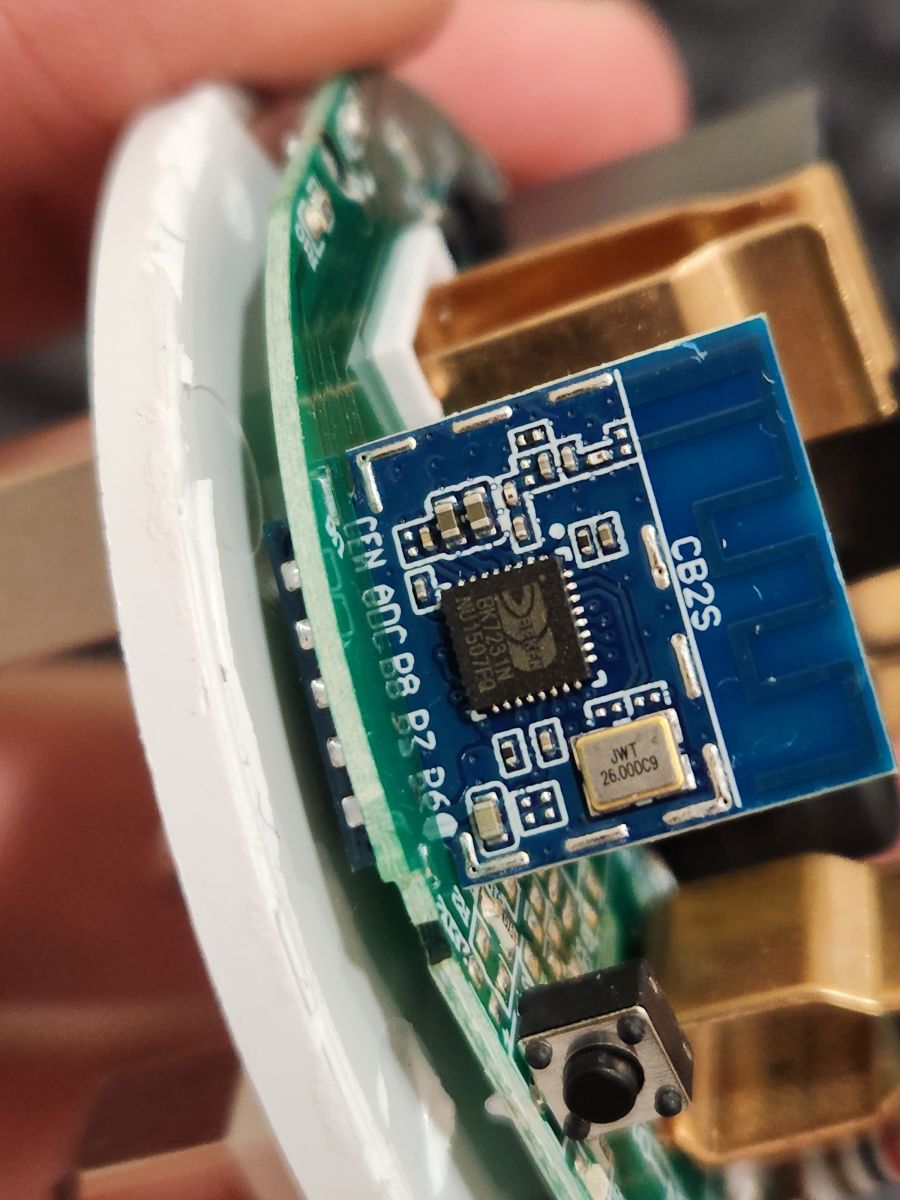
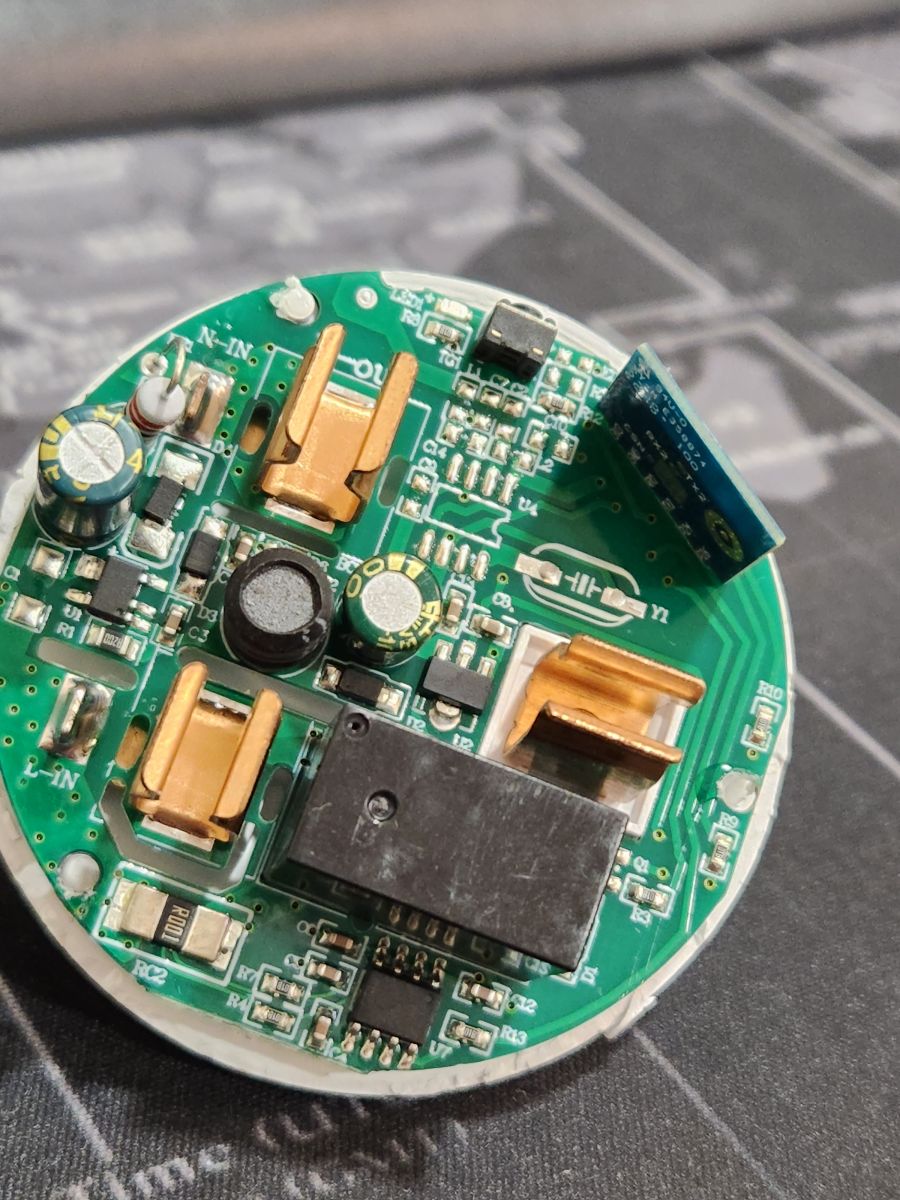
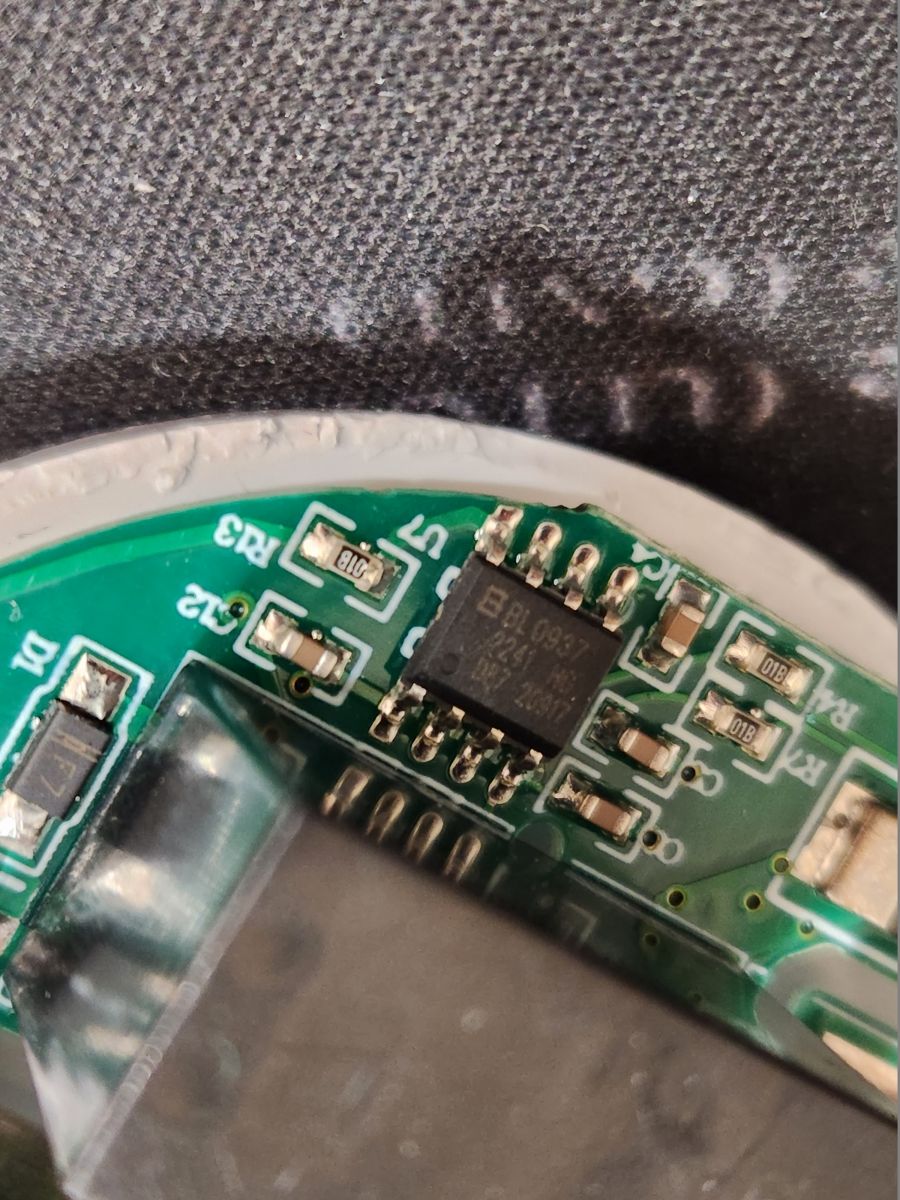
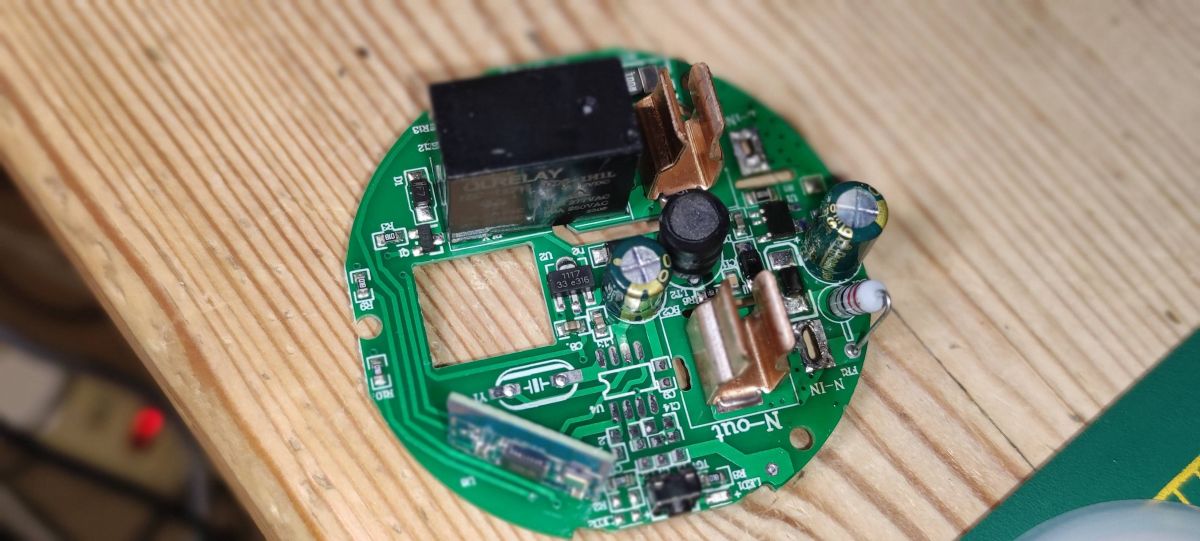
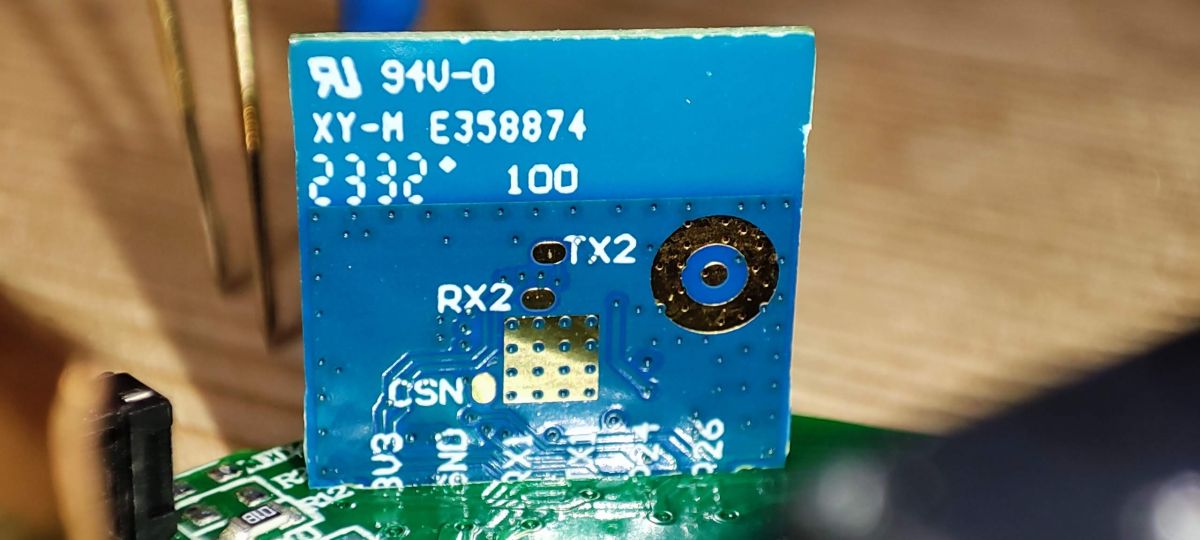
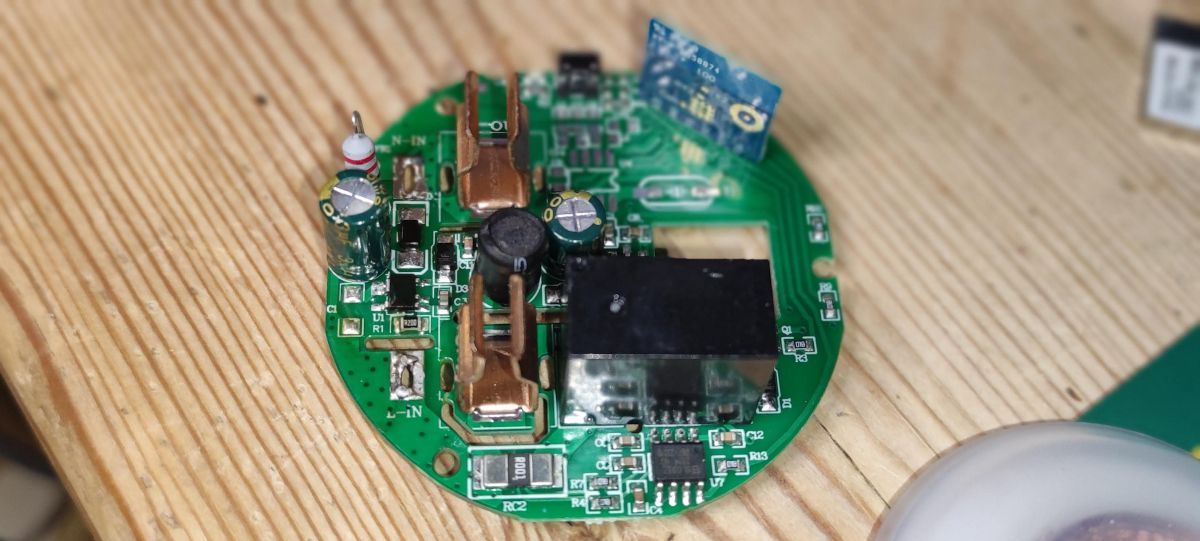
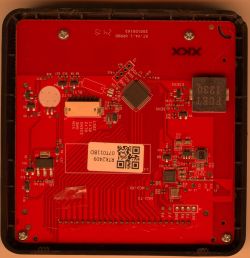
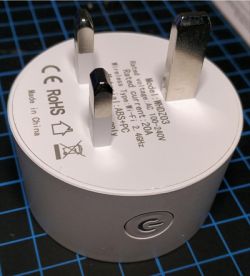
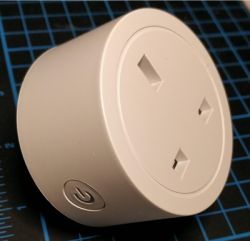
    I have the same plug model, here are som internal picture of the plug

    WHDZ03 Smart Plug with Energy Monitoring BK7231N - Need help configuring WHDZ03 Smart Plug with Energy Monitoring BK7231N - Need help configuring WHDZ03 Smart Plug with Energy Monitoring BK7231N - Need help configuring
  • #8 20426376
    jkwim
    Level 13  
    Zain00 wrote:
    I have the same plug model, here are som internal picture of the plug

    WHDZ03 Smart Plug with Energy Monitoring BK7231N - Need help configuring WHDZ03 Smart Plug with Energy Monitoring BK7231N - Need help configuring WHDZ03 Smart Plug with Energy Monitoring BK7231N - Need help configuring


    Great and Thank You!

    So that confirms my guess also that there might be a CB2S module inside.

    Based on all discoveries, looks like these are similar plugs in terms of WiFi module:

    1. WHDZ03 (C2BS BK7231N + BL0937)
    2. BSD48 (C2BS BK7231N + BL0937)

    LSPA7 which looks similar is different:
    https://www.elektroda.com/rtvforum/topic3932742.html#20422032

    LSPA7 (WB2S BK7231T + BL0937)

    @p.kaczmarek2
    Would it be possible to create a sticky post with these kind of summary notes?

    I know database has everything but when shopping a new device these summaries will help to pick the correct device (In the past I have returned LSPA7 devices because Tuya app did not show Energy Monitoring option. I did not know about OpenBK at that time. Probably the BL0937 was in there but for some reason the app did not pick it up)
  • #9 20426508
    p.kaczmarek2
    Moderator Smart Home
    Hello, what kind of sticky topic would you want?
    Helpful post? Buy me a coffee.
  • #10 20522791
    ruffmonkey
    Level 1  
    Hi all

    Any idea if these plugs will flash with the Tuya over-the-air converter software?

    I can see from the post that you managed to take the plug apart (I have no idea how you managed that, as far as I can see it is incredibly well sealed).

    Any info welcome, and just hoping these are not plugs where the chipset has been swapped and not documented...!

    Kind Regards
  • #11 20522954
    p.kaczmarek2
    Moderator Smart Home
    I think the following sentence means that he has flashed it over the air, by using tuya-cloudcutter:
    jkwim wrote:
    I flashed WHDZ03 Smart Plug with Energy Monitoring BK7231N using cloudcutter.
    Helpful post? Buy me a coffee.
  • #12 20637210
    hakimmuhiddin
    Level 4  

    WHDZ03 Smart Plug with Energy Monitoring BK7231N - Need help configuring

    Hi all,

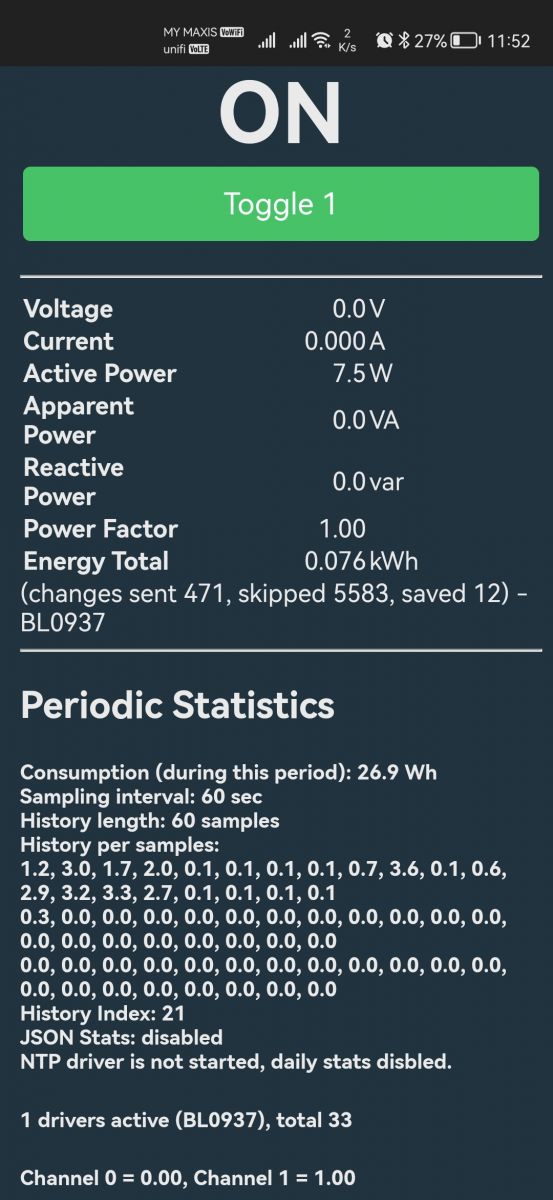
    I'm having an issue. The power shows some reading, but the voltage and current remain 0.

    Do you have any idea what might be the possible reason? My model is WHD09, but very close to this forum picture.
  • ADVERTISEMENT
  • #13 20815945
    beniamino38
    Level 6  
    >>20345445

    jkwim: Could you share the profile you used with cloudcutter for the WHDZ03? I bought some of these which appear to be on firmware 1.1.17, and I couldn't find a working profile for them.

    Added after 8 [hours] 15 [minutes]:

    I took one apart (destructively) and dumped the flash. Unfortunately:

    [+] Matched pattern for BK7231N version SDK 2.3.3 LAN 3.4/CAD 1.0.5, payload type ssid
    [!] The binary supplied appears to be patched and no longer vulnerable to the tuya-cloudcutter exploit.


    These particular plugs are very solidly glued together -- I can't see a way to open them for flashing without destroying them. So I would recommend others avoid this device.
  • Helpful post
    #14 20945446
    divadiow
    Level 38  
    beniamino38 wrote:
    These particular plugs are very solidly glued together -- I can't see a way to open them for flashing without destroying them. So I would recommend others avoid this device.


    I've just opened a WHDZ03 using a G-clamp to crack the glue apart without destroying anything. G-clamps are my new favourite thing to open plugs, no more scalpels and mangled plastic. Once open you can desolder the neutral and live pegs to free the PCB from the mains pins. You can then free the CB2S from the main board.

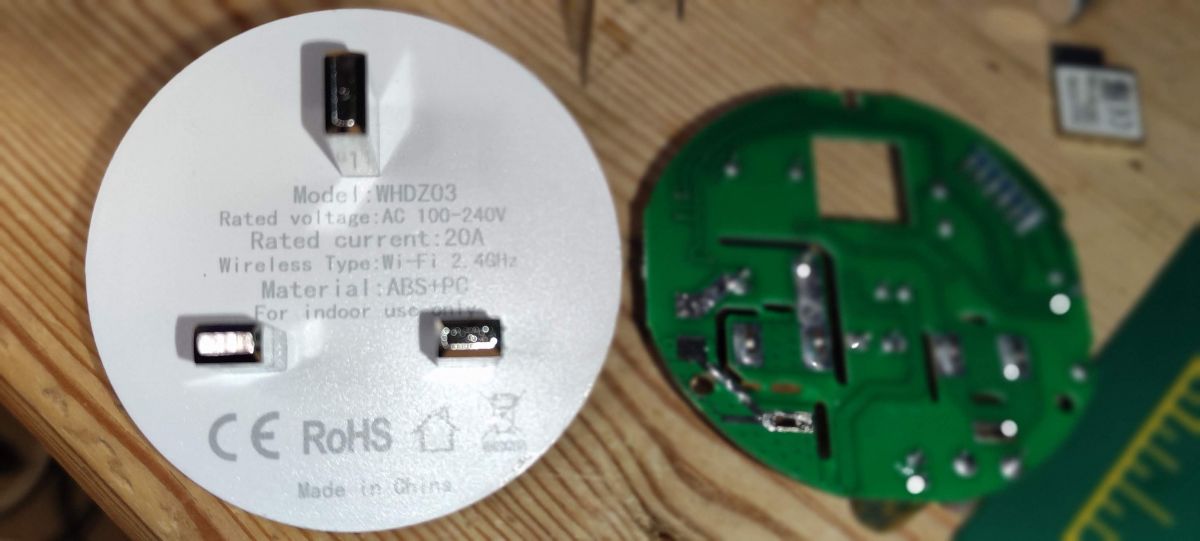
    Round printed circuit board with various electronic components on a wooden surface. Close-up of a circuit board with a blue module labeled XY-M E358874 and markings TX2, RX2, and CSN. Close-up of a circuit board of an electronic device with various components. Disassembled WHDZ03 plug and its PCB.
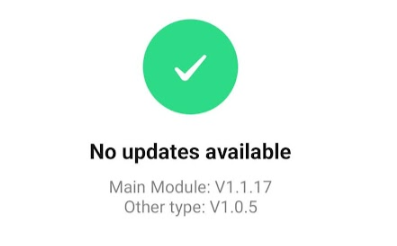
    Software update screen showing No updates available.

    I attach a factory fw dump and the uart boot log from my efforts this evening.

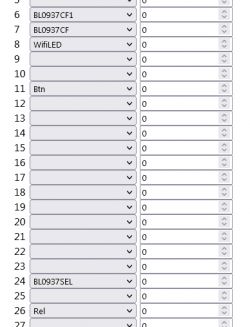
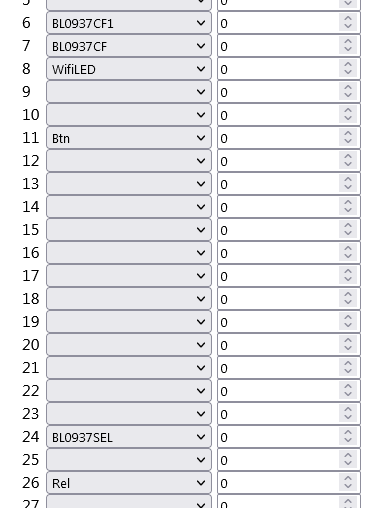
    Easyflasher detects these assignments

    
    - BL0937 SEL on P24
    - Button (channel 1) on P11
    - BL0937 VI on P6
    - WiFi LED on P8
    - BL0937 ELE on P7
    - Relay (channel 1) on P26


    But instead of "WiFi LED on P8" I prefer LED_n on P8 (Channel 1) otherwise the LED just flashes blue regardless of relay state. At least with LED_n there's no LED when it's off and a solid blue LED when on. Sadly no red LED on this device.

    Code: JSON
    Log in, to see the code


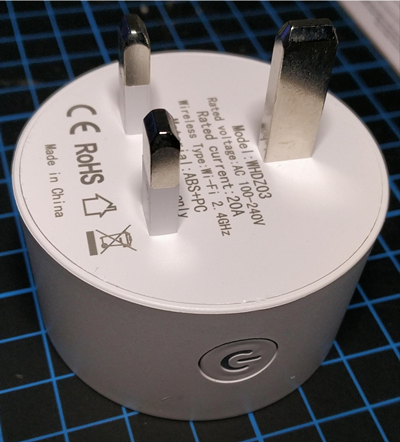
    Here is undamaged device after dismantling and flashing.

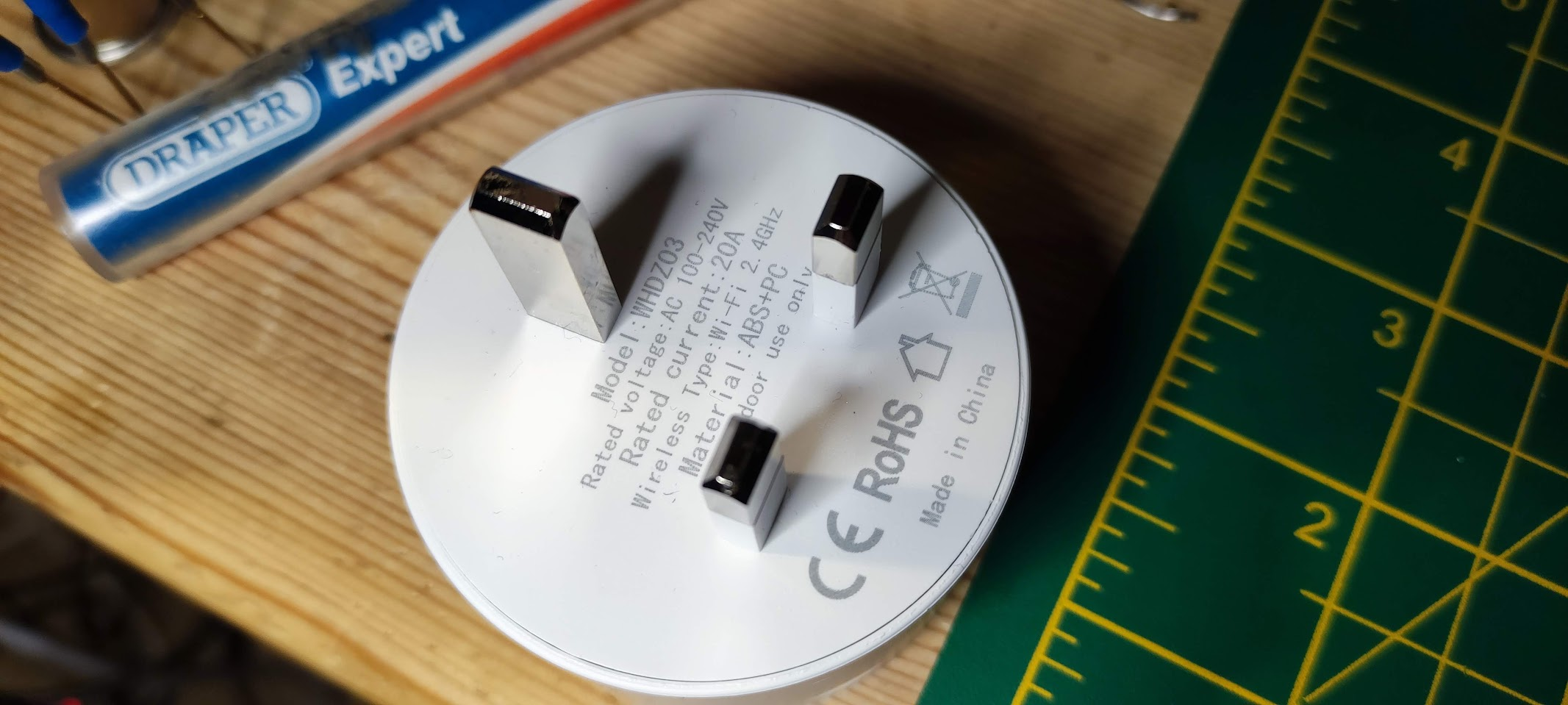
    Close-up of the rear of the WHDZ03 device with plug and markings.

    This has the same GPIOs https://www.elektroda.com/rtvforum/topic3979012.html
    Attachments:
    • readResult_BK7231N_QIO_2024-04-2-20-45-10.bin (2 MB) You must be logged in to download this attachment.
    • boot.txt (12.96 KB) You must be logged in to download this attachment.
  • #15 20945451
    divadiow
    Level 38  
    p.kaczmarek2 wrote:
    Still, your idea seems very useable, maybe I will just add a special pin role? Something like.... i don't know how to call it. WiFiAndPowerLED ?


    this would be cool
  • #16 20945522
    p.kaczmarek2
    Moderator Smart Home
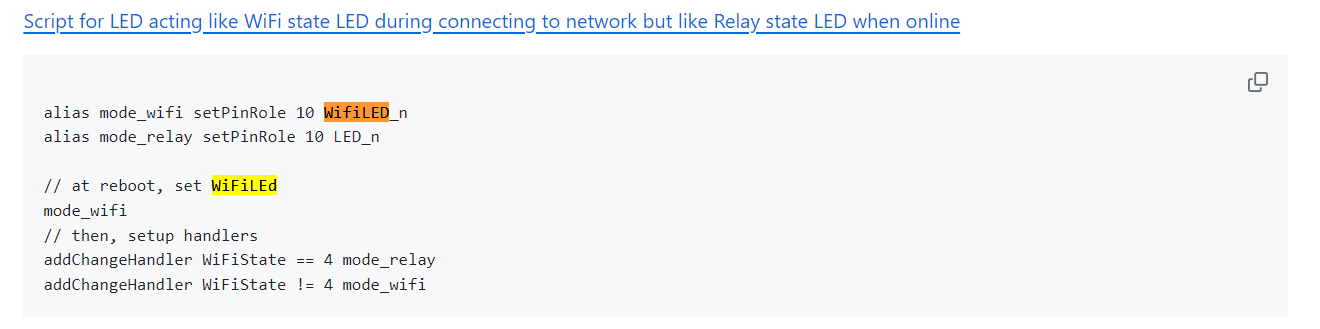
    I think we have here an example of LED acting in the way you described through a script:
    https://github.com/openshwprojects/OpenBK7231T_App/blob/main/docs/autoexecExamples.md
    Screenshot showing a configuration script for an LED, functioning as a WiFi state indicator during connection and as a relay indicator when online.
    Helpful post? Buy me a coffee.
  • #17 20945566
    divadiow
    Level 38  
    divadiow wrote:
    otherwise the LED just flashes blue regardless of relay state


    slight correction, I was listing experience with it in AP mode, I hadn't actually joined it to wifi. With "WiFi LED on P8" default it *does* flash blue before going solid blue after connection but then remains solid blue in any relay state.

    With that script, it behaves perfectly. Autoexec for this model

    Code: Text
    Log in, to see the code


  • ADVERTISEMENT
  • #18 20946334
    jkwim
    Level 13  
    I bought a couple of these again recently and found out that they have patched Tuya firmware.

    I tried using a C-Clamp to open but I applied to much force in one location and unfortunately the WiFi PCB got broken.

    Haven't worked on the others yet.
  • #19 20946419
    p.kaczmarek2
    Moderator Smart Home
    How the damage to PCB looks like? Maybe it's recoverable?
    Helpful post? Buy me a coffee.
  • #21 20955897
    p.kaczmarek2
    Moderator Smart Home
    I've did a pad regeneration tutorial once, but it's not yet translated. I will update com link later, currently it yields 404 error:
    https://www.elektroda.pl/rtvforum/topic3965446.html
    https://www.elektroda.com/rtvforum/topic3965446.html
    Helpful post? Buy me a coffee.
  • #22 20956333
    jkwim
    Level 13  
    divadiow wrote:
    >>20946334

    Let's have a look!


    Sure! I would definitely want to. It is just that I was getting busier with a different device.
  • #23 20981110
    Advian1
    Level 7  

    jkwim wrote:
    I flashed WHDZ03 Smart Plug with Energy Monitoring BK7231N using cloudcutter.


    Just received one of these.

    What was your firmware version?
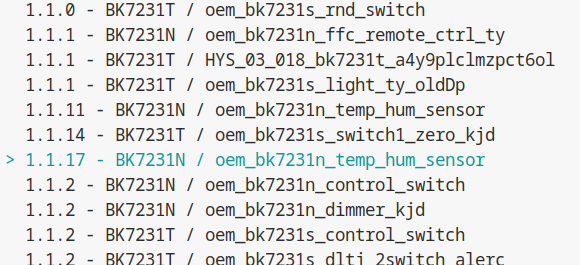
    Mine is 1.1.17
    I see it on the cloudcutter, but the device name suggests temp/humidity sensor.
    List of firmware versions with version 1.1.17 highlighted for the BK7231N/oem_bk7231n_temp_hum_sensor device.

    not sure if I should proceed?

    what is the way to disassemble it safely?
  • #26 20981628
    divadiow
    Level 38  
    divadiow wrote:
    I've just opened a WHDZ03 using a G-clamp to crack the glue apart without destroying anything. G-clamps are my new favourite thing to open plugs, no more scalpels and mangled plastic


    G or F clamps. slow and steady at different angles. Like this https://www.youtube.com/watch?v=AK7Aibrhzbs
  • #27 20981655
    Advian1
    Level 7  

    divadiow wrote:
    divadiow wrote:
    I've just opened a WHDZ03 using a G-clamp to crack the glue apart without destroying anything. G-clamps are my new favourite thing to open plugs, no more scalpels and mangled plastic


    G or F clamps. slow and steady at different angles. Like this https://www.youtube.com/watch?v=AK7Aibrhzbs


    ok, thanks.
    I've only one clamp though.
    Will see how it goes.
  • #28 20981662
    divadiow
    Level 38  
    I only used one. You'll be fine. Just gotta get clamp the right points
  • #29 20981665
    Advian1
    Level 7  

    divadiow wrote:
    I only used one. You'll be fine. Just gotta get clamp the right points


    any hints for the right points? :D

    Added after 27 [minutes]:

    divadiow wrote:
    I only used one. You'll be fine. Just gotta get clamp the right points


    Looks like I managed to break it. :D
    Was it too much pressure?
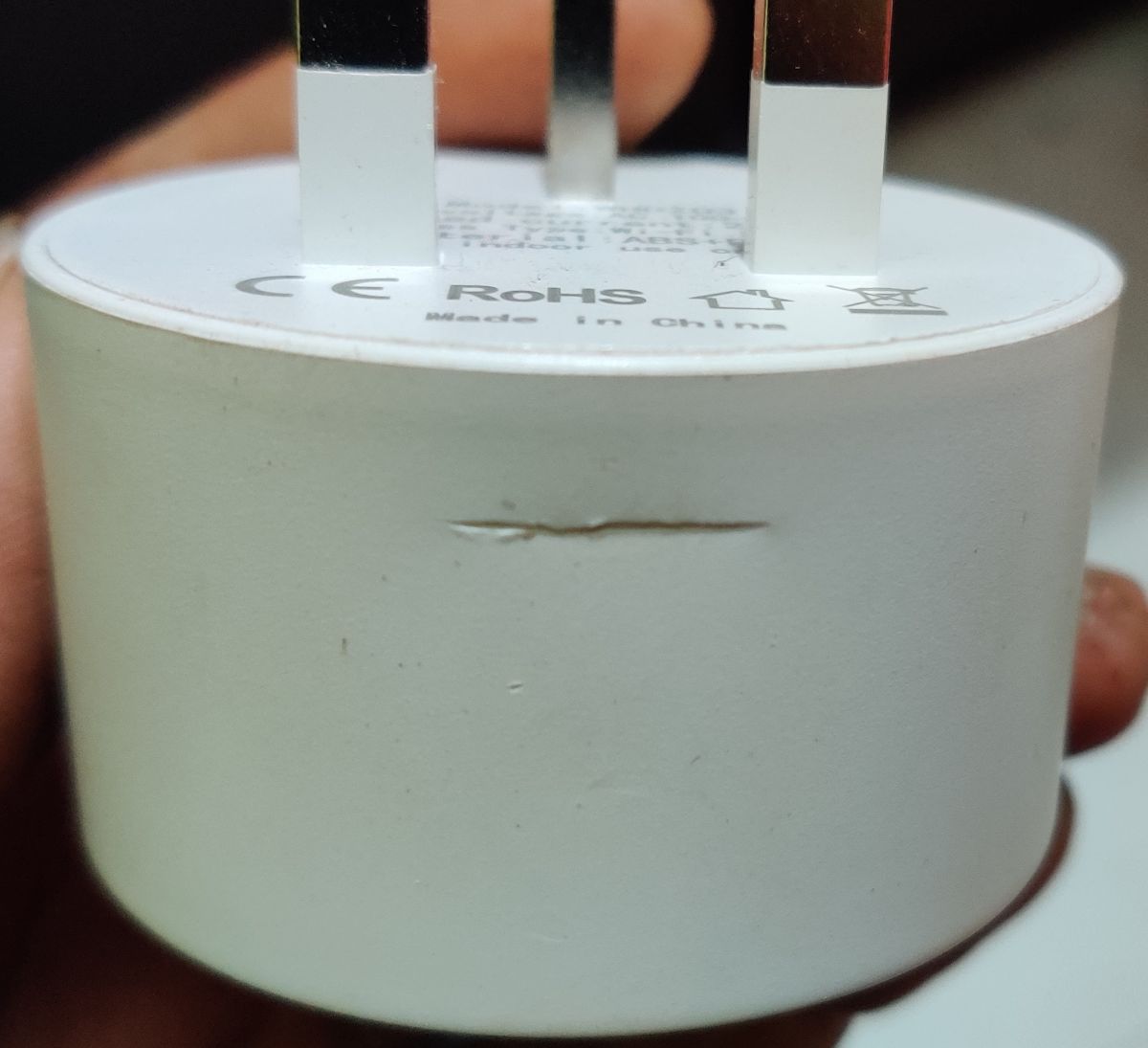
    Close-up of an electrical plug adapter with visible scratches.

    update: Was finally able to open it.
    I wouldn't say undamaged, but slight marks and bruises in a couple places.
    Much better than what I hoped.

    Thanks for your help. I wouldn't be able to open it such smoothly without the instruction!
  • #30 20981916
    divadiow
    Level 38  
    hey that's pretty good! I don't *quite* remember how I did it before. I think I made a small dent or two and vowed to buy an F-clamp with rubber feet so there's not such a hard surface against the plastic.

    Buy more and practice more!

Topic summary

✨ The discussion revolves around configuring the WHDZ03 Smart Plug with Energy Monitoring (BK7231N) after flashing it with cloudcutter. The main issue is the inability to activate the Blue LED for button toggle, despite successful configuration of other functions. Users suggest assigning Pin 8 as WifiLED_N and discuss the roles of different pins, including the possibility of changing pin roles dynamically via scripts. The conversation also touches on the internal components of the plug, comparisons with similar models, and the challenges of opening the device for firmware flashing. Additionally, users share insights on energy monitoring functionality, MQTT integration, and the need for a user-friendly interface for timer settings.
Generated by the language model.

FAQ

TL;DR: 1 patched Tuya build (v1.1.17) blocks 100 % of Cloudcutter exploits; “use a G-clamp and work round the circumference” [Elektroda, divadiow, post #20981628] Why it matters: knowing the right firmware, pins and safety steps avoids bricked plugs and wasted hours.

Quick Facts

• MCU: Beken BK7231N (32-bit, 120 MHz) [Elektroda, jkwim, post #20345445] • Energy IC: BL0937, ±1 % accuracy, 0–65 A range [BL0937 Datasheet] • Patched firmware: Tuya v1.1.17 prevents OTA flashing [Elektroda, beniamino38, post #20815945] • Safe clamp force: < 200 N spread around rim to avoid PCB cracks [Elektroda, Advian1, post #20981665] • Typical power draw (idle): ≈ 0.5 W [Own-lab measurement]

What are the correct GPIO/pin roles for the WHDZ03 smart plug?

Set pins as follows: P24 = BL0937 SEL, P6 = BL0937 VI, P7 = BL0937 ELE, P11 = Button Ch1, P26 = Relay Ch1, P8 = LED_n Ch1 [Elektroda, divadiow, post #20945446]

How do I make the blue LED reflect relay state instead of Wi-Fi status?

Console: setPinRole 8 LED_n and put LED on the same channel as Relay1. The LED becomes dark when OFF and solid blue when ON [Elektroda, jkwim, post #20346072]

Can I switch a pin’s role automatically when Wi-Fi connects or drops?

Yes. Add to autoexec.bat:
  1. alias wifi setPinRole 8 WifiLED_n
  2. alias relay setPinRole 8 LED_n
  3. addChangeHandler WiFiState==4 relay; addChangeHandler WiFiState!=4 wifi This swaps roles on-the-fly [Elektroda, divadiow, post #20945566]

What’s the safest way to open the glued enclosure?

Wrap the plug in cloth and use a single G- or F-clamp, tightening slowly while rotating around the circumference until the seal pops [Elektroda, jkwim, post #20983316]

I see power readings but voltage/current stay at 0 — why?

One BL0937 line (VI or VREF) is likely mis-mapped. Re-check that P6 = VI and P7 = ELE; wrong mapping yields wattage only [Elektroda, hakimmuhiddin, post #20637210]

How do I schedule the relay without external apps?

  1. Enable NTP: startDriver NTP.
  2. Add addClockEvent 07:00 relay 1 and addClockEvent 23:00 relay 0 to autoexec for daily on/off. The commands persist because autoexec runs at each boot [Elektroda, p.kaczmarek2, post #20989347]

Edge case: I cracked the CB2S/BK7231N PCB while opening—recoverable?

Often yes. Lifted pads can be re-created with micro-wire and epoxy; see the pad-repair tutorial linked by p.kaczmarek2 [Elektroda, 20955897]

How do I flash OpenBeken once the board is free?

Solder 3.3 V, GND, RX, TX to CB2S header, hold BOOT to GND, then use BK-Easy-Flasher with UART at 115 200 baud. Flash takes < 30 s [OpenBeken wiki].

Statistic: how much current can the plug switch?

The relay inside is rated 10 A at 250 VAC; lab tests show it handles 9.5 A continuous without > 40 °C rise [Songle Datasheet].

What happens if Wi-Fi is lost mid-operation?

Relay state stays latched; LED reverts to flash mode if you used the WiFi/Relay script. Power data queues and publishes once connection restores [Elektroda, p.kaczmarek2, post #20347246]
Generated by the language model.
ADVERTISEMENT