logo elektroda
logo elektroda
X
logo elektroda
Dostępna jest polska wersja

Czy wolisz polską wersję strony elektroda?

Nie, dziękuję Przekieruj mnie tam

Videotest: cordless/rechargeable soldering iron 10 W TK-USB

p.kaczmarek2 921 8

TL;DR

  • A video test checks the 10 W TK-USB cordless/rechargeable soldering iron for soldering wires and goldpins, including both leaded and lead-free solder.
  • The iron offers three temperature settings, uses 5 V charging, supports TK-USB-K, TK-USB-C and TK-USB-B tips, and comes in several colours, including an LCD version.
  • It cost £30 and takes about a minute to warm up.
  • It soldered wires and goldpins acceptably with Sn60Pb40 and Sn99Cu1, and thicker wires worked better with added flux.
  • Large components and copper-heavy boards still overwhelm it, so it is not a good replacement for a mains-powered soldering iron.
Generated by the language model.
ADVERTISEMENT
Treść została przetłumaczona polish » english Zobacz oryginalną wersję tematu
📢 Listen (AI):
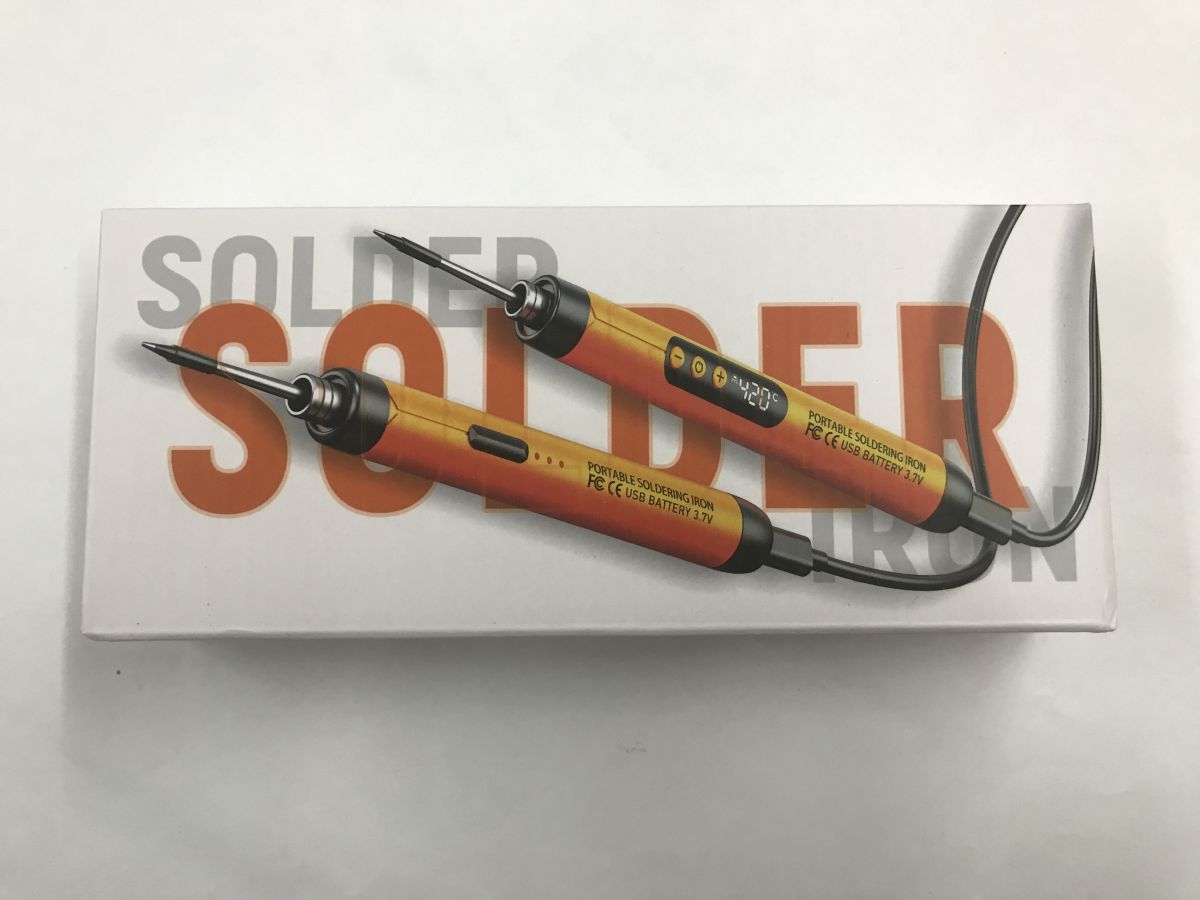
  • Box labeled “SOLDER” showing two portable USB soldering irons, one with a display reading “420”
    Is it sensible to buy a tiny, battery-powered soldering iron? Can such a soldering iron cope with soldering wires or goldpins? I invite you to a video test - with a breakdown of lead and lead-free solder. I bought the soldering iron for £30 - importantly, you can also buy soldering tips for it.
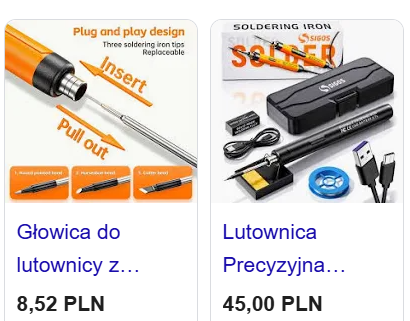
    Screenshot of soldering offers: replaceable tip and soldering iron kit in a case with prices in PLN
    There was a bit of a wait for shipping, but maybe it was worth it?
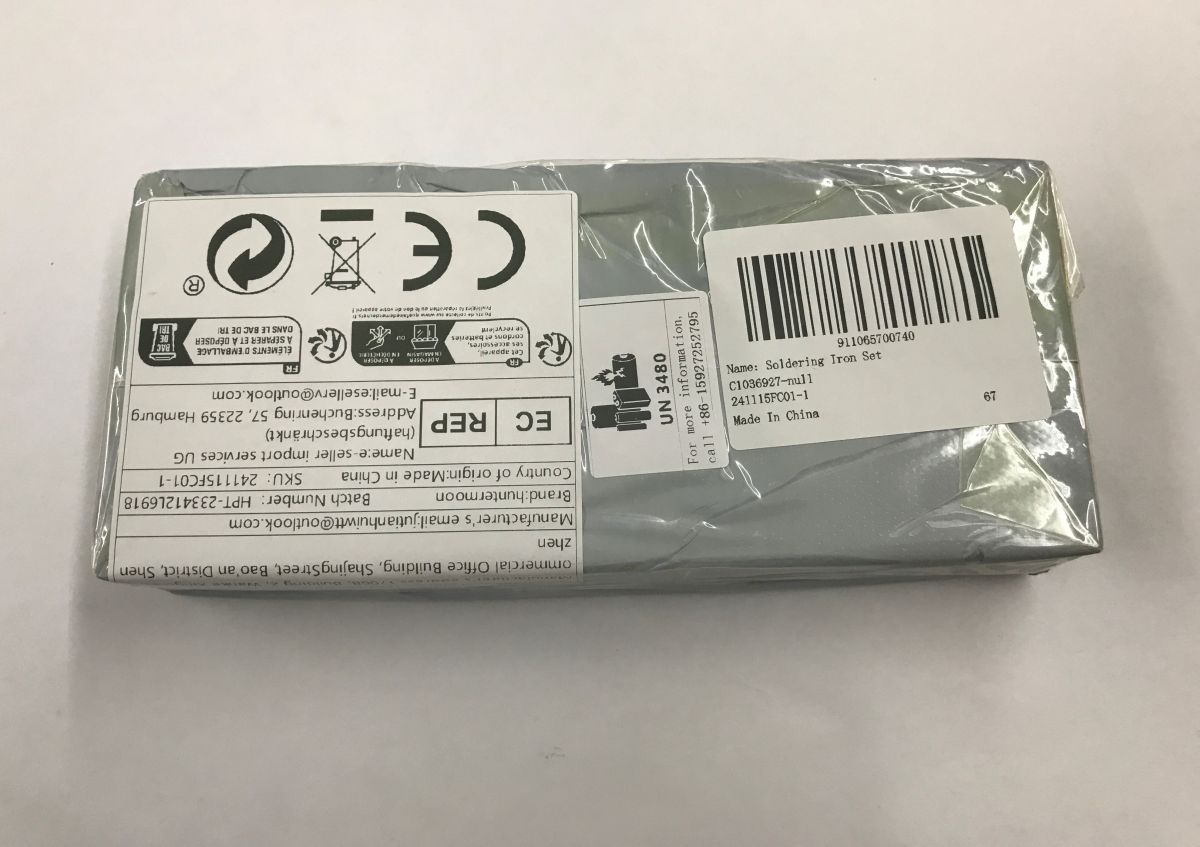
    Gray plastic-wrapped box with label and barcode reading “Soldering Iron Set” on a white surface
    The product comes in different colours and there is also a version with LCD.
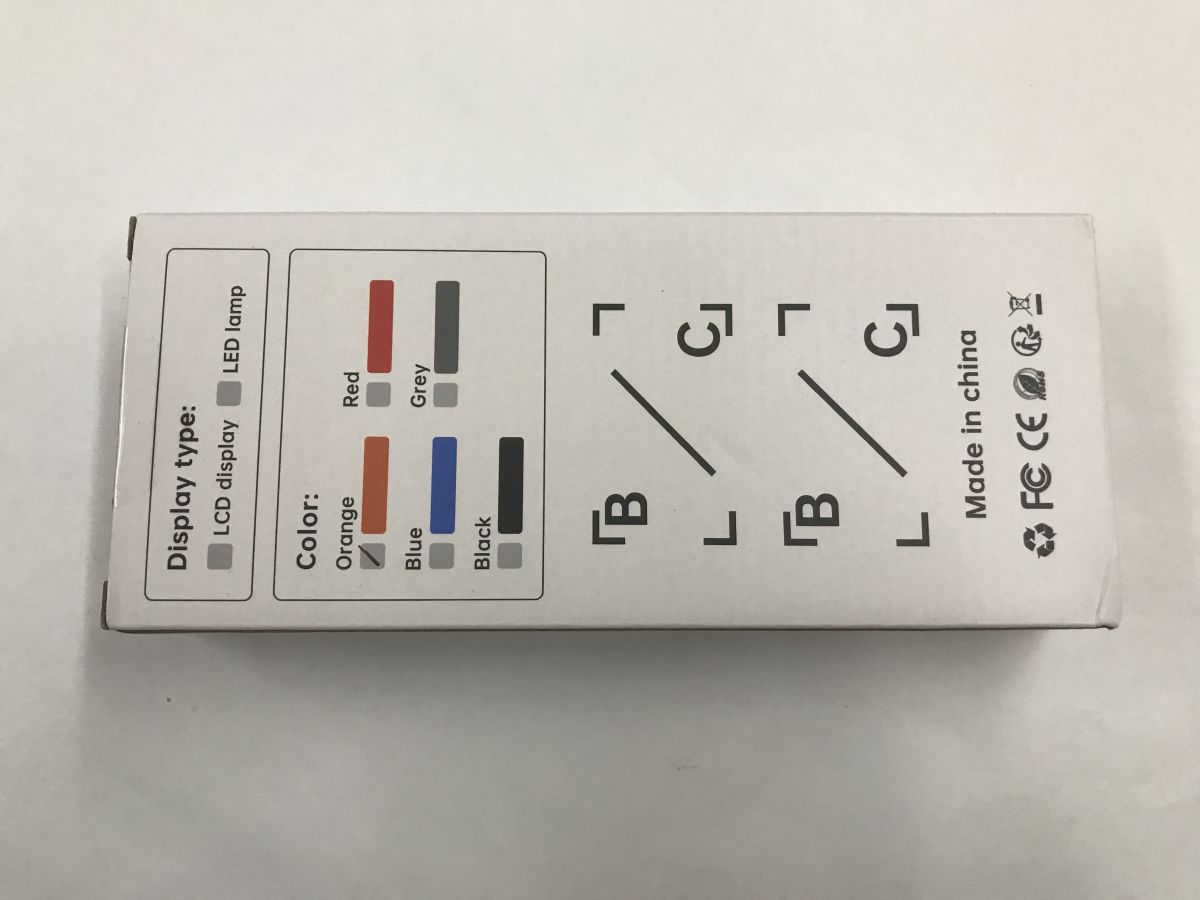
    White product box with display-type and color options printed, plus “Made in China”
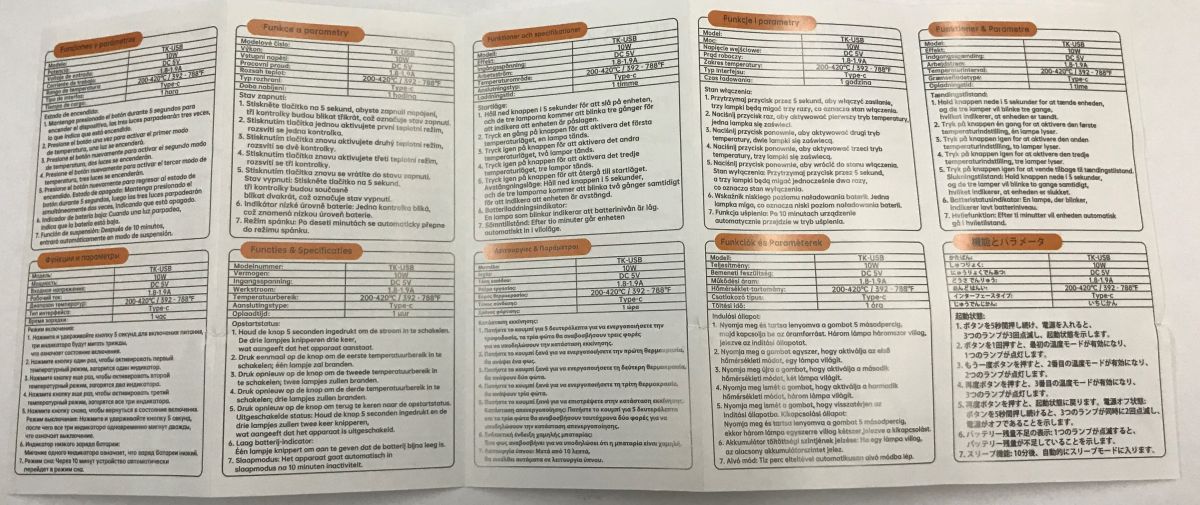
    Instructions - there is also a section in English. Declared power is 10 W, charging voltage is 5 V. Supported arrowheads: TK-USB-K, TK-USB-C and TK-USB-B. A button allows you to select one of three temperatures, although it is probably in practice a power choice.
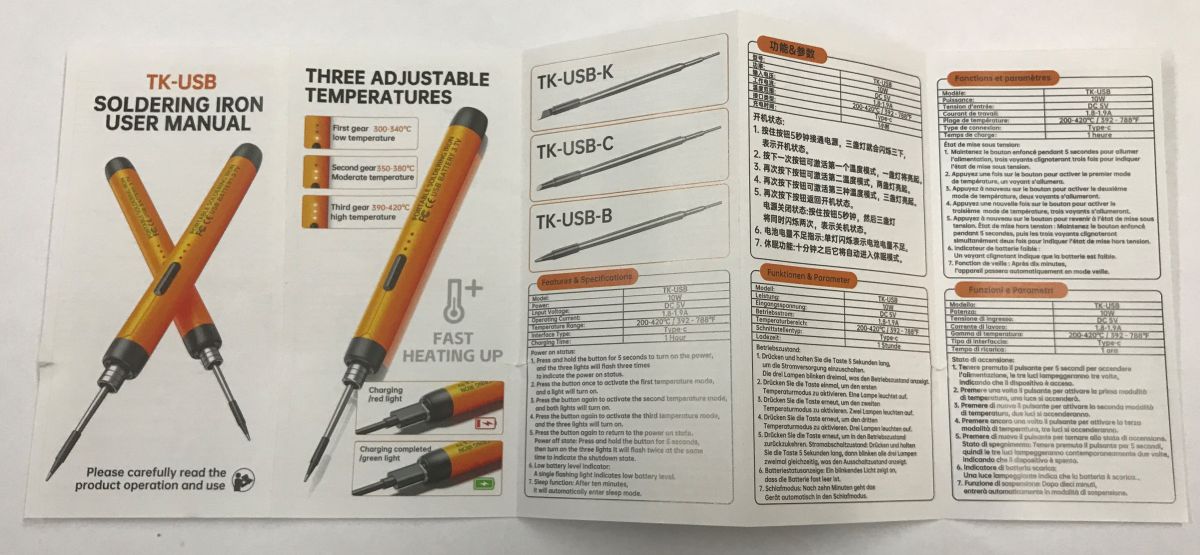
    Unfolded TK-USB soldering iron manual with diagrams, tables, and three temperature settings. Unfolded device manual with parameter tables, printed in multiple languages
    Time for testing:
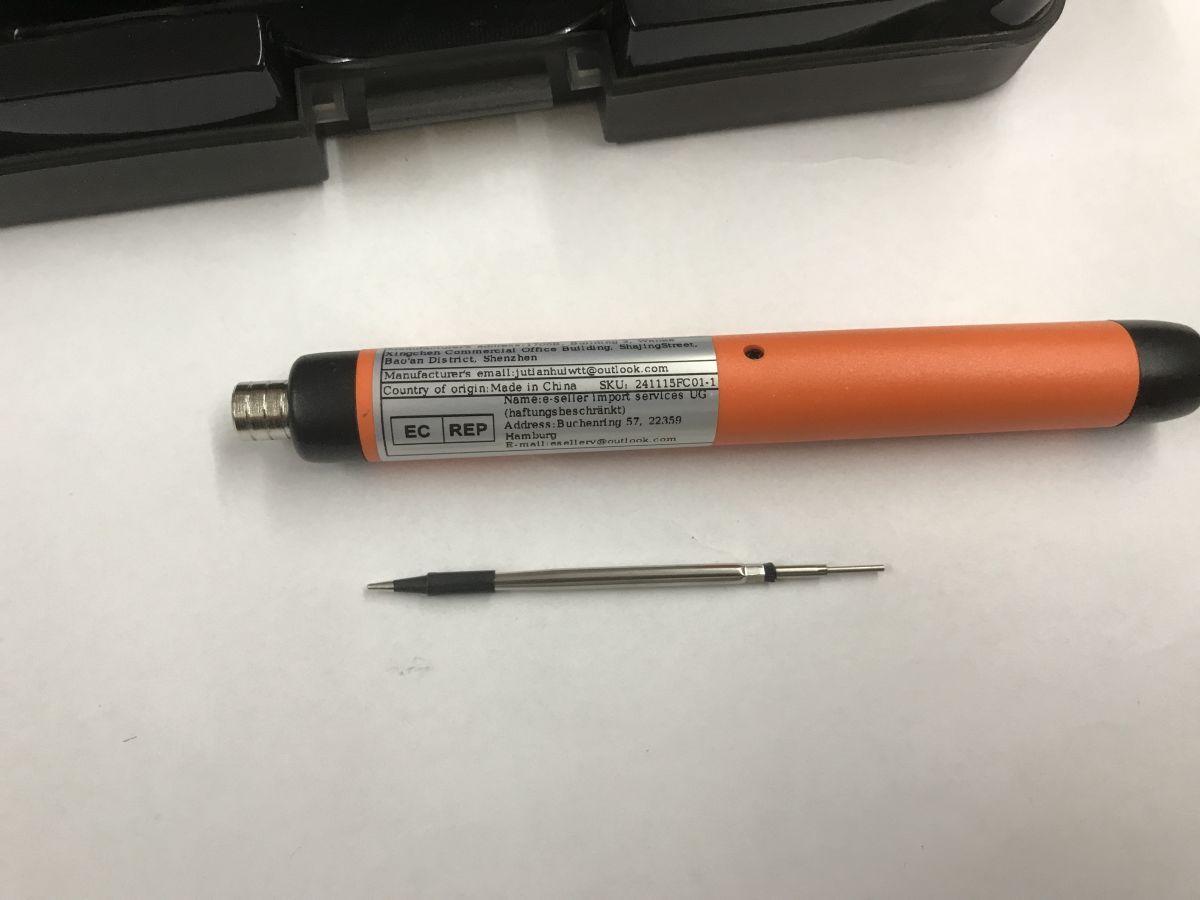
    Orange USB soldering iron with a detached tip lying on a white surface

    I started by warming up. The soldering iron takes a good minute to warm up. It is not a tool for the impatient.

    Then it came to testing the soldering. Each test is a separate video.

    Soldering wires - full power - Sn60Pb40 lead binder:


    The result is quite good, it even went without extra flux, although it probably would have helped. Successful soldering.

    Soldering the wires - full strength - Sn99Cu1 lead-free solder:


    Pb-free binder has a higher melting point, but here too it went acceptably.

    Soldering thicker wires - full strength - Sn60Pb40 lead binder:


    Here I added flux and it was also reasonably successful, although the heating power was initially lacking.

    Goldpins - full power - Sn60Pb40 lead binder:


    It worked out reasonably well, although it's not the same comfort as with more powerful soldering irons.

    Goldpins - full power - Sn99Cu1 lead-free binder:


    Also successfully soldered.

    So is it so beautiful and you can throw the wired soldering iron into the corner?
    Unfortunately there is no such option. For most applications, however, the heating power is lacking. The larger the component, the larger the copper spout, etc, the worse the soldering:


    The binder even solidifies prematurely and "grabs" the soldering iron tip. There is simply a lack of heating power. The more copper, elements, layers, the stronger the heat escapes and is simply missing.

    In summary , it may have been better than in my tests those 6 years ago when I tested the ZD-20E battery soldering iron, but I still wouldn't reach for this soldering iron for normal work. I'd definitely prefer to pull an extension cord, it's a better comfort to work with, heats up quicker and there's no risk of it discharging.
    However, that doesn't change the fact that this soldering iron is indeed capable of connecting two wires, or thereabouts soldering simple goldpins into a small board where there is no large copper spout. This can be its advantage in unusual situations, when, for example, you are assembling something away from a socket and need to make one or two connections.
    This is when you might consider buying it. I certainly don't recommend it for "lazy" people who don't want to pull out a larger soldering iron, because in the end they will lose more time wrestling with this gadget anyway than they will save thanks to its mobility.
    This was just my opinion though - what do you think? To what use is such a soldering iron?

    Cool? Ranking DIY
    Helpful post? Buy me a coffee.

    About Author
    p.kaczmarek2
    Moderator Smart Home
    Offline 
    p.kaczmarek2 wrote 14249 posts with rating 12151, helped 647 times. Been with us since 2014 year.
  • ADVERTISEMENT
  • #2 21847733
    @GUTEK@
    Level 31  
    I have one, the version with a display, because the one in the review is, judging by the price, the version without a display. There is no picture.
    Unfortunately it's very flimsy, thin wires go soldering, when it gets to the circuit board where you need a bit of power to heat it up it's over.
    Inside sits a poor 14500 cell that doesn't even have a claimed capacity. Maybe if I put some high-current proprietary ones in there something would improve. But is it even worth it?
    Just a curiosity and possibly an emergency soldering iron to solder some wire to the led when you suddenly run out of stromium and need a piece of the lamp.
  • ADVERTISEMENT
  • #3 21847990
    minus3db
    Level 13  
    This kind of soldering iron by FERM (Action chain of shops) with a "bulbous" tip has been in my "holiday" tool trunk for some time.
    It has helped to:
    - fix a laptop power cable - far from a decent soldering iron at hand,
    - fix an old neighbour's radio - it fell and the winding wire from the ferrite antenna broke off,
    - repairing a friend's son's toy - the thin wires were cut,
    - write a "dedication" on the wood of a casket,
    - melt a few holes in the plastic (no drill handy),
    - replace a few germanium transistors in an old frequency meter at a friend's house - but that was just for fun (because a normal soldering iron was at hand)

    Not bad for a toy for about 50£ (plus 2 arrowheads from All.)
    In general, FERM power tools serve me well, although they are "uneven": some very nice for everyday work, others "for once-a-year use".

    Does a soldering iron like this replace my well-worn transformer and a small T12 type TS100 flask?
    Absolutely not.

    Did it come in handy?
    Definitely yes.

    Is it a *necessary* purchase?
    No. But for fun and for an away "tool chest" - why not. As long as it's charged.
  • #4 21848078
    ArturAVS
    Moderator
    p.kaczmarek2 wrote:
    The larger the component, the larger the copper spout, etc, the worse the soldering.

    I also get this impression. Admittedly a different company/brand, but already when soldering goldpins to a multilayer board it starts to lack power. Although for more precise work it is ok and worth having "in reserve". Mine is the FNIRSI HS-02A. Due to its dimensions, it was purchased as a reserve. Right away, it is worth stocking up on a variety of arrowheads.
  • ADVERTISEMENT
  • #5 21848170
    E8600
    Level 41  
    I wouldn't buy 10 W, it's too little, a waste of nerves, given that there are USB-C powered soldering irons that have 50-60 W that can be powered from a powerbank.
  • ADVERTISEMENT
  • #6 21848173
    Anonymous
    Level 1  
  • #7 21850127
    popek9
    Level 14  
    >>21847990 I bought this crap called FERM brand soldering iron and even to my biggest enemy I would not recommend it. For 50 PLN it is better to buy a normal soldering iron for T12 tips with a USB-C socket (e.g. ZOYI ZT-N1, which has a convenient change of tips without unnecessary disassembling) and buy a powerbank and in this way you can cheaply get a mobile and fully-fledged soldering iron, which can solder everything. The only thing that is still important is the power output of the powerbank, which should be no less than 22.5 watts, but I personally recommend a minimum of 45 watts.
  • #8 21850133
    minus3db
    Level 13  
    >>21850127

    It's all a matter of need and use. As I mentioned - I didn't need it I bought it out of curiosity and a bit of gadgetry. It has worked well for me a few times so far. It's not suitable for normal work, also because the E10 shank blades are flimsy and expensive. For a toolbox - just fine for me (although I also have an Irod gas soldering iron in there, and it gets the job done in the field when soldering thicker wires or cutting plastics, for example), but for normal work - normal tools.

    I have just such a TS100 on a power supply. And I've already used it once with a power bank borrowed from a colleague on site (I just had to make a cable from USB to a round one) - great stuff. And it really is a mobile solution, and the power bank is easy to charge from the car, for example.
  • #9 21860886
    398216 Usunięty
    Level 43  
    p.kaczmarek2 wrote:
    what do you think?

    Personally, I think it is important to measure the power against the power. A rechargeable soldering iron with the power as above is suitable for SMALL work with SMALL (low thermal mass) components. If someone wants to solder 1.5mm2 cables with it, they don't understand the physics. I once had a colleague who didn't care whether a screw had PH or PZ notches. He used a dilapidated (guess why?) screwdriver for all of them, probably still remembering the communist era - because "a cross is a cross". As a result, when the equipment was returned after his repair, it turned out that all the screws could not be unscrewed with ANY screwdriver. The damaged cut-outs made this effectively impossible. When I saw these screws I thought that maybe it was the work of the aforementioned colleague - I checked - indeed - he had made this equipment a year ago. So I gave this piece (hehehe...piece) to my colleague deliberately waiting for the result. Well... he unscrewed the screws with pliers and screwed in new ones with his old defunct screwdriver after repairing the equipment.
    Some people never learn...
📢 Listen (AI):

FAQ

TL;DR: A 10 W cordless TK‑USB iron warms up in about 60 s and, as one tester put it, "not a tool for the impatient." It can solder thin wires and goldpins on small boards, but it lacks power for larger copper pours or multilayer PCBs. [Elektroda, p.kaczmarek2, post #21847307]

Why it matters: This FAQ helps hobbyists decide when a tiny rechargeable iron is enough and when a higher‑power USB‑C/T12 tool is the better choice.

Quick Facts

What can a 10 W TK‑USB cordless soldering iron realistically handle?

It can tin and join thin wires and solder goldpins on small, low‑copper boards when run at full power. Tests showed successful joints with Sn60Pb40 and Sn99Cu1, but performance drops on larger copper areas where heat wicks away. "It’s not the same comfort as more powerful irons." [Elektroda, p.kaczmarek2, post #21847307]

How long does the TK‑USB take to heat up?

Expect roughly 60 seconds to reach a usable temperature. The reviewer noted it “takes a good minute to warm up,” calling it unsuitable for impatient users. Plan for longer dwell times on thicker conductors because 10 W cannot quickly replenish tip heat. [Elektroda, p.kaczmarek2, post #21847307]

Will it solder lead-free (Sn99Cu1) as well as leaded (Sn60Pb40)?

Yes on small joints, but with caveats. The iron completed Sn99Cu1 joints at full power, yet the higher melting point and low wattage make larger pads challenging. Leaded Sn60Pb40 flowed more easily under the same conditions. Use extra flux to help wetting. [Elektroda, p.kaczmarek2, post #21847307]

Why does solder sometimes freeze on the tip or get “grabby”?

Insufficient heat flow is the cause. On big copper pours or multilayer PCBs, heat escapes faster than a 10 W heater can supply it, so solder solidifies prematurely and sticks to the tip. This is a classic low‑power failure mode. [Elektroda, p.kaczmarek2, post #21847307]

Is the display version or internal battery any better?

Owners of display versions report similar limits. One user found a weak 14500 cell inside and called the build flimsy; thin wires solder, but PCB work stalls when more heat is needed. Upgrading the cell might help, but value is questionable. [Elektroda, @GUTEK@, post #21847733]

What’s a practical field alternative to 10 W cordless?

A USB‑C iron rated around 50–60 W powered by a capable power bank is a stronger mobile choice. Community feedback favors T12‑tip USB‑C handles as truly “fully fledged” portable solutions compared with small cordless gadgets. [Elektroda, E8600, post #21848170]

Which power bank do I need for a USB‑C/T12 portable iron?

Choose a bank with at least 22.5 W output; 45 W or higher is recommended for solid performance. One user cited success with T12 handles on such banks and stressed output specs as the key purchase criterion. [Elektroda, popek9, post #21850127]

Does a cordless 10 W iron replace a TS100 or station?

No. Multiple users state it’s handy in emergencies but not a replacement for a TS100/T12 or bench iron. A TS100 on a PSU or power bank delivered reliable, faster results for real work. "Absolutely not" as a replacement. [Elektroda, minus3db, post #21850133]

When is a 10 W cordless iron worth carrying?

Carry it for quick fixes away from mains: joining two wires, tack‑soldering goldpins on small boards, or light hobby use. Reviewers highlight its value as a charged, emergency tool in a travel or car kit, not for daily production. [Elektroda, p.kaczmarek2, post #21847307]

Any simple steps to improve results with a 10 W iron?

Use flux, pre‑tin parts, and minimize heat sink size. 1. Run at full power. 2. Add flux to improve wetting. 3. Pre‑tin wires/pins before joining. The tester saw better outcomes on thicker wires after adding flux. [Elektroda, p.kaczmarek2, post #21847307]

Are cheap cordless irons like FERM worth it?

Opinions diverge. One user found it useful several times for travel fixes; another called the FERM unit “crap” and recommended a low‑cost USB‑C T12 handle instead. Blade systems and build can be flimsy and costly. [Elektroda, minus3db, post #21847990]

What does the community think about buying 10 W today?

Many advise skipping 10 W and choosing 50–60 W USB‑C irons powered from power banks. The rationale is faster heat recovery and broader applicability, especially on boards needing real thermal mass. [Elektroda, E8600, post #21848170]

How much did the reviewed TK‑USB cost and what about tips?

The tested unit cost about £30, and replacement tips are available (TK‑USB‑K/C/B). Budget for spares if you plan to travel or abuse tips; low‑power irons benefit from sharp, clean tips to transfer heat efficiently. [Elektroda, p.kaczmarek2, post #21847307]

Can a gas iron outperform a 10 W cordless in the field?

Yes. A user reports an Iroda gas iron handled thicker wires and even plastic cutting tasks where the cordless struggled. Gas tools deliver higher on‑demand heat but require ventilation and care. [Elektroda, minus3db, post #21850133]

What failure signs mean I should switch tools?

If solder crystallizes on the tip, pads never reach reflow, or dwell exceeds 10–15 s without wetting, move to a higher‑power iron. On multilayer or large copper areas, 10 W typically cannot sustain joint temperature. [Elektroda, p.kaczmarek2, post #21847307]

What’s the best budget path to a mobile, full‑power setup?

Pair a USB‑C T12 handle (e.g., ZOYI ZT‑N1) with a 45 W power bank. Users highlight quick tip swaps and strong performance versus tiny cordless gadgets, provided the bank meets the wattage spec. [Elektroda, popek9, post #21850127]
Generated by the language model.
ADVERTISEMENT