logo elektroda
logo elektroda
X
logo elektroda
Dostępna jest polska wersja

Czy wolisz polską wersję strony elektroda?

Nie, dziękuję Przekieruj mnie tam

Multiplatform BK7231 BK7238 Beken Flash Tool - Web, Android, Windows - First Prototype

p.kaczmarek2 1629 29

TL;DR

  • EasyGUIFlashTool is an early multiplatform IoT flasher for Beken BK7231/BK7238 chips, with shared Web, Android, and Windows workflows.
  • The web build uses Web Serial and WebUSB, runs on GitHub Pages or locally, and lets users choose firmware, set flashing parameters, and watch progress.
  • The tool has tested communication speeds up to 1,500,000 baud and includes a built-in firmware downloader plus command-line working mode.
  • The web version may fail to auto-reset devices because DTR/RTS pins do not always work in Chrome, so localhost deployment is recommended.
Generated by the language model.
ADVERTISEMENT
📢 Listen (AI):
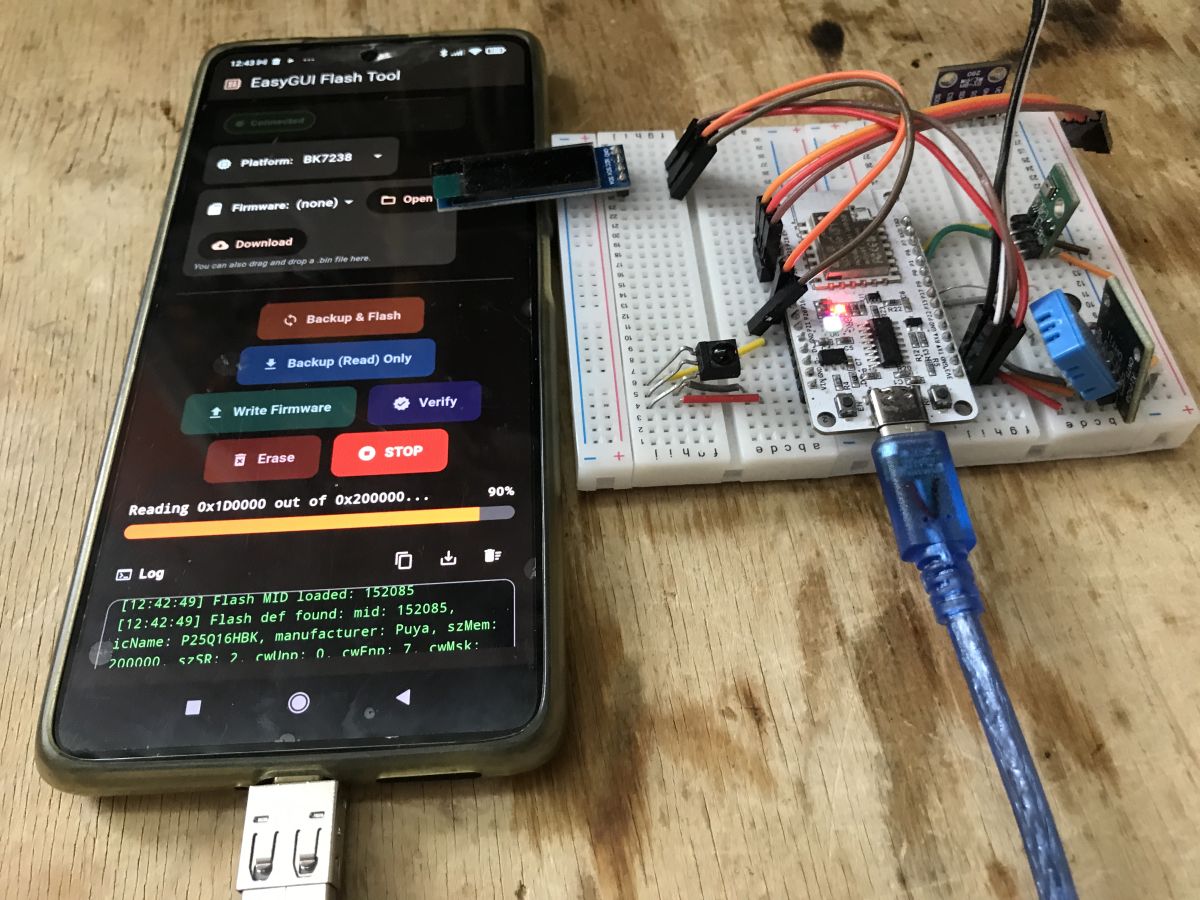
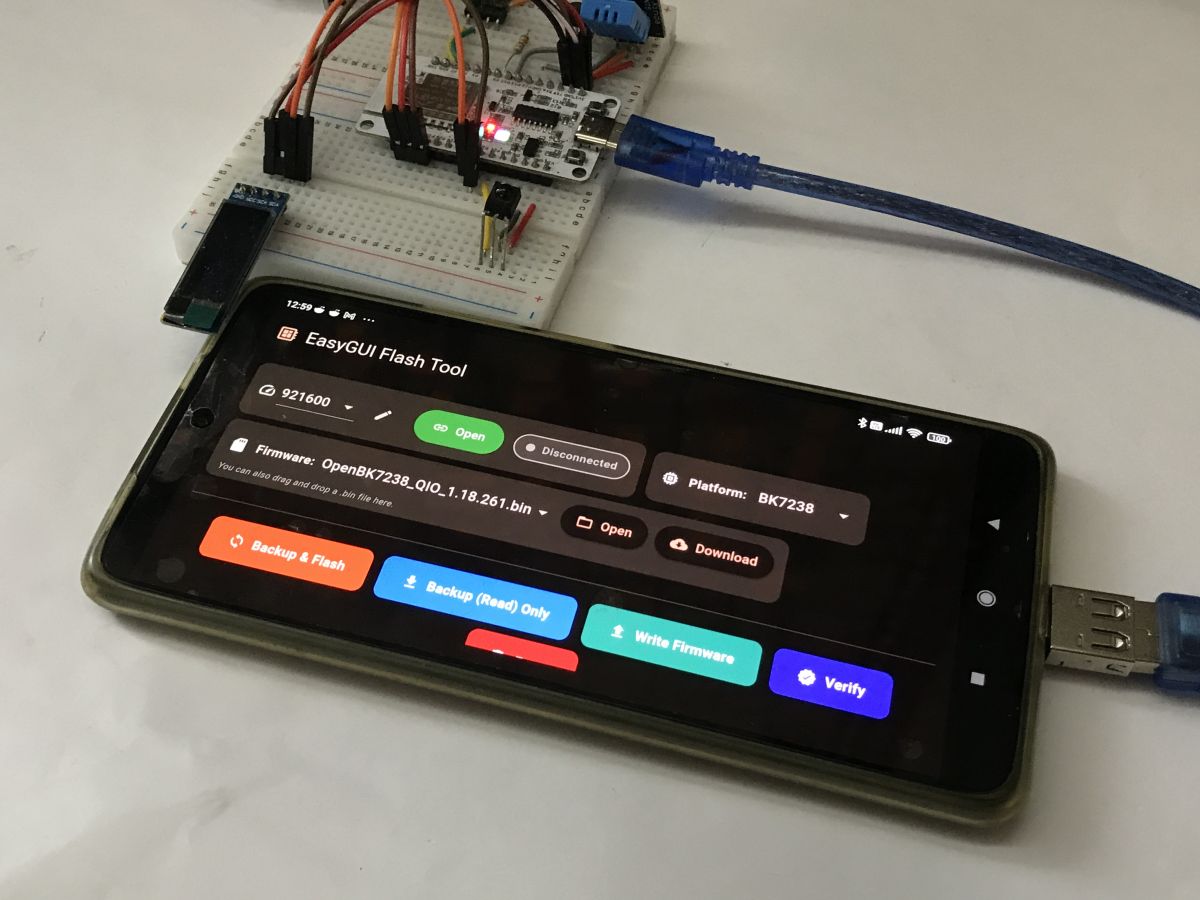
  • Smartphone running EasyGUI Flash Tool connected by USB cable to a breadboard-mounted board
    Here I will present a multiplatform IoT flashing solution – an early prototype of EasyGUIFlashTool. The goal of this project is to provide a simple, consistent, and user-friendly flashing experience across multiple platforms, without the need for vendor-specific tools or complex setup procedures. The same workflow and GUI concept are shared between Web, Android, and Windows builds. The current version of the tool is able to flash Beken chips and has built-in firmware downloader and command line working mode.

    Previous version
    For generic information, see previous (Windows) project repository:
    https://github.com/openshwprojects/BK7231GUIFlashTool

    Web Presentation (GitHub Pages & Locally Deployed)
    The web version is based on modern browser APIs (Web Serial / WebUSB) and can be hosted either on GitHub Pages or run locally without any backend services.
    It allows selecting firmware files, configuring flashing parameters, and monitoring flashing progress directly from the browser.
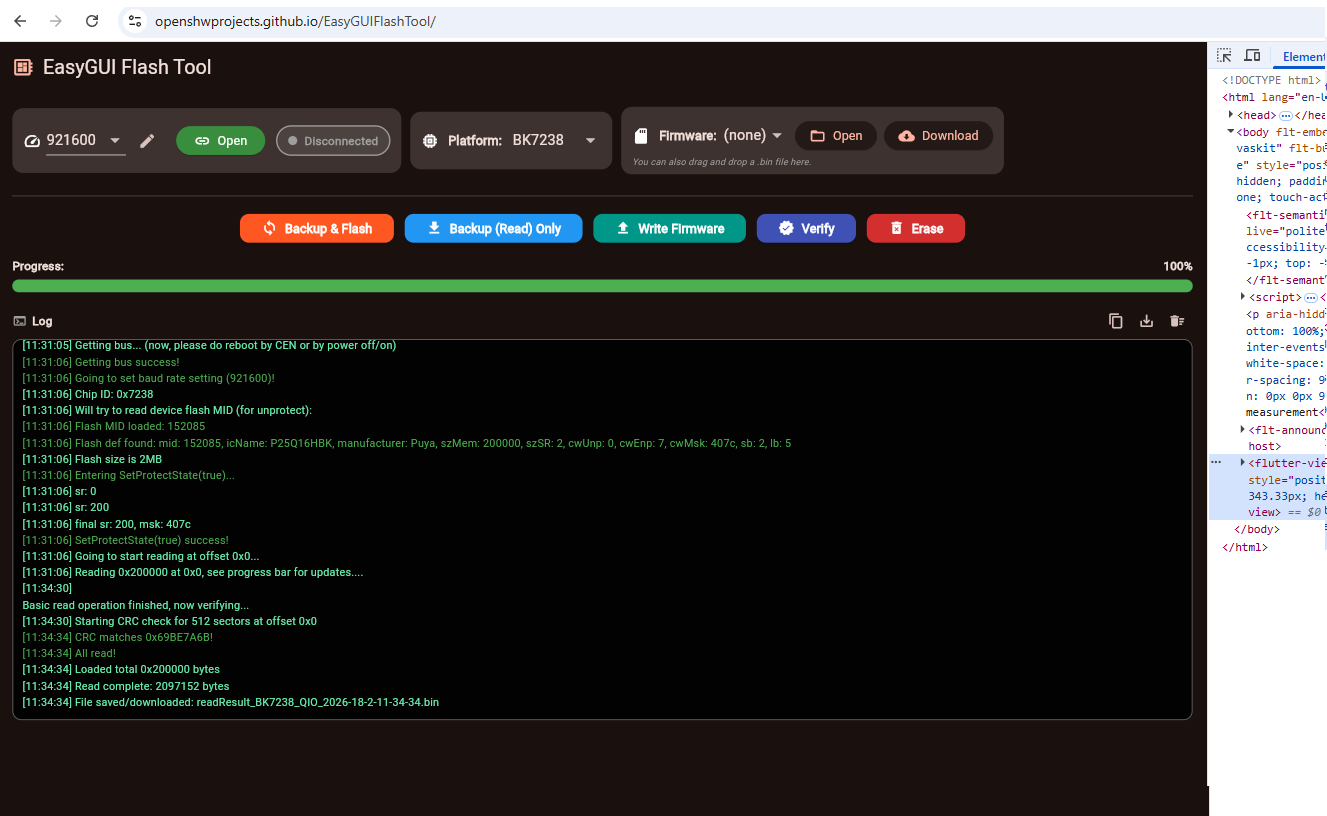
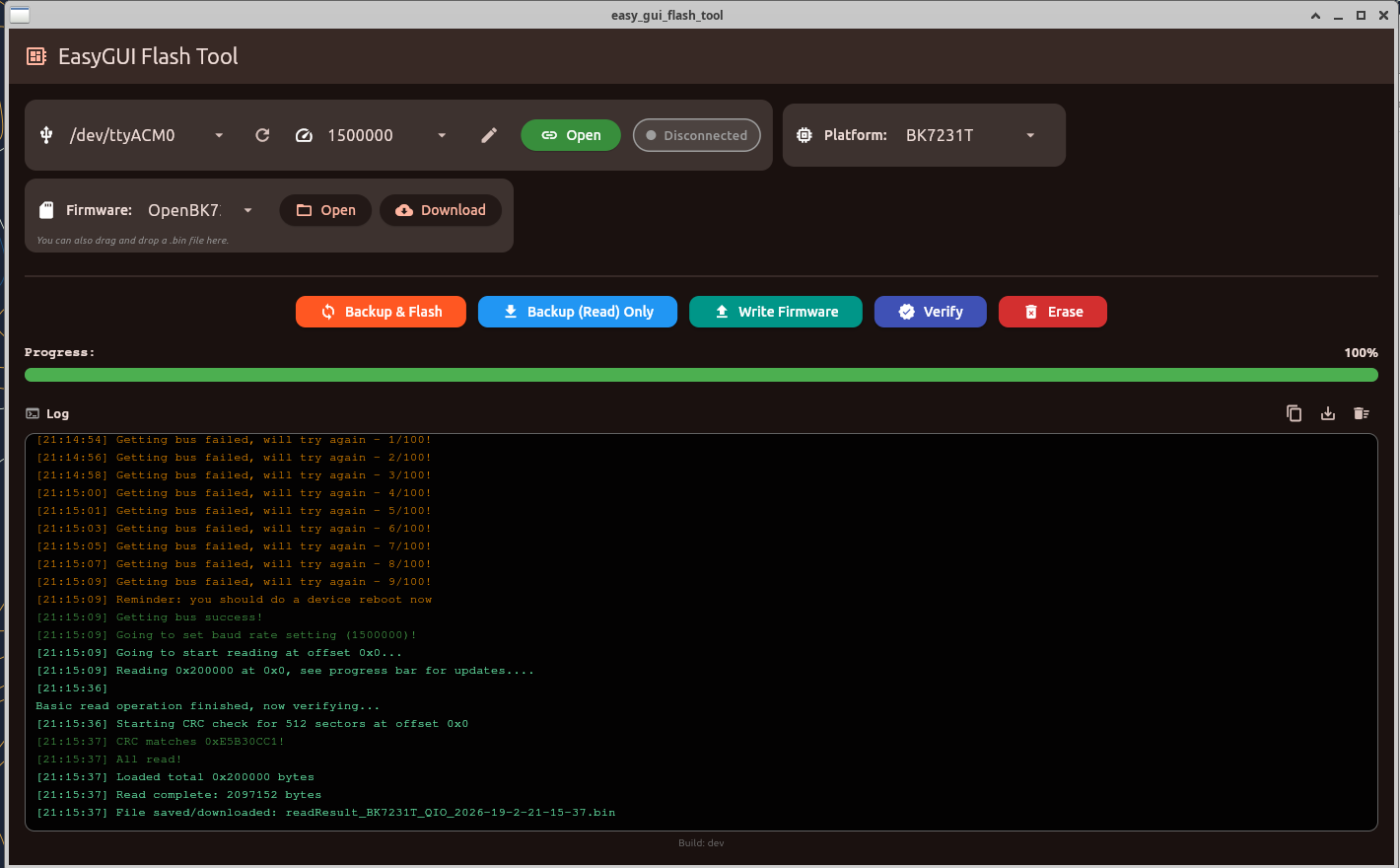
    Screenshot of EasyGUI Flash Tool with 100% progress bar and a log showing firmware read operation.
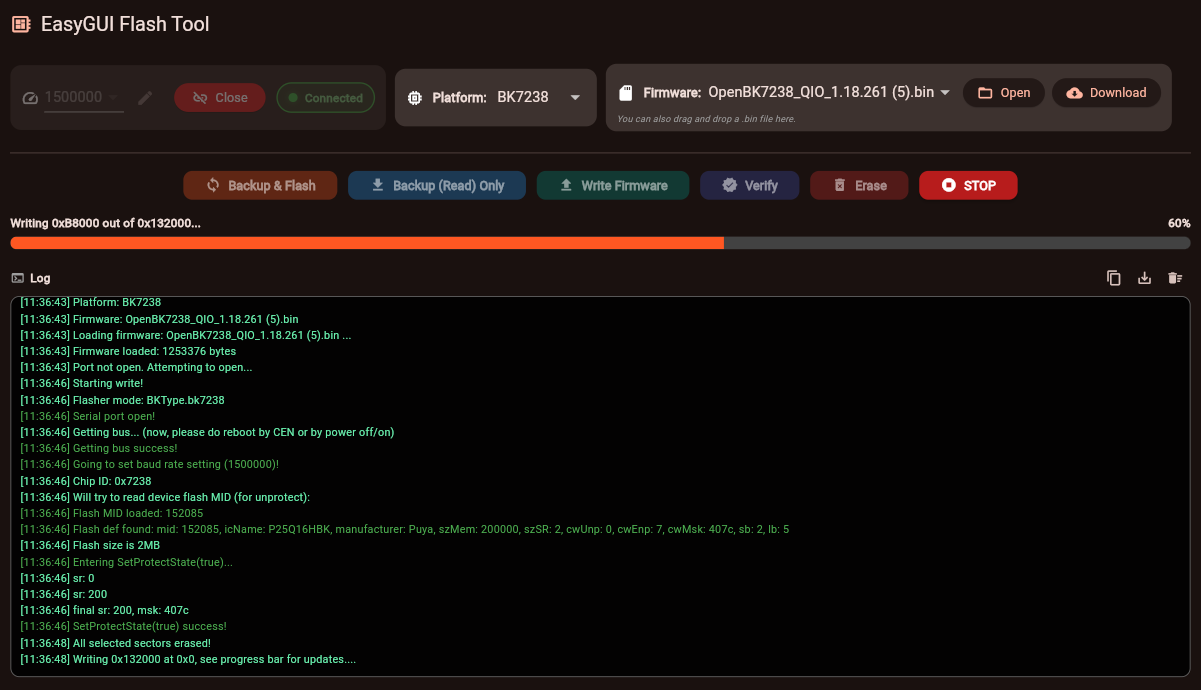
    Screenshot of EasyGUI Flash Tool showing flashing progress bar and operation log
    Tested communication speed up to 1 500 000 baud on supported devices.

    There is a single known issue with web version - DTR/RTS pins used for automatic RESET may not work in some cases, it seems to be caused by Chrome limitation. For best experience, run the flasher locally, on localhost.

    Android Presentation
    The Android version is intended mainly for field work and quick device recovery.
    It requires connecting the target device using either:
    - USB-C to USB-C cable, or
    - USB OTG adapter
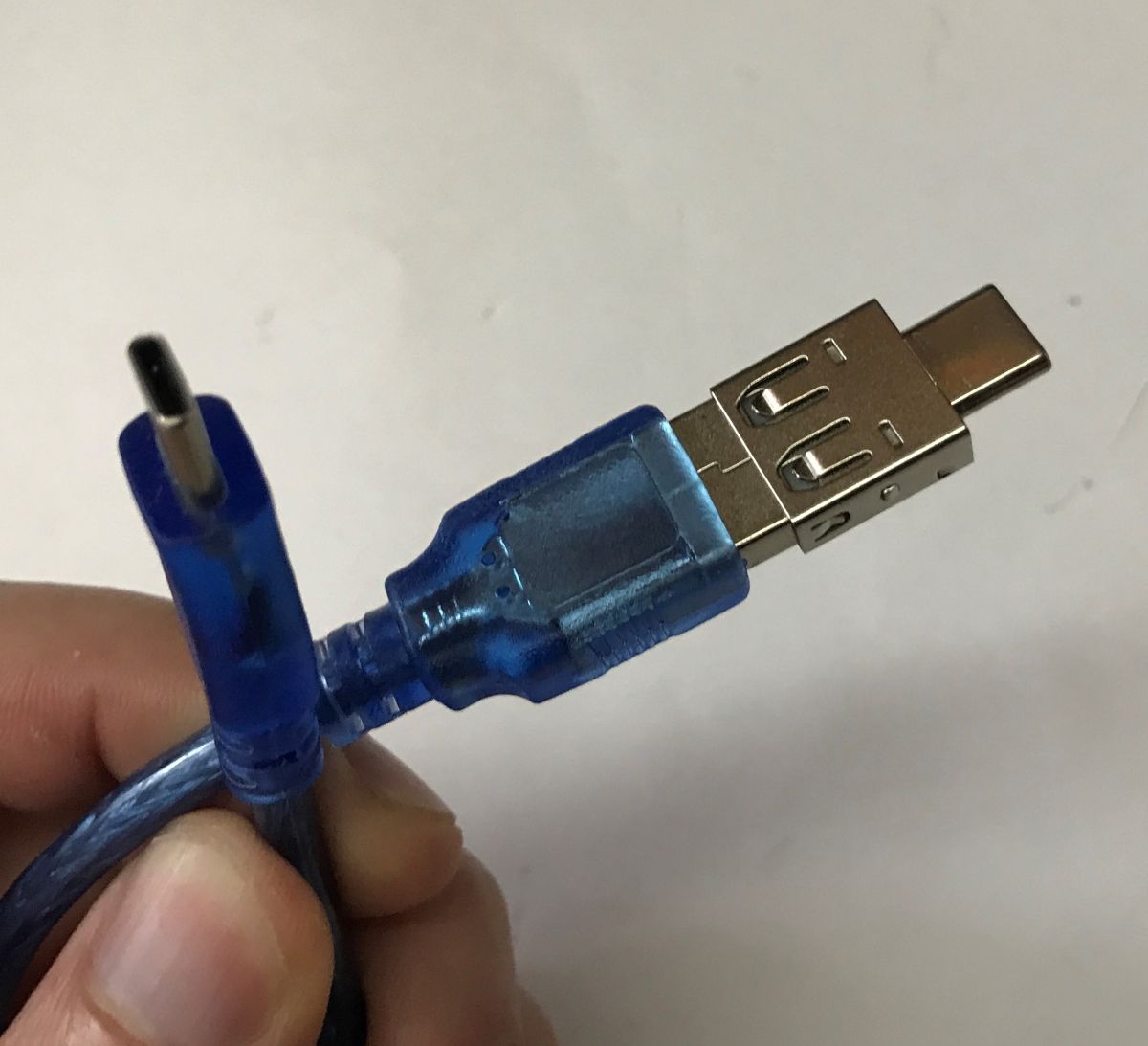
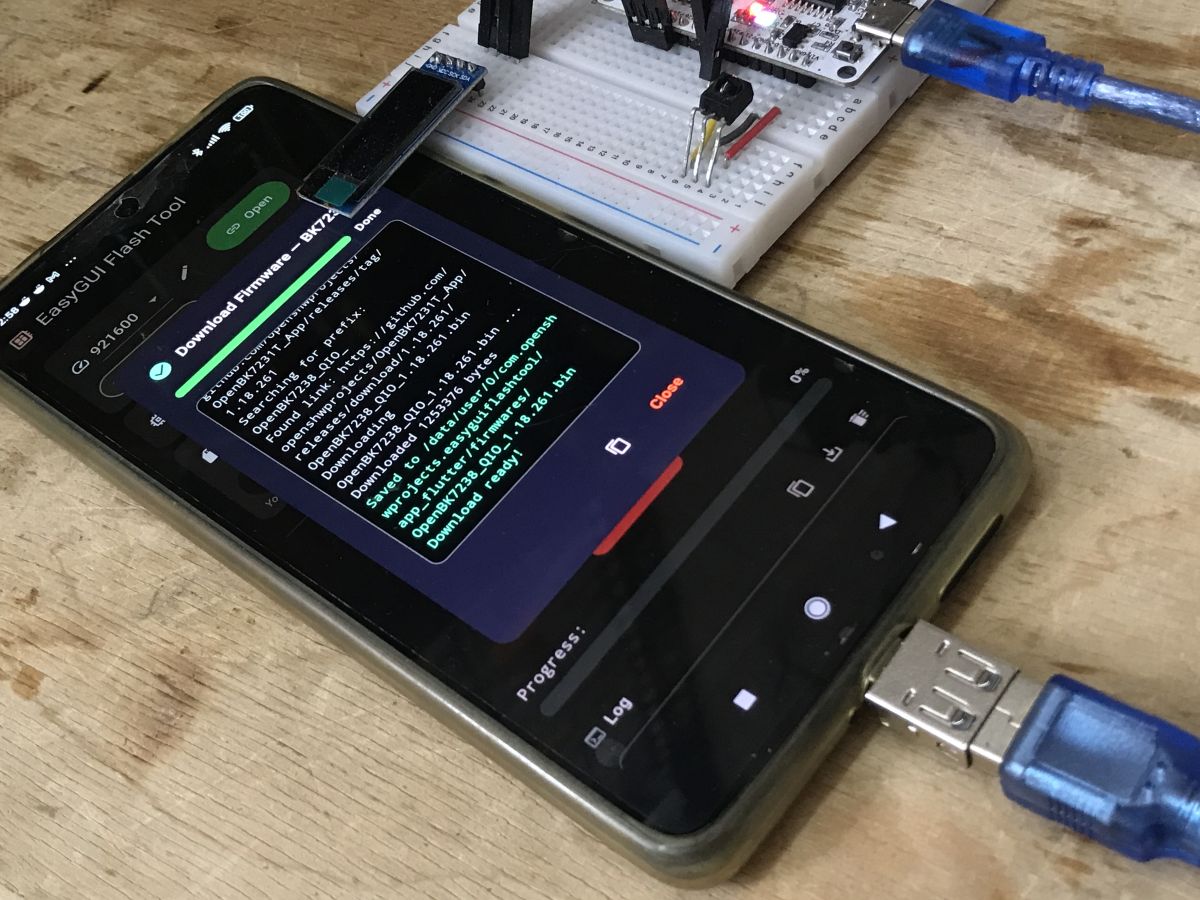
    Close-up of a blue USB cable with a USB-A plug and a small USB-C plug held in a hand.
    The application provides the same flashing logic as the web version, adapted to mobile UI constraints, and does not require root access.
    All flashing operations are performed locally on the device.
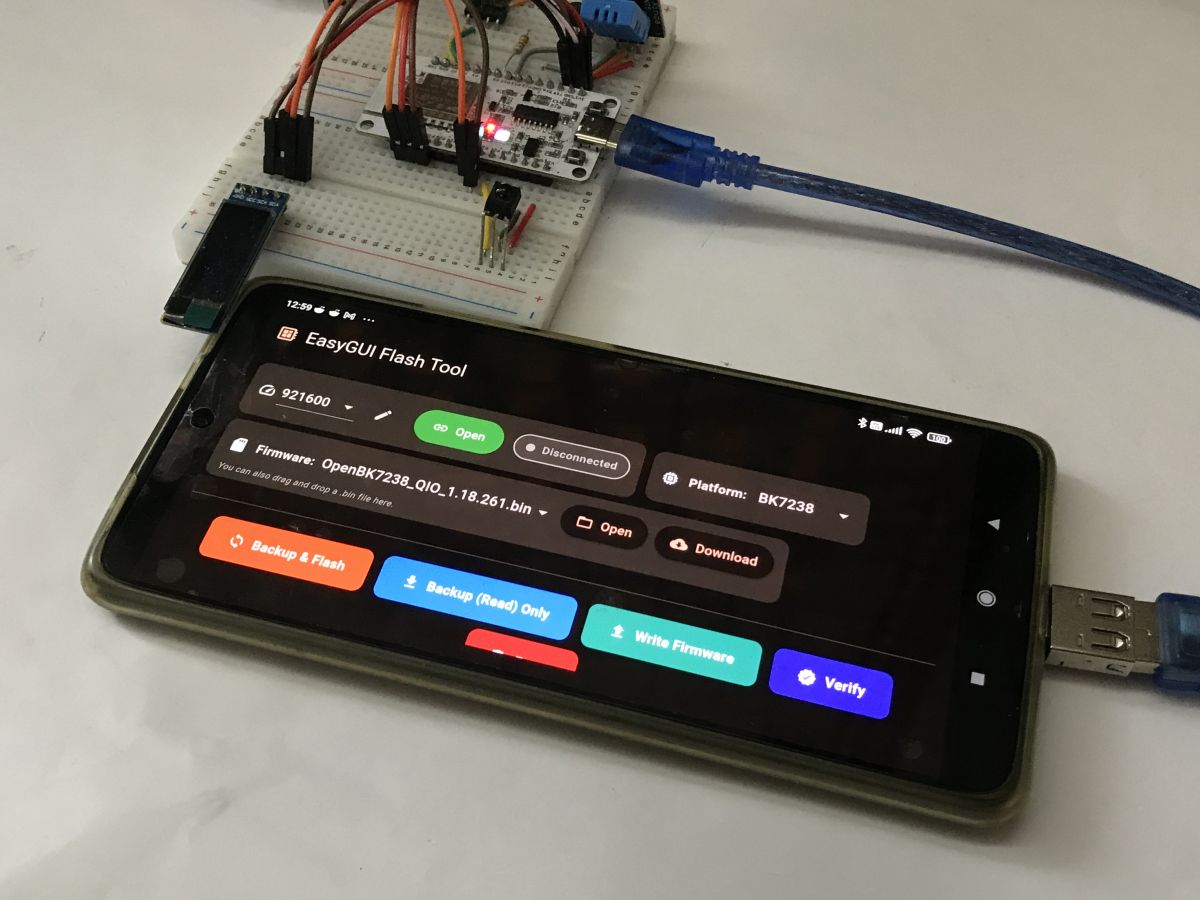
    Smartphone showing EasyGUI Flash Tool next to a breadboard with a module and USB cable
    Smartphone with EasyGUI Flash Tool next to a breadboard with a microcontroller, jumper wires, and USB cables
    Smartphone running EasyGUI Flash Tool connected via USB to a breadboard with an electronics module.


    Windows Presentation
    The Windows version runs as stand-alone application, it supports also a command line mode, same as main flasher.
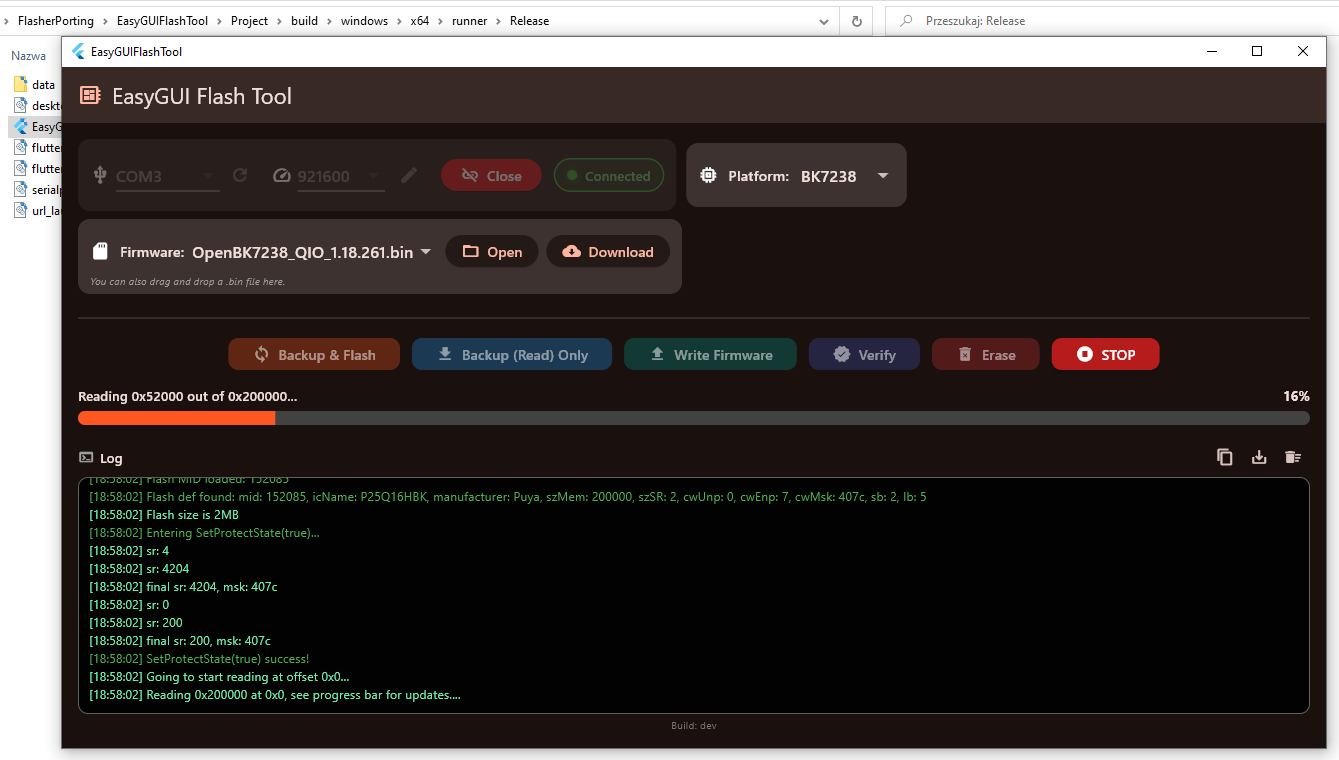
    Screenshot of EasyGUI Flash Tool showing BK7238 connected and flash read progress bar.
    Still, currently it should be used only for testing, because on Windows we have a main mature version of our flasher:
    https://github.com/openshwprojects/BK7231GUIFlashTool

    How to get binaries
    Get Android .apk and Windows .exe (and soon probably Linux and Mac builds, if possible) here, in releases tab:
    https://github.com/openshwprojects/EasyGUIFlashTool/releases
    Source code:
    https://github.com/openshwprojects/EasyGUIFlashTool
    Online Web version:
    https://openshwprojects.github.io/EasyGUIFlashTool/

    Summary
    This is an early prototype intended to validate the core idea and cross-platform feasibility.
    The UI provides only basic functionality, flashing backend supports only Beken, more is to come soon.
    Please check how good it works for you and let me know!
    With enough positive feedback, more chips will be ported soon!

    Cool? Ranking DIY
    Helpful post? Buy me a coffee.

    About Author
    p.kaczmarek2
    Moderator Smart Home
    Offline 
    p.kaczmarek2 wrote 14252 posts with rating 12154, helped 647 times. Been with us since 2014 year.
  • ADVERTISEMENT
  • #2 21842937
    divadiow
    Level 38  
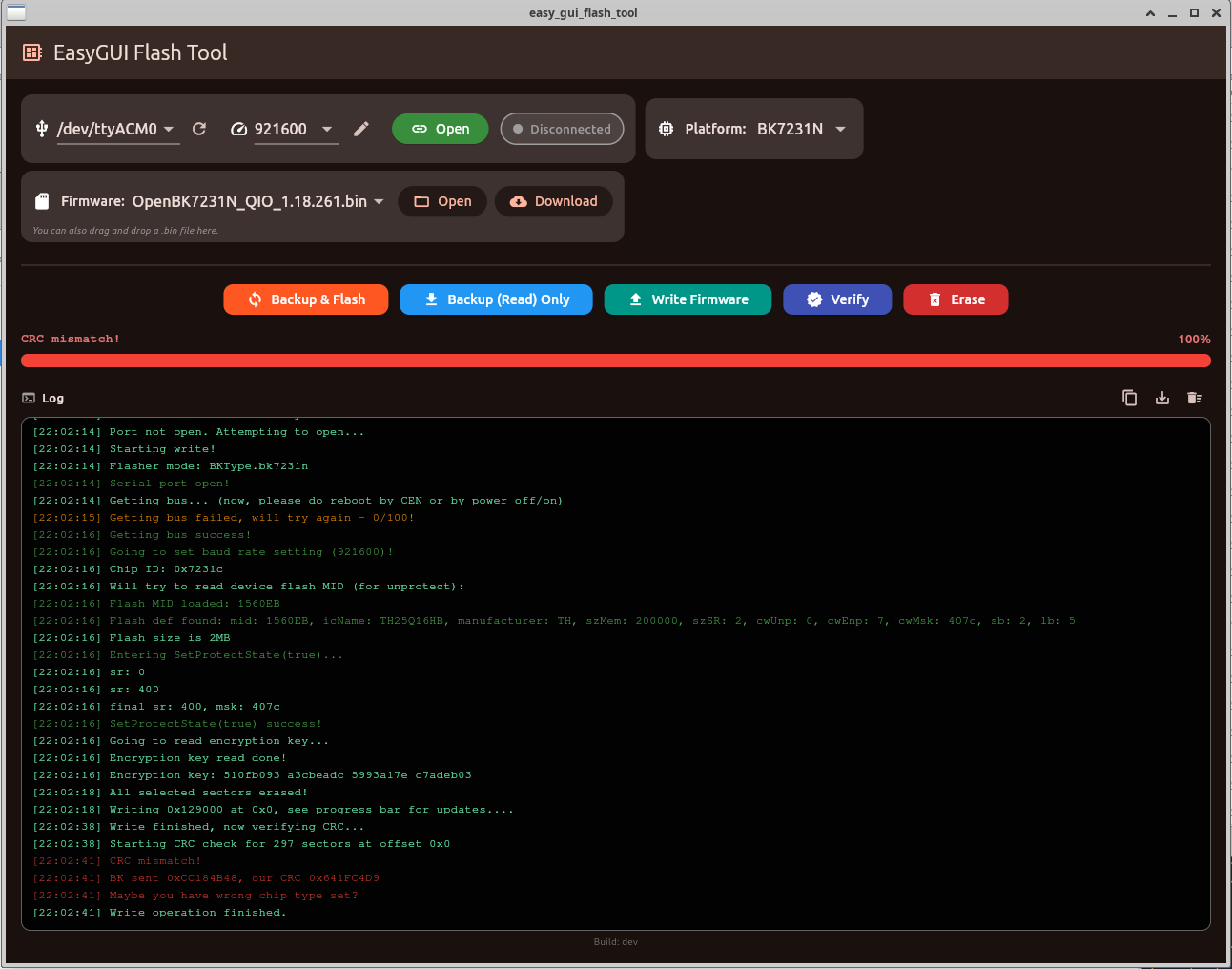
    this is exciting. I spent 5 mins on a quick Ubuntu test last night but BK7231N kept failing CRC after write. I see some newer builds have appeared since my attempt though, so will check again

    Screenshot of EasyGUI Flash Tool showing BK7231N selected and “CRC mismatch!” in the log
  • #3 21842978
    p.kaczmarek2
    Moderator Smart Home
    I tested only BK7238 so it's possible that we have logical error on BK7231N, if CRC check fails. You'd need to compare with old flasher.
    Helpful post? Buy me a coffee.
  • ADVERTISEMENT
  • #4 21843081
    insmod
    Level 31  
    BK7231T
    [14:28:30] Firmware selected: (none)
    [14:28:53] Port opened at 1500000 baud.
    [14:28:57] === Thursday, February 19, 2026 ===
    [14:28:57] === Starting Backup (Read) ===
    [14:28:57] Platform: BK7231T
    [14:28:57] Starting read!
    [14:28:57] Read parms: start 0x0 (sector 0), len 0x200000 (512 sectors)
    [14:28:57] Flasher mode: BKType.bk7231t
    [14:28:57] Serial port open!
    [14:28:57] Getting bus... (now, please do reboot by CEN or by power off/on)
    [14:28:58] Getting bus failed, will try again - 0/100!
    [14:28:58] Getting bus success!
    [14:28:58] Going to set baud rate setting (1500000)!
    [14:28:59] Going to start reading at offset 0x0...
    [14:28:59] Reading 0x200000 at 0x0, see progress bar for updates....
    [14:29:17] 
    Basic read operation finished, now verifying...
    [14:29:17] Starting CRC check for 512 sectors at offset 0x0
    [14:29:18] CRC matches 0xEC4AB1C8!
    [14:29:18] All read!
    [14:29:18] Loaded total 0x200000 bytes
    [14:29:18] Read complete: 2097152 bytes
    [14:29:18] File saved/downloaded: readResult_BK7231T_UA_2026-19-2-14-29-18.bin


    "BKType.bk7231t" lowercase?
    readResult_*_UA? But resulting binary is QIO.
    No BK7231U.
    XR809?
    Interesting project overall.
  • #5 21843107
    p.kaczmarek2
    Moderator Smart Home
    Wow, 1500000 worked? Well, maybe indeed it's a promising tool! I had a hard time getting it to work stable. At first I was afraid, it's too unstable for any release.

    I didn't test on anything other than BK7238, so your testing is very valuable, I'll try to fix it so it follows our main C# flasher convention.
    Helpful post? Buy me a coffee.
  • #6 21843137
    insmod
    Level 31  
    >>21843107
    BK7238 on 1500000 baud without manual CEN reset started reading just fine, but halted at something like 0x1A0000.
    Stop didn't do anything, i've had to wait until it stopped by itself.
    Second try at 1500000 failed too (0x1CA000)
    Third at 921600 succeeded.

    BK7231N at 1500000 is fine

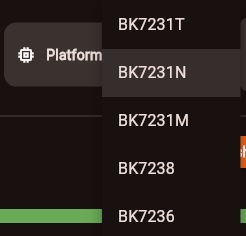
    Combo box is annoying, it should behave like a windows one (entries should be below combo box itself). Or is it intended?
    Dropdown menu listing platform codes BK7231T, BK7231N, BK7231M, BK7238, and BK7236
  • #7 21843207
    p.kaczmarek2
    Moderator Smart Home
    Not intended, and any hints like that are welcome, thanks. It's early prototype, I weren't sure about usability so I didn't focus on UI.

    Question: is autoreset working for you guys here:
    https://openshwprojects.github.io/EasyGUIFlashTool/
    I mean DTR/RTS.
    Helpful post? Buy me a coffee.
  • #8 21843219
    insmod
    Level 31  
    >>21843207
    Autoreset worked for both 7238 at 921600/1500000 and N at 1500000.
    Didn't test for T, i manually reset it.
    7238 - NiceMCU, N - T2 board.
  • #9 21843324
    max4elektroda
    Level 24  
    On Ubuntu 22.04 start fails due to missing glib symbol

    ~/Downloads/EasyGUIFlashTool-Linux/bundle$ ./easy_gui_flash_tool
    ./easy_gui_flash_tool: symbol lookup error: ./easy_gui_flash_tool: undefined symbol: g_once_init_enter_pointer

    g_once_init_enter_pointer is part of glib since 2.80,


    installed is 2.72.4 :-(


    Works when using 22.04 for workflow:

    diff --git a/.github/workflows/deploy.yml b/.github/workflows/deploy.yml
    index c453ec4..821264c 100644
    --- a/.github/workflows/deploy.yml
    +++ b/.github/workflows/deploy.yml
    @@ -18,7 +18,7 @@ concurrency:
     
     jobs:
       build-and-deploy:
    -    runs-on: ubuntu-latest
    +    runs-on: ubuntu-22.04
         environment:
           name: github-pages
           url: ${{ steps.deployment.outputs.page_url }}
    @@ -51,3 +51,4 @@ jobs:
           - name: Deploy to GitHub Pages
             id: deployment
             uses: actions/deploy-pages@v4
    +
    diff --git a/.github/workflows/release.yml b/.github/workflows/release.yml
    index 07ecb9b..b6b4212 100644
    --- a/.github/workflows/release.yml
    +++ b/.github/workflows/release.yml
    @@ -69,7 +69,7 @@ jobs:
               path: EasyGUIFlashTool-Windows.zip
     
       build-linux:
    -    runs-on: ubuntu-latest
    +    runs-on: ubuntu-22.04
         steps:
           - name: Checkout
             uses: actions/checkout@v4
    @@ -183,3 +183,6 @@ jobs:
                 EasyGUIFlashTool-Windows.zip
                 EasyGUIFlashTool-Linux.tar.gz
                 EasyGUIFlashTool-macOS.zip
    +
    +
    +


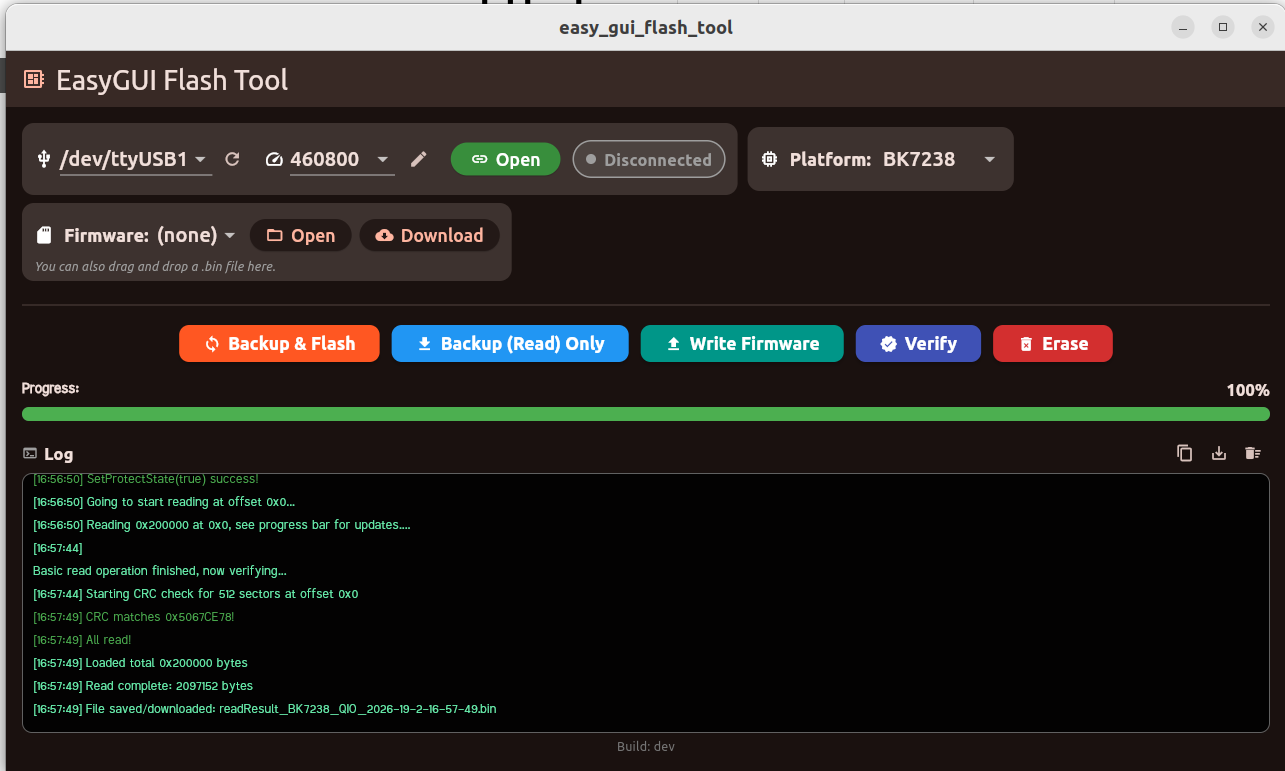
    Only tried reading flash - higher speeds didn't succeed but 460800 worked:


    Screenshot of EasyGUI Flash Tool on Ubuntu with 100% progress bar and flash read log
  • ADVERTISEMENT
  • #10 21843353
    p.kaczmarek2
    Moderator Smart Home
    @max4elektroda fixed, downgraded to older ubuntu

    @insmod fixed combobox strangeness

    I have BL602 at hand, so BL602 port attempt next.
    Helpful post? Buy me a coffee.
  • #11 21843436
    defaliz
    Level 7  
    >>21843353 >>21843353
    Hi, i try testing tool online with chrome browser...
    some questions :
    3,3 v from usb-UART is it sufficient for wifi board ?
    is this the only solution to put CEN on ground, ? because i read that we must put it very quickly (0,25s) ! and that never works for me...
    thanks for this tool !

    Added after 6 [minutes]:

    >>21843436 [19:23:36] Platform changed to BK7231T
    [19:23:40] === Thursday, February 19, 2026 ===
    [19:23:40] === Starting Backup (Read) ===
    [19:23:40] Platform: BK7231T
    [19:23:40] Starting read!
    [19:23:40] Read parms: start 0x0 (sector 0), len 0x200000 (512 sectors)
    [19:23:40] Flasher mode: BK7231T
    [19:23:40] Serial port open!
    [19:23:40] Getting bus... (now, please do reboot by CEN or by power off/on)
    [19:23:42] Getting bus failed, will try again - 0/100!
    [19:23:43] Getting bus failed, will try again - 1/100!
    [19:23:45] Getting bus failed, will try again - 2/100!
    [19:23:46] Getting bus failed, will try again - 3/100!
  • #12 21843614
    p.kaczmarek2
    Moderator Smart Home
    From which USB to UART board? Usually not, unless there is AMS1117-3.3V on your board.

    I've pushed experimental BL602 port, seems buggy, sometimes works, sometimes not.
    Helpful post? Buy me a coffee.
  • #13 21843633
    divadiow
    Level 38  
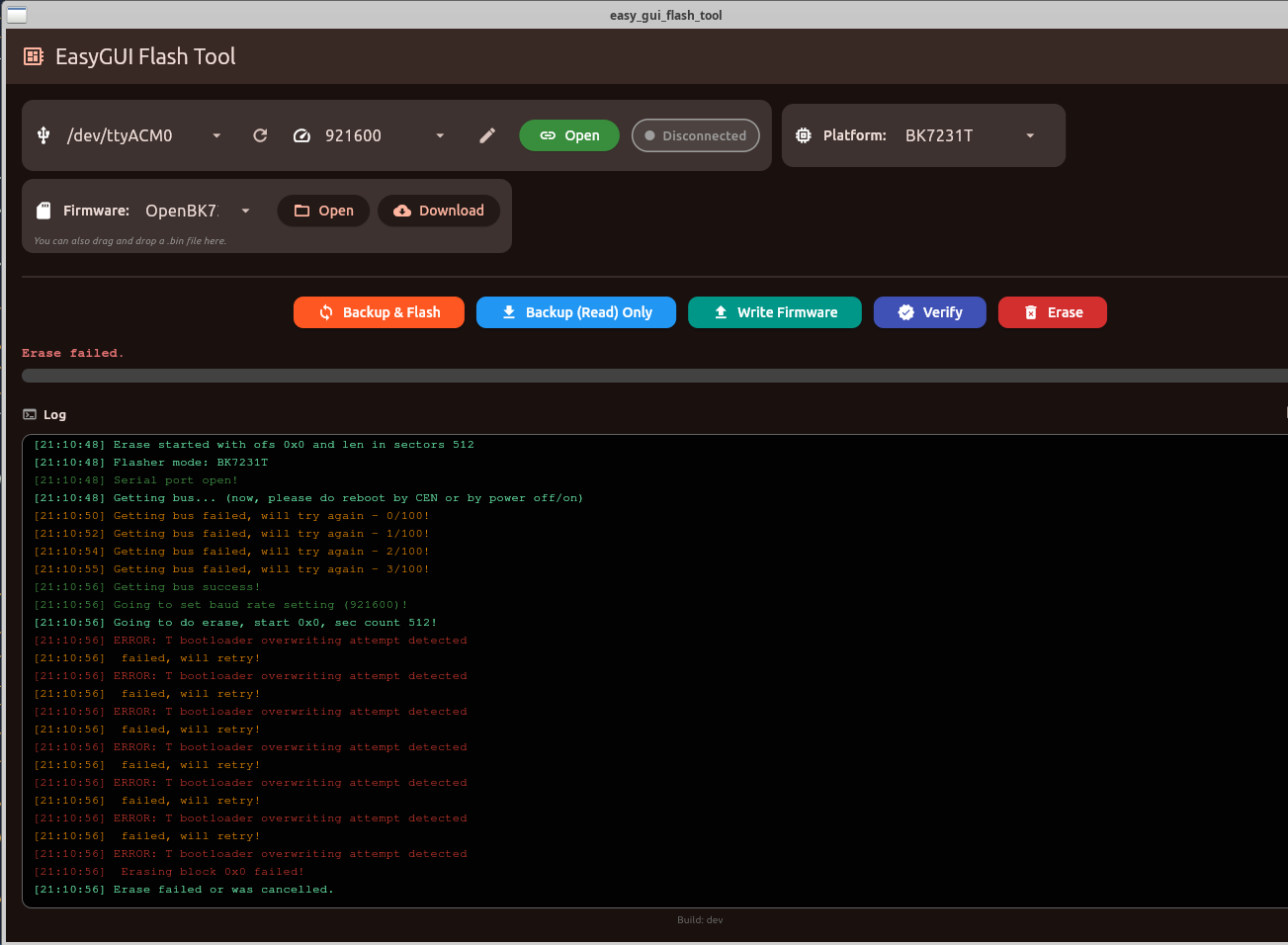
    erase function on T tries from 0x0
    Screenshot of EasyGUI Flash Tool showing “Erase failed” error during operation on BK7231T
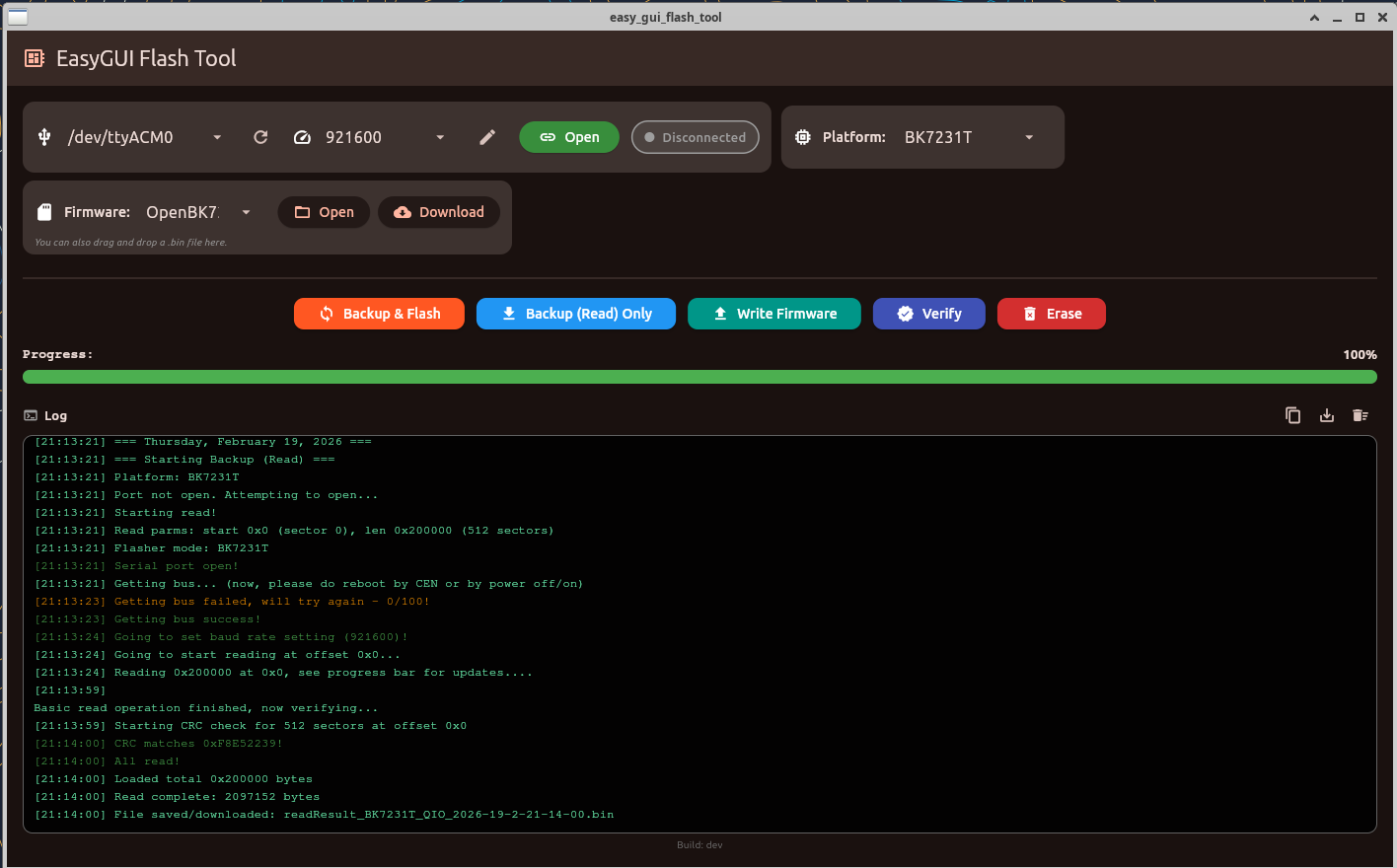
    T read OK @921600
    Screenshot of EasyGUI Flash Tool showing 100% progress and a backup log for BK7231T
    backup and flash @ 1500000 - only does backup, doesn't start flash. took a few rsts to catch
    Screenshot of EasyGUI Flash Tool with 100% progress bar and operation log
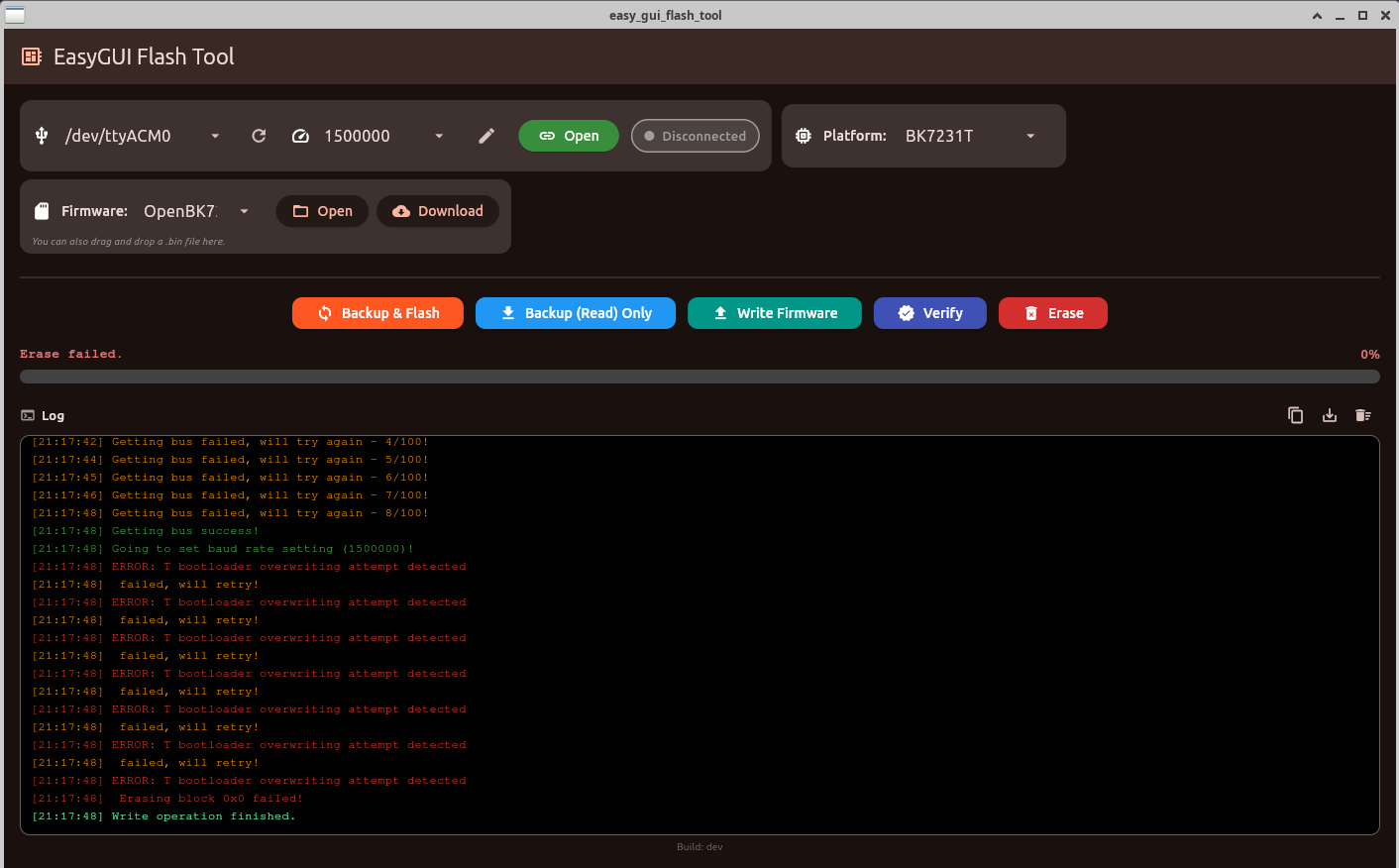
    T write only - gets caught on same bl protection as erase
    Screenshot of EasyGUI Flash Tool showing “Erase failed” and an error log
  • #14 21843843
    p.kaczmarek2
    Moderator Smart Home
    Thx. I added BK7231T and read and save fixes.
    Helpful post? Buy me a coffee.
  • #15 21843941
    defaliz
    Level 7  
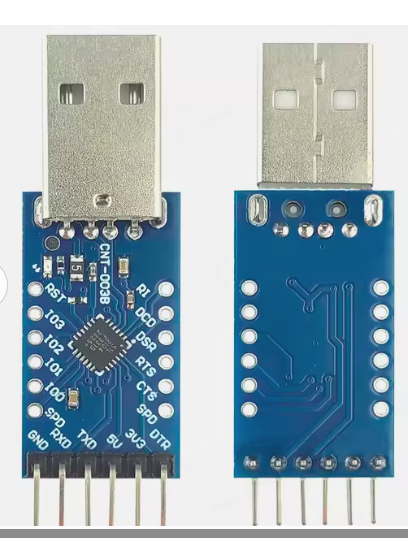
    Hello, i've a cp2104 usb to uart TTL

    Two blue USB modules with USB-A plug, shown front and back
  • #16 21843948
    p.kaczmarek2
    Moderator Smart Home
    There is no AMS1117-3.3 on board, and I can't see any other LDO. This probably won't be enough.

    I mean, this requirement is general - it does not depend on used flash software. You just need a good power supply to do it.

    Alternatively, if there is AMS1117-3.3 on your smart device board, you could feed 5V from USB to the input of this LDO, to get 3.3V for WiFi module. This can also work.
    Helpful post? Buy me a coffee.
  • #17 21843953
    defaliz
    Level 7  
    >>21843948 thanks a lot...
    i 'm going to try others tests...
    regards

    Added after 7 [hours] 51 [minutes]:

    evening,
    so i apply 3,3v to wifi board with a external voltage and know i can enter read process, but there is still an error

    [18] Port opened at 19200 baud.
    [18] === Friday, February 20, 2026 ===
    [18] === Starting Backup (Read) ===
    [18] Platform: BK7231T
    [18] Starting read!
    [18] Read parms: start 0x0 (sector 0), len 0x200000 (512 sectors)
    [18] Flasher mode: BK7231N
    [18] Serial port open!
    [18] Getting bus... (now, please do reboot by CEN or by power off/on)
    [18] Getting bus success!
    [18] Going to set baud rate setting (19200)!
    [18] failed with rxBuffer 1 (expected 12)
    [18] The beginning of buffer contains 00 data.
    [18] Failed to set baud rate!
    [18] Going to set baud rate setting (19200)!
    [18] failed with rxBuffer 0 (expected 12)
    [18] Failed to set baud rate!
    [18] Going to set baud rate setting (19200)!
    [18] failed with rxBuffer 0 (expected 12)

    Added after 4 [minutes]:

    i've test with 1500000 speed and it's the same
    Failed to set baud rate!

    Added after 27 [minutes]:

    I've flashing my BK7231T with success using the windows BK7231 GUI Flash Tool
    and know i've the json and bin file...
  • #18 21844453
    p.kaczmarek2
    Moderator Smart Home
    Interesting, are you saying that Web Tool fails for you while in the same scenario C# Windows flasher works?
    Helpful post? Buy me a coffee.
  • #19 21844457
    defaliz
    Level 7  
    Exactly, flasher exe on windows works fine
    Web tool on chrome browser give always the same error "Failed to set baud rate!"
  • ADVERTISEMENT
  • #20 21844500
    p.kaczmarek2
    Moderator Smart Home
    Interesting, what about new flasher on windows? New flasher also has exe for Windows to run.
    Helpful post? Buy me a coffee.
  • #22 21844726
    p.kaczmarek2
    Moderator Smart Home
    Yes, I understand, but I was referring to the fact that our new flasher, namely EasyGUIFlashTool, also has Windows build available for download there:
    https://github.com/openshwprojects/EasyGUIFlashTool/releases
    Helpful post? Buy me a coffee.
  • #23 21844743
    defaliz
    Level 7  
    Hi,
    Oh yes, i've don't try with this tool...
    I'll do the test today and give to you the result...
    Sorry for my poor english ..

    Added after 6 [hours] 58 [minutes]:

    ok test done with success
    with the windows tool
    https://github.com/openshwprojects/EasyGUIFlashTool/releases

    i successfull read and saved the chip , speed 921600 and platform BK7231N

    Added after 1 [hours] 8 [minutes]:

    all works fine know, i'll flash a second action LSC plug
    can you tell me how to configure the original state of the plug when it is rebooting ?
    thank a lot
  • #24 21845148
    p.kaczmarek2
    Moderator Smart Home
    Thank you for testing! I was sure that web is more stable than windows build of easy flasher, but now I am confused.... hmm, this needs more testing.

    In order to configure initial relay state (open, closed or memory) you need to go to "Configure startup" section in options.
    Helpful post? Buy me a coffee.
  • #25 21845152
    defaliz
    Level 7  
    thank you
    i precise than i when i used guiweb tool i was on a ubuntu 20.04 with chrome browser , if that can help...
  • #26 21845852
    divadiow
    Level 38  
    p.kaczmarek2 wrote:
    I've pushed experimental BL602 port, seems buggy, sometimes works, sometimes not.


    EasyGUI - Linux binary v0.0.42
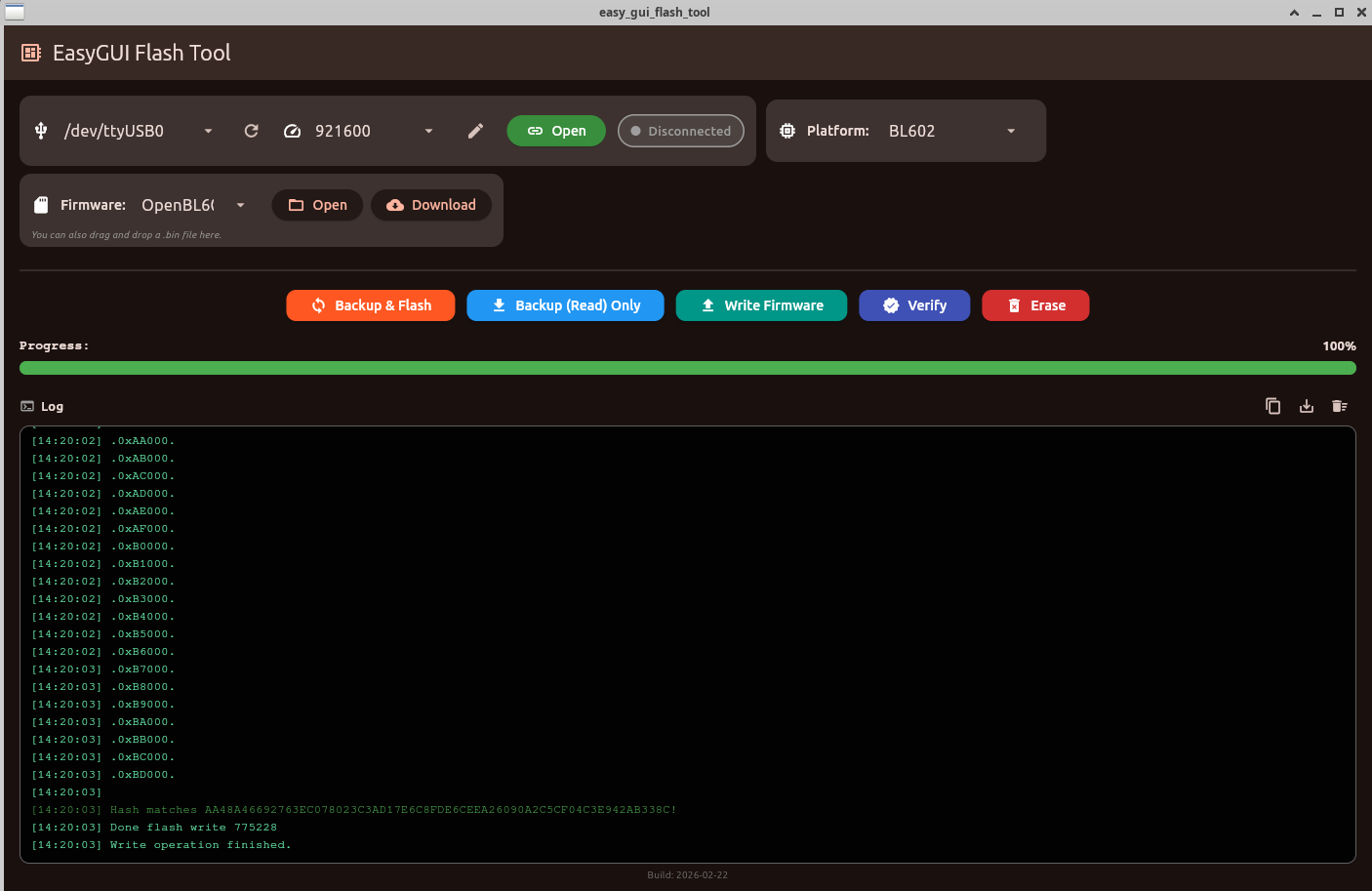
    my first BL602 attempt. backup-only worked first time at 921600. then backup and flash new worked at 921600, manual boot/rst required in the middle.
    Screenshot of EasyGUI Flash Tool showing /dev/ttyUSB0, 921600 baud, and a completed BL602 flash log
    it seems consistently able to flash and read if in download mode

    are you getting OpenBL602 to boot?
    I haven't tried browser yet. web flasher doesn't render for me at the moment.

    Added after 2 [minutes]:

    could do with a visible build number

    Added after 42 [minutes]:

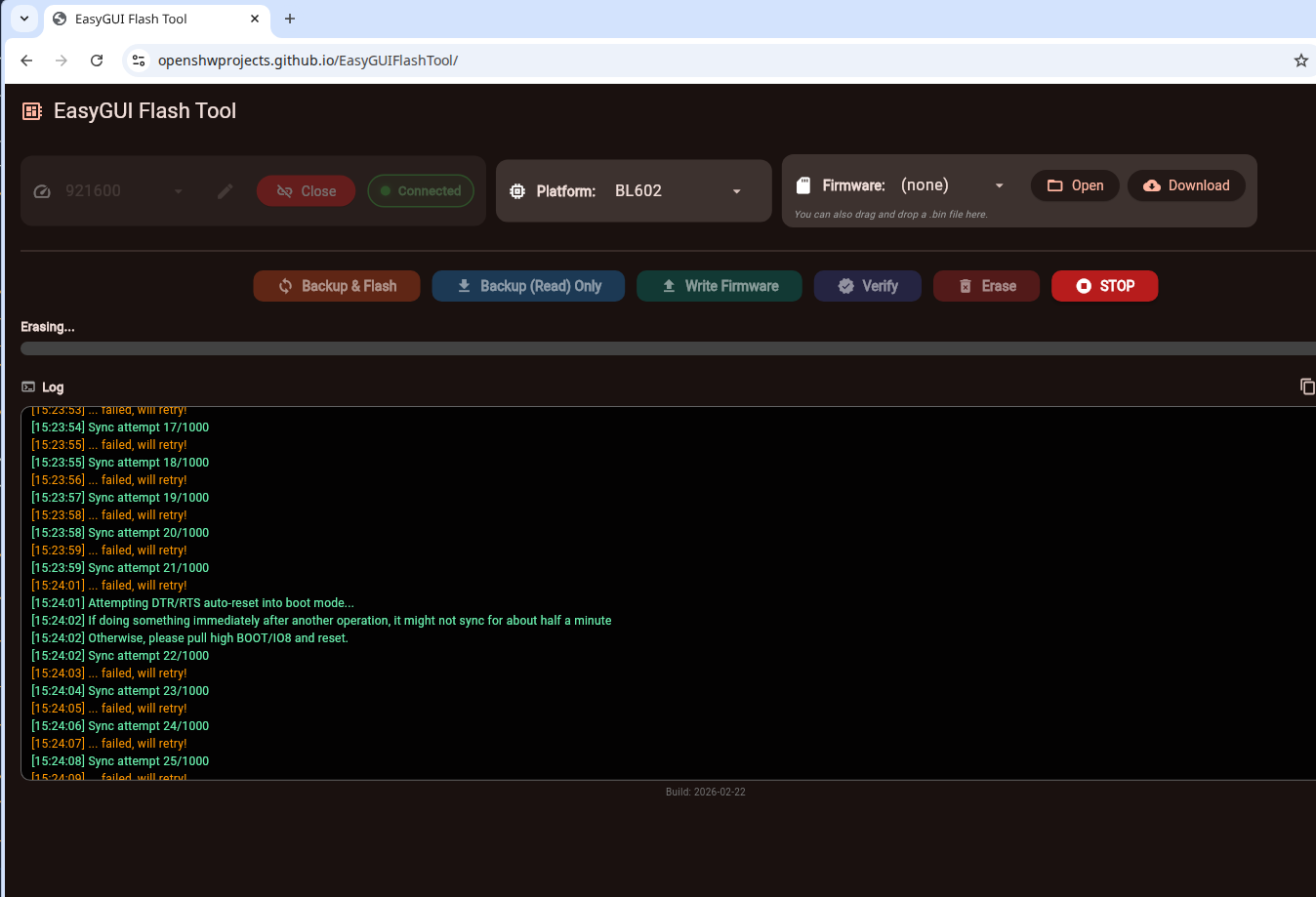
    hmm. I see what you mean
    Screenshot of EasyGUI Flash Tool showing sync failures in the log and status “Connected”

    Added after 1 [minutes]:

    divadiow wrote:
    are you getting OpenBL602 to boot?

    doh. I guess it doesn't do the bl etc yet
  • #27 21845945
    defaliz
    Level 7  
    hi,
    i've try flashing another LSC Action plug , impossible with the GUI browser tool
    OK with EasyGUIFlashTool
    i've an error at the end of the process ( CRC mismatch) but firmware was downloaded and wifi and web page are ok

    17:17:58] All selected sectors erased!
    [17:17:58] Writing 0x129000 at 0x0, see progress bar for updates....
    [17:18:15] Write finished, now verifying CRC...
    [17:18:15] Starting CRC check for 297 sectors at offset 0x0
    [17:18:17] CRC mismatch!
    [17:18:17] BK sent 0x8166DF0A, our CRC 0xBA9C4957
    [17:18:17] Maybe you have wrong chip type set?
    [17:18:17] Write operation finished.
  • #28 21846886
    p.kaczmarek2
    Moderator Smart Home
    Did you select wrong BK7231 type?


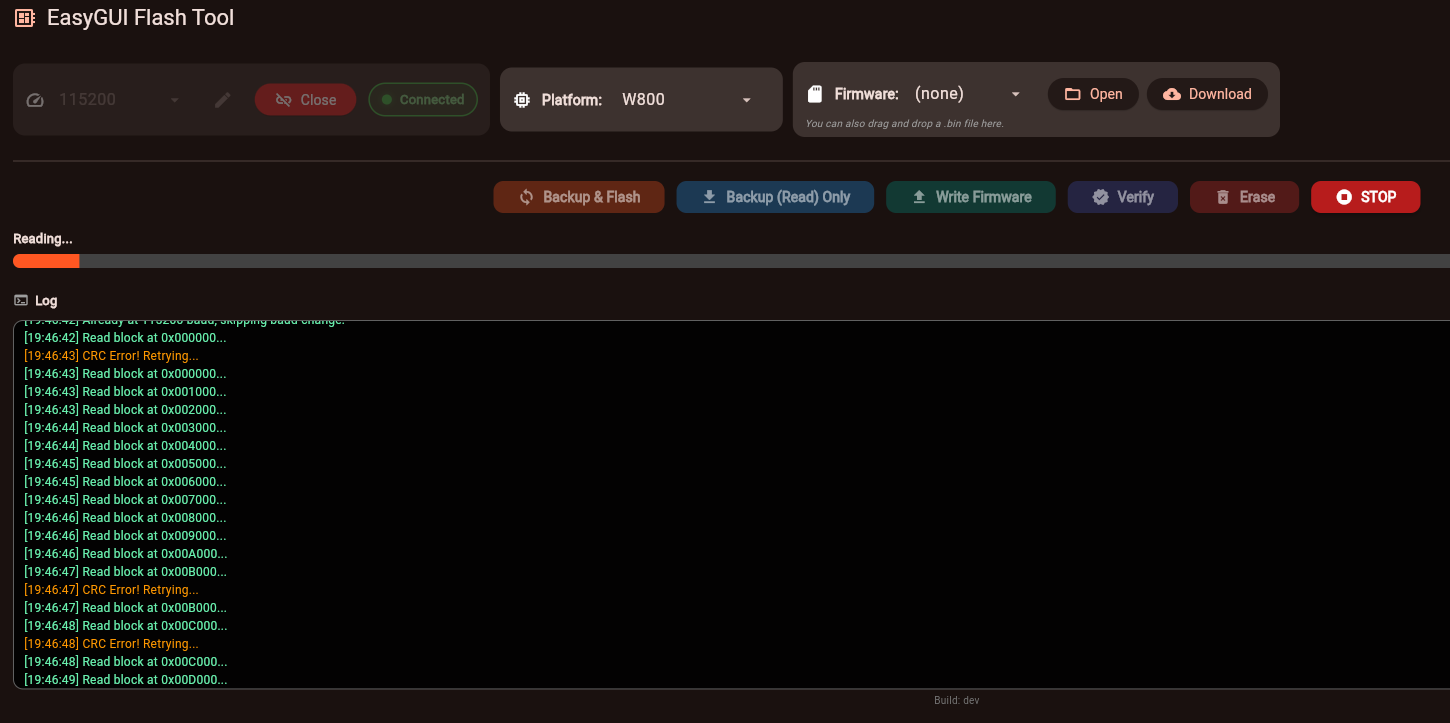
    W800 progress:
    EasyGUI Flash Tool screenshot: W800 selected, “Reading…” progress bar and log with CRC errors during read
    Helpful post? Buy me a coffee.
  • #29 21847481
    p.kaczmarek2
    Moderator Smart Home
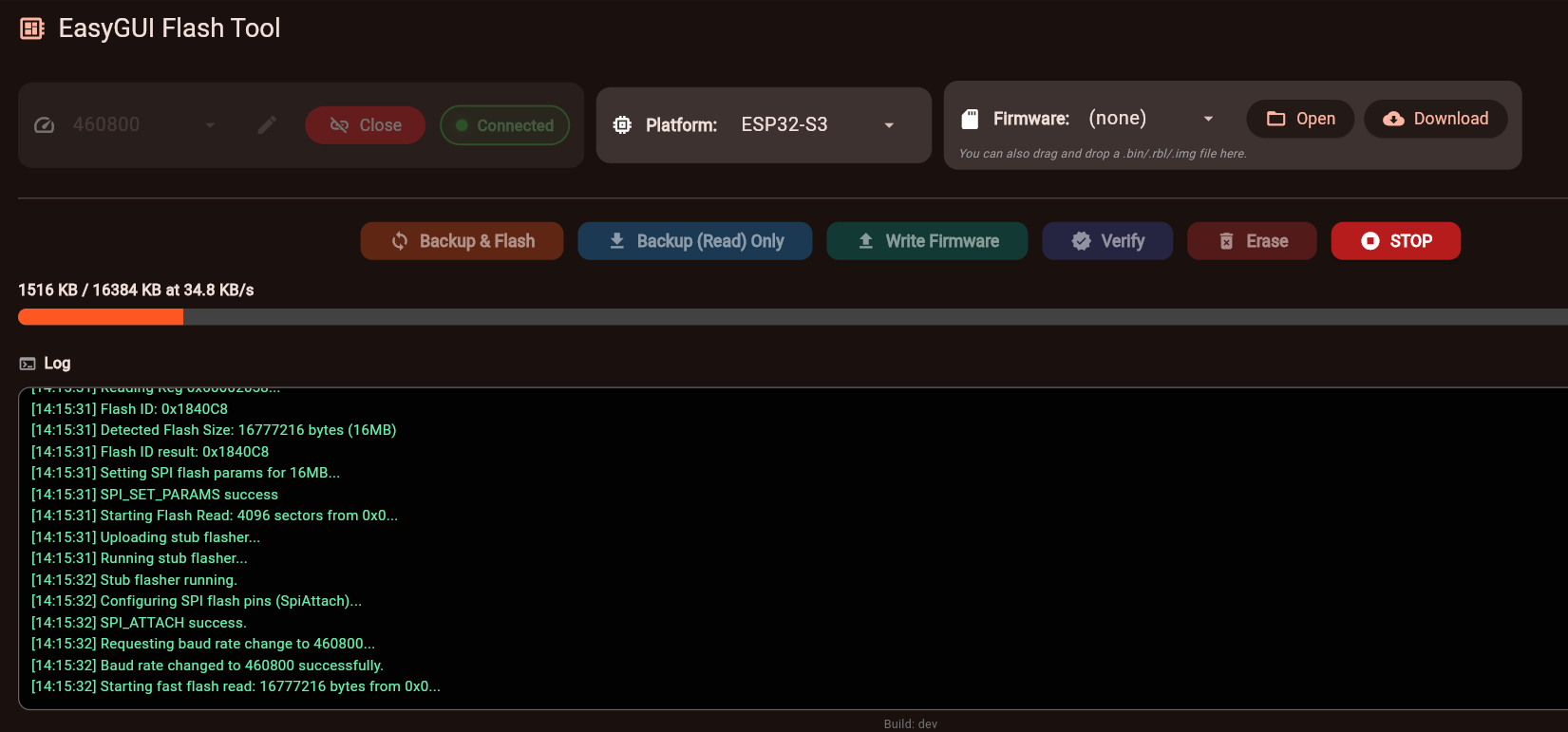
    Now both ESP32 and ESP32-S3 should work:
    Screenshot of EasyGUI Flash Tool showing progress bar and log during ESP32-S3 flash read
    Helpful post? Buy me a coffee.
  • #30 21873611
    kuba2k2
    Level 13  
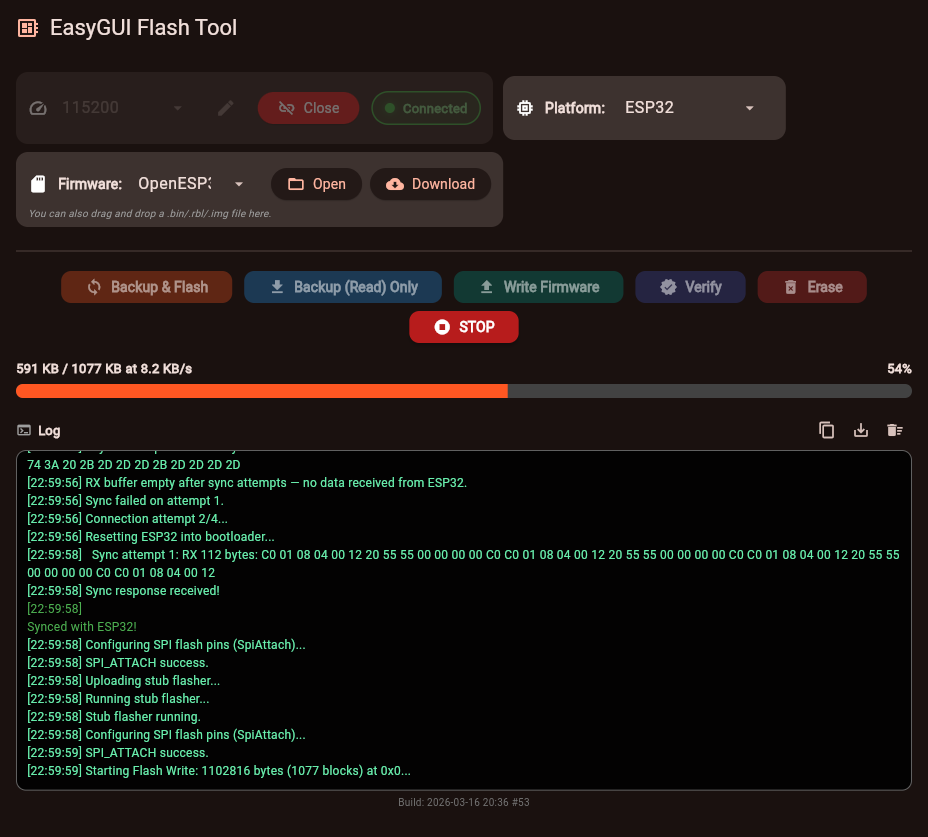
    This is actually impressive. Seems to work better than esptool.js for flashing ESP32 - though it doesn't allow to specify the flashing offset, which is a major disadvantage. I would love to see that option added.

    Side note - I'm testing on Firefox, using the WebSerial for Firefox extension, and it works surprisingly well - so no more Chromium needed to use it.
    (disclaimer: I'm the author of that extension.)

    Screenshot of EasyGUI Flash Tool showing firmware flashing progress for ESP32 and a console log.

    Unsure if it's just a Firefox issue, but drag and drop doesn't work at all - dropping a file just leaves it on the orange "Drop file here" box, with the following error in the console:
    Uncaught TypeError: can't access property "toString", s is null
        $1 https://openshwprojects.github.io/EasyGUIFlashTool/main.dart.js:43936
        aye https://openshwprojects.github.io/EasyGUIFlashTool/main.dart.js:5975
        $1 https://openshwprojects.github.io/EasyGUIFlashTool/main.dart.js:43932
        aTj https://openshwprojects.github.io/EasyGUIFlashTool/main.dart.js:7136
        s https://openshwprojects.github.io/EasyGUIFlashTool/main.dart.js:7127
    
📢 Listen (AI):

Topic summary

✨ The EasyGUIFlashTool is a multiplatform flashing solution designed for Beken BK7231 and BK7238 chips, providing a unified and user-friendly interface across Web, Android, and Windows platforms. This early prototype leverages modern browser APIs such as Web Serial and WebUSB for the web version, enabling firmware flashing without vendor-specific tools or complex setups. It supports firmware file selection, configuration, built-in firmware downloading, and command-line operation. The project builds upon a previous Windows-only tool available on GitHub and aims to simplify IoT device flashing workflows by maintaining consistent GUI concepts and functionality across different operating systems.
Generated by the language model.

FAQ

TL;DR: Early prototype EasyGUIFlashTool flashes Beken BK723x across Web, Android, and Windows, tested to 1,500,000 baud; “the same workflow and GUI concept are shared between builds.” [Elektroda, p.kaczmarek2, post #21842603]

Why it matters: It gives makers and field technicians one consistent, no-vendor flasher for recovery and updates across devices and platforms.

Quick Facts

What is EasyGUIFlashTool and who is it for?

EasyGUIFlashTool is a cross‑platform IoT flasher with one workflow across Web, Android, and Windows. It targets makers, repair techs, and developers who need simple, vendor‑agnostic flashing and recovery for Beken‑based devices. It is an early prototype focused on validating the UI and core back end. The tool emphasizes minimal setup, built‑in firmware download, and clear progress feedback. The author invites testing and feedback to guide next steps and chip support. [Elektroda, p.kaczmarek2, post #21842603]

Which chips does this prototype support today?

The current build supports Beken chips, including the BK723x family highlighted in the thread title. The author states the flashing back end supports only Beken for now. With enough positive feedback, additional chips will follow. This staged approach keeps the tool stable while expanding hardware coverage. “More is to come soon.” [Elektroda, p.kaczmarek2, post #21842603]

How do I flash a BK7231/BK7238 from my browser?

  1. Open the Web build using a browser that supports Web Serial/WebUSB.
  2. Connect your target device, select firmware, and set flashing parameters.
  3. Start flashing and monitor progress in the UI. If auto reset via DTR/RTS fails in Chrome, run the flasher locally for best results. The web app requires no backend and works from GitHub Pages or local hosting. [Elektroda, p.kaczmarek2, post #21842603]

What cables or adapters do I need on Android?

Use either a USB‑C to USB‑C cable or a USB OTG adapter, depending on your phone and target device. The Android app mirrors the web logic but adapts controls for mobile. It performs all operations locally, so you do not need root or cloud access. This setup is ideal for field recovery and on‑site flashing without a laptop. [Elektroda, p.kaczmarek2, post #21842603]

Does the Android app require root or an internet connection?

No. The Android version does not require root, and all flashing operations happen locally on the device. This supports secure, offline workflows during field service or lab use. You only need the APK, the firmware files, and the correct cable or OTG adapter. The UI matches the desktop and web concepts for quick ramp‑up. [Elektroda, p.kaczmarek2, post #21842603]

Is there a command‑line mode for automation?

Yes. The Windows version supports a command‑line mode, matching the main flasher’s behavior. This helps integrate flashing into scripts or CI steps. It complements the GUI for batch operations or recovery pipelines. As this is a prototype, treat it as a test bed while the mature Windows flasher remains primary. [Elektroda, p.kaczmarek2, post #21842603]

What baud rates does EasyGUIFlashTool handle?

Communication has been tested up to 1,500,000 baud on supported devices. That headroom speeds up flashing and reduces field time. Actual stable rates depend on your adapter, wiring, and device state. Always verify integrity after flashing when pushing high data rates. Fast is good, but reliability is critical in production. [Elektroda, p.kaczmarek2, post #21842603]

Where can I download the binaries and source?

Grab Android APKs and Windows EXEs from the GitHub Releases tab. The source code is on the same repository for audits and contributions. A hosted Web version is available, and you can run it locally without a backend. Linux and macOS builds are planned, subject to feasibility. [Elektroda, p.kaczmarek2, post #21842603]

What’s the known edge case with the Web flasher?

Auto reset using DTR/RTS can fail in some cases due to a Chrome limitation. The author recommends running the flasher locally on localhost for best behavior. If you see inconsistent resets, reconnect and retry after switching to local hosting. This is a prototype caveat, and improvements are expected. [Elektroda, p.kaczmarek2, post #21842603]

Is the Windows build production‑ready?

Use the Windows build for testing today. For production work on Windows, the author points to the mature BK7231GUIFlashTool. The EasyGUIFlashTool Windows app mirrors the cross‑platform UI and supports CLI, but it remains in early stages. Keep critical workflows on the stable Windows flasher for now. [Elektroda, p.kaczmarek2, post #21842603]

Does the tool include a firmware downloader?

Yes. The prototype includes a built‑in firmware downloader to reduce setup friction. This speeds first‑time flashing and helps during device recovery. You still control which file to flash and the parameters. The unified UI keeps the process consistent across platforms. [Elektroda, p.kaczmarek2, post #21842603]

What do Web Serial and WebUSB mean here?

They are modern browser APIs that let the web app talk to connected devices over serial and USB. The tool uses them to list ports, open connections, and stream flashing data within the browser. This removes native drivers and backend servers from the flow. Use a compatible Chromium‑based browser for best results. [Elektroda, p.kaczmarek2, post #21842603]

What are DTR and RTS in this context?

DTR and RTS are control lines often used to trigger automatic reset or boot modes on target MCUs. The web app toggles them to streamline entry into flashing mode. A Chrome limitation can interfere with this automation. Running on localhost improves reliability during the reset sequence. [Elektroda, p.kaczmarek2, post #21842603]

Can I use this tool entirely offline?

Yes. Android performs all operations locally, and the web app can run from a local host without backend services. Windows also runs standalone and supports CLI. Download binaries and firmware ahead of time to keep air‑gapped workflows. This suits lab, factory, and field environments. [Elektroda, p.kaczmarek2, post #21842603]

Will more chips and OS builds be added?

The author plans to port more chips with sufficient positive feedback. Linux and macOS builds are expected if feasible. Today’s focus is Beken with a basic UI, validating cross‑platform feasibility. “With enough positive feedback, more chips will be ported soon.” [Elektroda, p.kaczmarek2, post #21842603]
Generated by the language model.
ADVERTISEMENT