Which home heating gas thermostat models are known to work with OpenBeken or similar custom firmware, and can an existing Tuya thermostat config be reused?
No specific gas-boiler thermostat was confirmed as plug-and-play in the thread; the main advice is that almost any Tuya device can often be modified to run OpenBeken, but newer models usually need a custom flash and dpID/config work rather than just flashing firmware [#21734047][#21734680][#21734745] The ME81H template was suggested as a possible reference, but it was not recommended as a purchase because there were reports it may die after about a year, and it still would not be plug-and-play without matching dpIDs [#21734178][#21735774] OBK’s default release was said to support TuyaMCU in theory, so reusing a similar TuyaMCU configuration may work if the hardware matches, but manual Home Assistant config may still be needed [#21734745][#21735774] One participant did report a proven flashed thermostat setup with Avatto WT100 units using soldered-in ESP-12F / ESP8684-WROOM-01C modules, but that example is for electric heating rather than gas [#21735774]
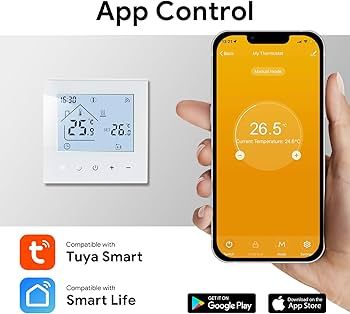
Are there any recommended models of Home Heating Thermostats (Gas) that can be flashed with OpenBeken or similar? Or has anyone flashed one and created a config? This is something I wish to try, as my current Tuya-based unit is rather inflexible with its programmable settings. I would rather buy a new unit rather than dismantle my current one, as I don't wish my current heating to be out of action should the plan not work out.
Hi - I was hoping someone else had already done something of this nature so I could just buy that device. This isn't for experimentation or to see if I can make it work; more just to get my current device off cloud and I feel obk is the easiest way to achieve this. So yes, open to recommendations
Added after 7 [hours] 41 [minutes]:
Do you think it would be possible to replicate the config listed here:
I just wonder if the openrtl supports the DPLDs so I could transfer them over from the Tasmota config. If that doesn’t work out, I can just solder in an ESP32 as they are super cheap
Added after 2 [minutes]:
I just wonder if the openrtl supports the DPLDs so I could transfer them over from the Tasmota config. If that doesn’t work out, I can just solder in an ESP-12 as they are super cheap
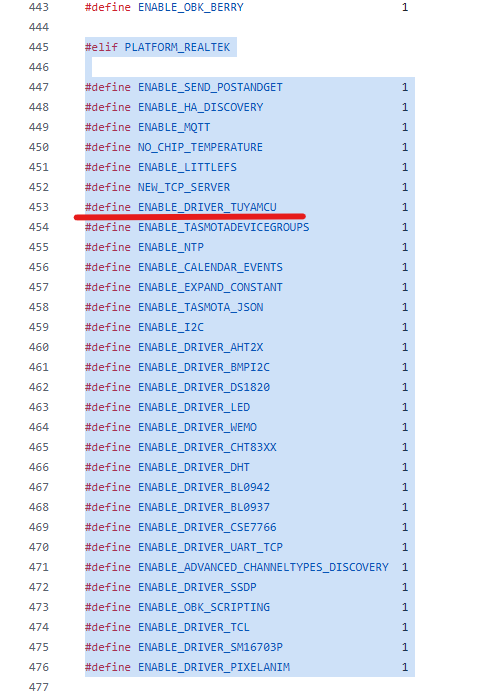
Default release does support TuyaMCU so in theory it should work - again just from my experience - I haven't tested that, maybe @insmod can say more or @p.kaczmarek2 ??
Can’t seem to find an ME81H that supports gas boilers that will ship from AliExpress, so I think I’ll buy a replacement Minco one from Amazon, and modify my current one, as that’s a Minco one too.
Added after 1 [hours] 58 [minutes]:
Can’t seem to find an me81h that supports gas boilers that will ship from aliexpress so I think I’ll buy a replacement Minco one from Amazon and modify my current one as that’s a minco one too
Added after 10 [hours] 44 [minutes]:
I have seen some people on this forum have experimented with various thermostats, possibly 2 or 3 different models and I'm wondering how they got on?
Added after 9 [hours] 48 [minutes]:
Took a bit of a gamble as I couldn’t find the any of the ones listed over on the Tasmota site so I bought a cheap Moes unit which has an integrated Beken unit inside. I wonder if I can make this work??
I don't know if OBK provide thermostat card via HA discovery, you will probably have to add it manually via HA config.
I wouldn't recommend ME81H, there are reviews that say that it might die after about a year.
Still, i can provide dpId list if you bought it.
I myself currently use Avatto WT100 (16A, electric heating). Bought two of them without wifi, and then soldered ESP-12F to one and ESP8684-WROOM-01C to another. Have them for about a year.
I’m wondering what to do. The Moes one that arrived today is quite far from the ME81H, whereas my current one is closer to those design- and spec-wise. I’ve had it working for about 2 years now and it’s been fine. I just need one to stand in whilst I work on one of them and try to work things out.
Added after 1 [hours] 17 [minutes]:
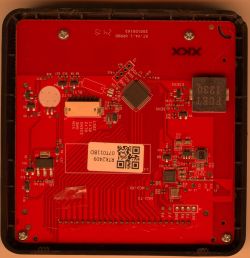
This is the Minco Home thermostat I have, I’m hoping it’s quite close to the me81h or can accept an esp12f if required and the dlpds will match up
>>21736146 Since this doesn't look like ME81H, can you provide a backup?
I can extract dpIds from it.
Or share MCU product information (when you start TuyaMCU driver, it should automatically query it. For WT100, it is '{"p":"jaovfquhkmbydxyp","v":"1.0.0","m":0}')
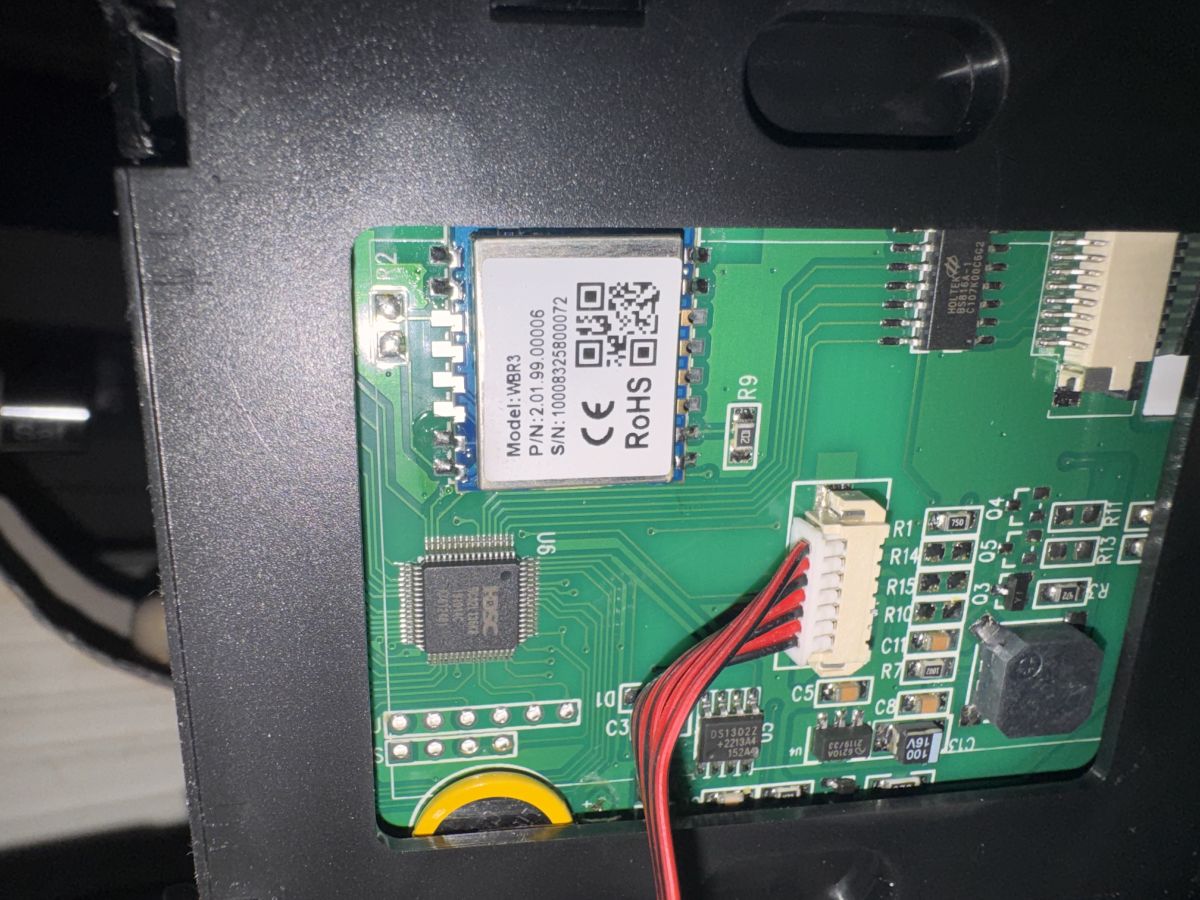
Happy to share my backup; however, I have managed to destroy this board as the pads are very low quality and have come off the board even when just using the lightest of touches to free the Realtek chip. Think I'll find something that is better made.
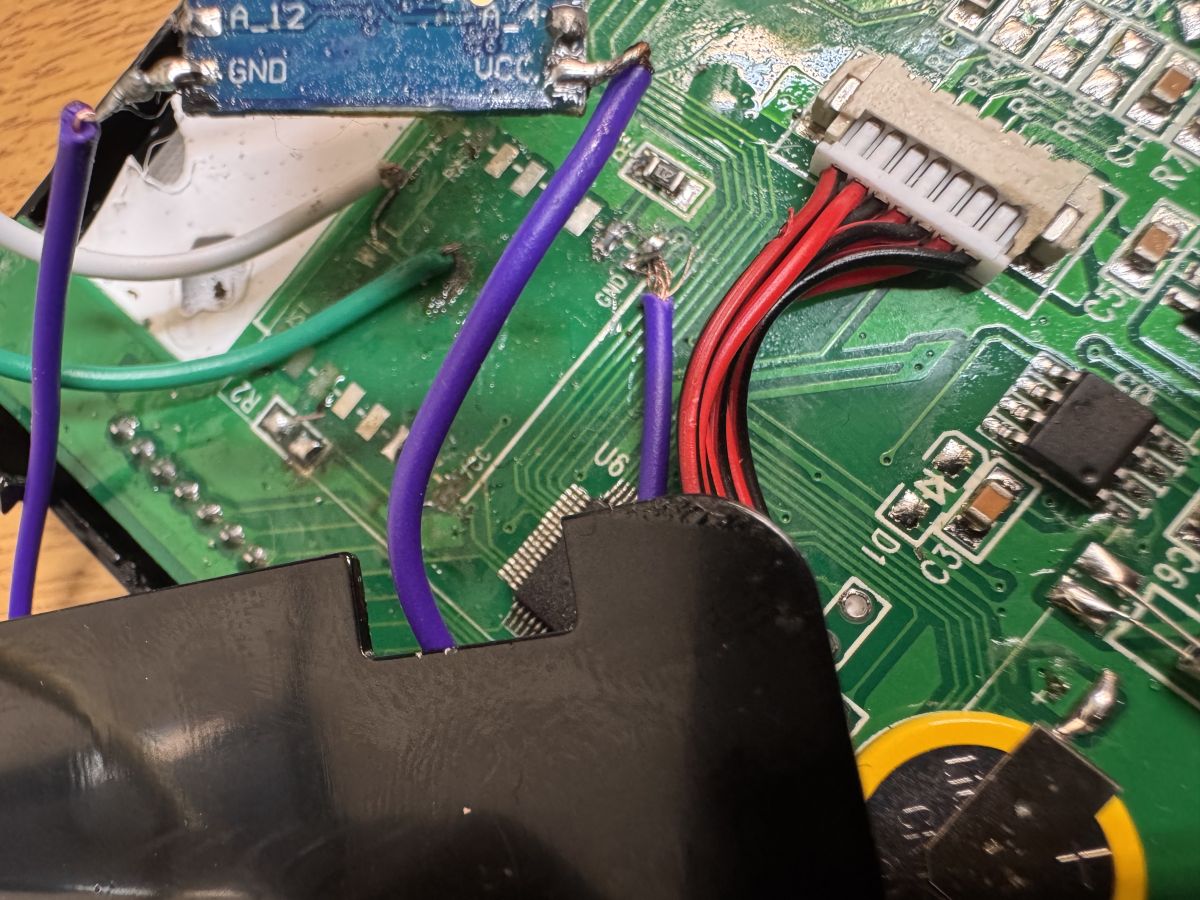
therein lies the problem i've lost RX, TX and VCC.
Added after 23 [minutes]:
As you can see here pads are all but dead so I had to expose tracks on the board but scraping material away.
It does seem to come up now but naturally this board is no good for normal use in the state it’s currently in.
However one to test with I think maybe. Can provide the back up for dlpds
this is the first time I've got in this deep so forgive my naivety - none of my devices have an MCU involved but if you could do it from the webUI that'd be great. I'm just waiting now to get the config info back as I have another brand new unit to use so i'm glad this half dead one does actually appear to work.
this suggest the mcu is working over tx/rx right? :
Info:TuyaMCU:Received: 55 AA 03 07 00 08 03 02 00 04 00 00 00 CF E9
Info:TuyaMCU:ProcessIncoming[v=3]: cmd 7 (State) len 15
Info:TuyaMCU:ParseState: id 3 type 2-val len 4
Info:TuyaMCU:ParseState: int32 207
Info:GEN:No change in channel 3 (still set to 207) - ignoring
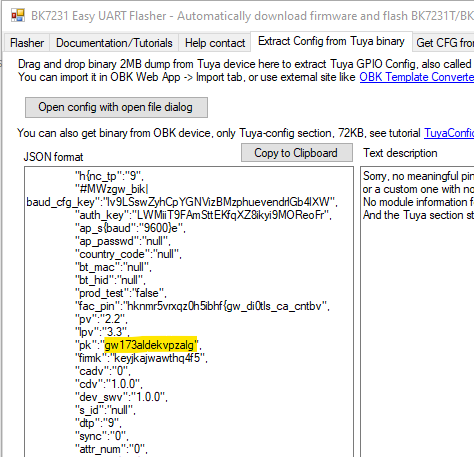
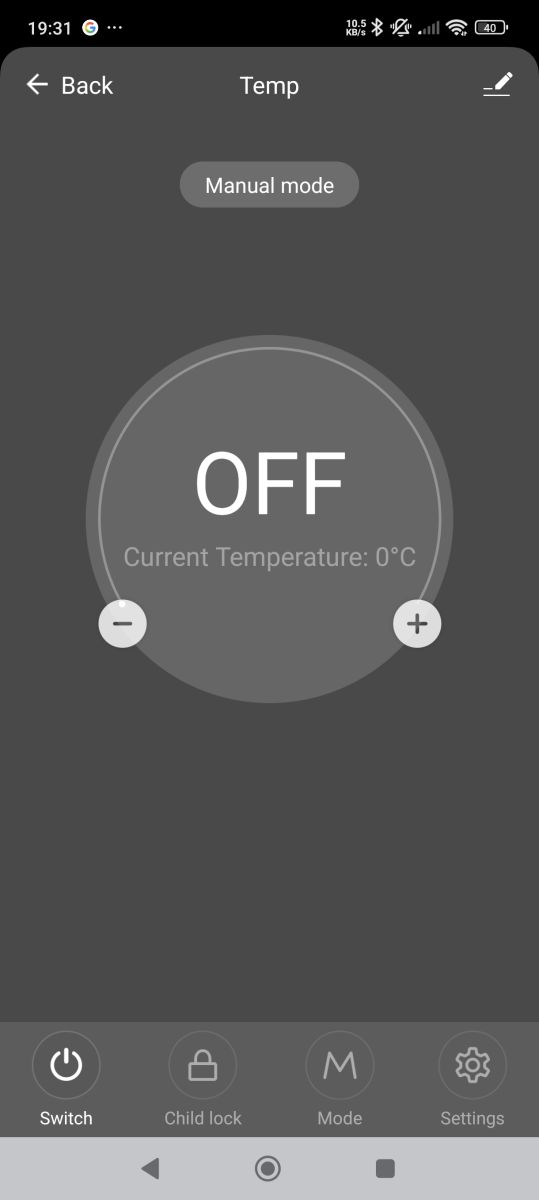
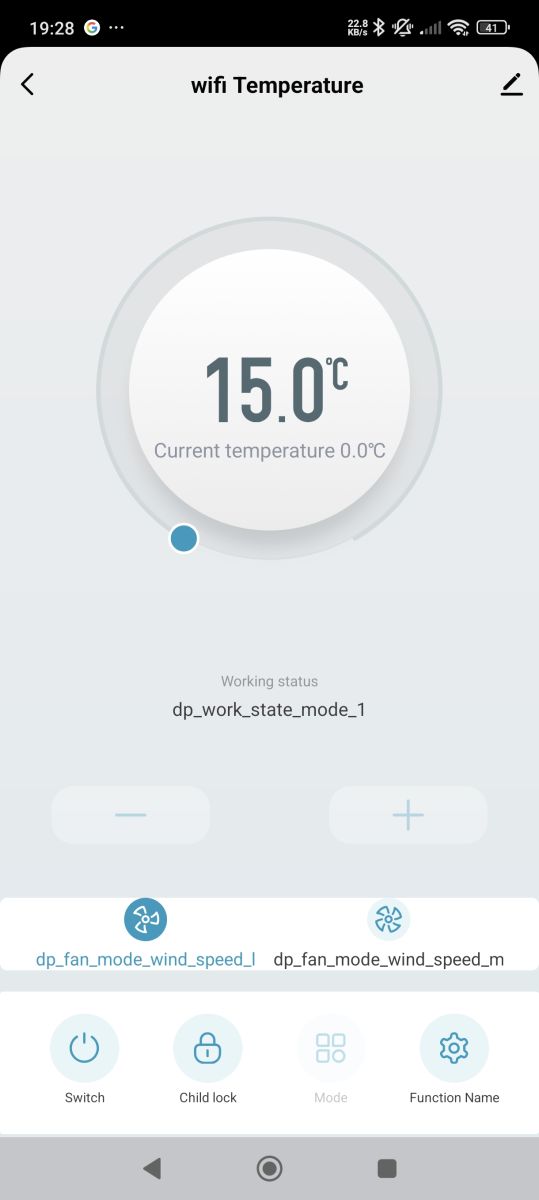
when (if? - I was expecting to see schema ID in extraction but it's null, but your wifi creds are in backup) you paired with Tuya, which of these two is how the device looked in the app?
yellow background but very similar and a bit “older” looking but very similar yes
Thank you for going to the effort of doing that. Would you mind explaining about the key situation etc? As simple as possible so I understand 😂
the second pic is using your factory pin instead of the product key. I thnk there's some preference of order between factory pin and product code. As in, if there's a fac_pin set, then that could mean a different schema is pulled down to the device upon pairing vs just product key. Not 100% sure of the pattern/reasoning.
Added after 2 [minutes]:
anyway, if/when you get OBK up and running you can have it query the TuyaMCU for dpIDs and the key it's using. It just won't have all the values and descriptions you can get from Tuya
This is what the controls looked like in app. Going to try soldering and flashing a new one up (I have a spare similar one at hand) and then see what I can do about this dpid situation - it’s dpID not Dpld right?
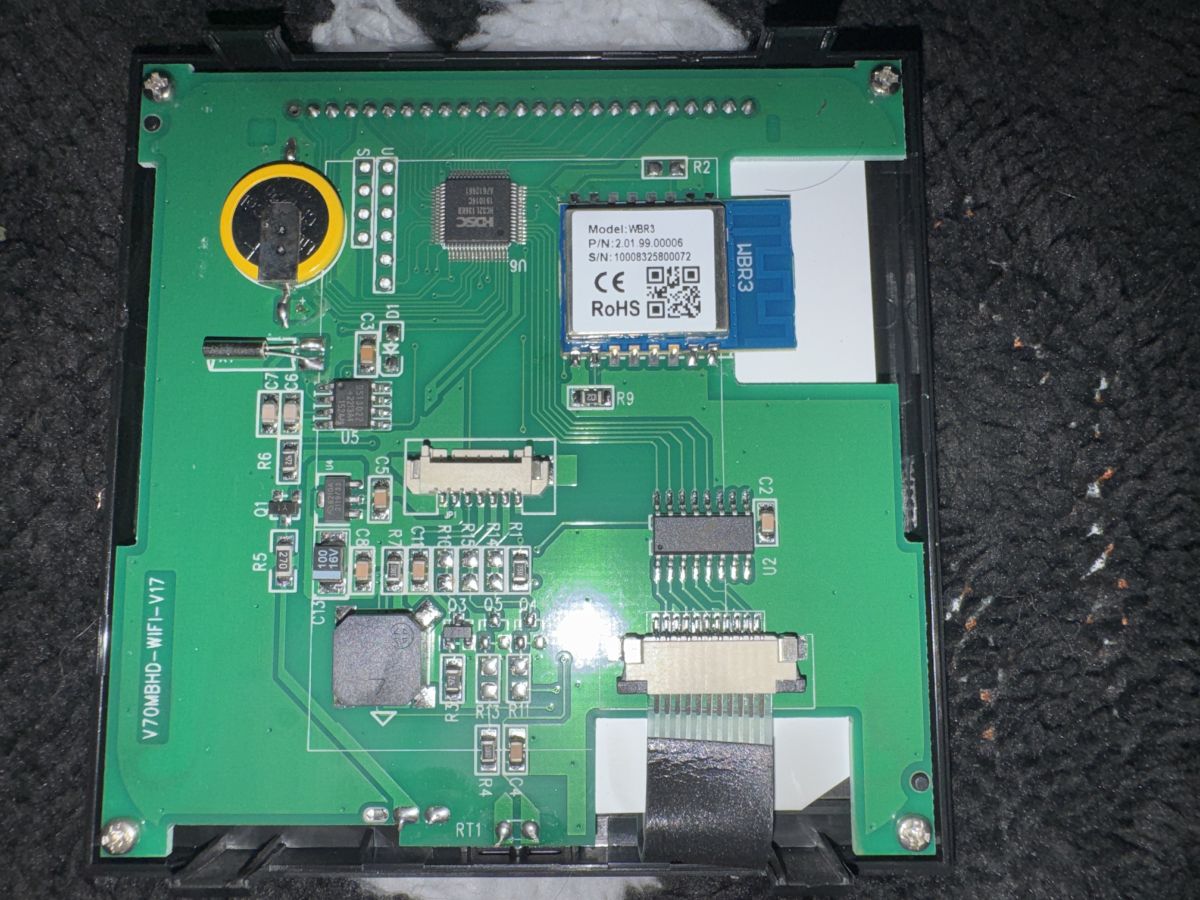
New one is all soldered and flashed. Bit of a pain in the butt as the hot air melts the lcd backing and I’m not desoldering the LCD as it’s got about 20 connections.
The Moes one I have is much better built but anyway my next step is to figure out these dplds
Added after 7 [minutes]:
Added after 2 [minutes]:
anyway, if/when you get OBK up and running you can have it query the TuyaMCU for dpIDs and the key it's using. It just won't have all the values and descriptions you can get from Tuya
How do i perform this part? I assume I don’t need to have it all connected up to uart again?
I have a backup of this new unit I’m happy to share again
How do i perform this part? I assume I don’t need to have it all connected up to uart again?
I have a backup of this new unit I’m happy to share again
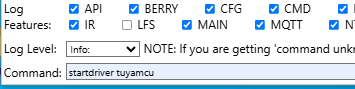
If your module is soldered back in place and has been flashed with OpenRTL then starting the tuyamcu driver from the web app Logs tab should see the MCU respond in the log box
That's the step insmod mentioned:
insmod wrote:
Or share MCU product information (when you start TuyaMCU driver, it should automatically query it. For WT100, it is '{"p":"jaovfquhkmbydxyp","v":"1.0.0","m":0}')
Info:TuyaMCU:ProcessIncoming[v=3]: cmd 1 (QueryProductInformation) len 49
Info:TuyaMCU:ParseQueryProductInformation: received {"p":"22m2ytawuenfen5b","v":"1.0.0","m":0}
and this is the old "broken" one which you've already confirmed.
Info:TuyaMCU:ProcessIncoming[v=3]: cmd 1 (QueryProductInformation) len 49
Info:TuyaMCU:ParseQueryProductInformation: received {"p":"gw173aldekvpzalg","v":"1.0.0","m":0}
so if not mistaken these keys seem to be Tuyas "method" of having a config in their app, key xy1234 will make the app screen look a certain way and give it certain features. I've noticed that my current "in use" tuya Moes thermostat in the Tuya app entirely diffrent to every other one i've tried albeit with very similar functionality
interesting. so maybe dpIDs above are correct anyway. Not sure what the deal is with the motif in app though.
Additionally, once TuyaMCU driver is running you can send command tuyaMcu_sendQueryState and it should return a list of the dpIDs, so you can at least compare to see if they match what I/we post in json form from Tuya.
✨ The discussion focuses on identifying home heating gas thermostats compatible with OpenBeken (OBK) or similar custom firmware to replace inflexible Tuya-based units. Most Tuya devices can be flashed with OBK, but newer or less common models may require additional hardware modifications. The ME81H thermostat is referenced as a known model with existing configurations, though it is not recommended due to reliability concerns. Alternatives such as Minco and Moes thermostats are explored, with Minco units favored for their similarity to ME81H and better build quality. Users report soldering ESP8266/ESP32 modules (e.g., ESP-12F, ESP8684-WROOM-01C) to enable custom firmware. The Realtek 8710c MCU is discussed as a target for firmware replacement, with TuyaMCU protocol support in OpenRTL allowing communication over UART (RX, TX, VCC, GND). Extracting and mapping Tuya datapoint IDs (dpIDs) is critical for configuring device functions like power and temperature control. Backups of device firmware and keys (product key, factory pin) are used with tools like Tuya MCU Debugging Assistant to obtain dpID schemas. Challenges include hardware fragility during desoldering and differences in app motifs linked to firmware keys. Community members share partial configs and suggest developing tools to convert Tuya JSON schemas into OpenBeken autoexec scripts for easier setup. Overall, the process involves hardware modification, firmware flashing, dpID extraction, and manual configuration to achieve cloud-free, customizable thermostat control.
TL;DR: For gas-heat thermostats you can decloud Tuya models with OpenBeken/OpenRTL; one user runs an Avatto WT100 rated 16A, and an expert warns, "I wouldn't recommend ME81H... it might die after about a year." [Elektroda, insmod, post #21735774]
Why it matters: This FAQ helps DIYers pick a flashable thermostat, map dpIDs, and avoid fragile hardware pitfalls while keeping heating online.
Proven alternative: Avatto WT100 (16A, electric heating) converted with ESP-12F/ESP8684 and used for ~1 year. [Elektroda, insmod, post #21735774]
Which thermostats are people actually using with custom firmware?
In this thread, one contributor runs two Avatto WT100 units (electric heat, 16A) after soldering ESP-12F and ESP8684 modules. Another user evaluated Moes and Minco variants, plus the ME81H pattern, but reliability concerns were raised for ME81H. This gives a practical path: choose hardware others confirmed, or be ready to remap dpIDs yourself. [Elektroda, insmod, post #21735774]
Is ME81H a safe pick for flashing?
A knowledgeable user does not recommend the ME81H. They cite reviews indicating units can fail about a year in. If you still try one, plan a fallback thermostat so your heating stays online during tinkering. "I wouldn't recommend ME81H... might die after about a year." [Elektroda, insmod, post #21735774]
Does OpenBeken/OpenRTL support TuyaMCU out of the box?
Yes. The default OpenBeken release includes TuyaMCU support. That means you can start the TuyaMCU driver, query the MCU, and bind dpIDs to channels through config, without custom forks. [Elektroda, DeDaMrAz, post #21734745]
What is OpenBeken (OBK) and what is OpenRTL?
OpenBeken is community firmware for Beken-based IoT devices; OpenRTL targets Realtek RTL87xx variants. Both integrate a TuyaMCU driver so the Wi‑Fi module can exchange dpID states with the thermostat’s MCU, enabling local control and MQTT. [Elektroda, DeDaMrAz, post #21734745]
How do I discover dpIDs on my thermostat?
Start the TuyaMCU driver in the OBK/OpenRTL WebApp, then run tuyaMcu_sendQueryState. The log prints dpIDs, types, and current values, which you can map to channels. This requires the module to be soldered back. [Elektroda, divadiow, post #21736961]
What does a TuyaMCU product info key look like, and why do I care?
When you start TuyaMCU, the device reports product info including a product key (p) and version. Example: {"p":"22m2ytawuenfen5b","v":"1.0.0","m":0}. That key influences app schema and helps interpret dpIDs for local control. [Elektroda, gandi69, post #21736994]
How are temperatures encoded over TuyaMCU?
Tuya encodes temperatures as integers scaled by 10. For example, 250 means 25.0°C. Many configs therefore set Dimmer ranges like 50–350 to represent 5.0–35.0°C. "Integer value; e.g., 250 means 25.0°." [Elektroda, divadiow, post #21736672]
My PCB pads lifted during rework—what minimum connections are required to flash?
You need only four lines to talk to the module: RX, TX, VCC, and GND. If pads lift, carefully scrape traces and solder to exposed copper, but consider a sacrificial unit for testing since mechanical integrity may be compromised. [Elektroda, insmod, post #21736417]
Can I control power with a button or rule instead of typing commands?
Yes. Users bind Channel1 (Toggle) to dpID 1 and add rules that send tuyaMcu_sendState 1 bool 0/1 on changes. This enables on/off from the WebUI, MQTT, or Home Assistant. Ensure addEventHandler syntax matches your firmware build. [Elektroda, gandi69, post #21740130]
What baud rate should I use on the UART between Wi‑Fi module and MCU?
Thread examples show 9600 or 115200. One working OpenBeken autoexec sets tuyaMcu_setBaudRate 9600 and frees UART TX, while others reference 115200 as a comment. Start with 9600, then adjust if logs show framing errors. [Elektroda, gandi69, post #21740130]
How do I map dpIDs to friendly channels in OpenBeken?
Use linkTuyaMCUOutputToChannel and linkTuyaMCUInputToChannel to bind dpIDs to labeled channels. Set ChannelType to match (Toggle, Enum, Temperature_div10, etc.). Then apply ranges, steps, and labels for clean UI and MQTT. [Elektroda, gandi69, post #21737264]
What’s an example 3-step flow to fetch and compare dpIDs?
Start TuyaMCU driver in the Logs tab. 2. Run tuyaMcu_sendQueryState and copy the printed dpID list. 3. Compare results to the schema you extracted or were given, then update channel bindings accordingly. [Elektroda, divadiow, post #21737012]
Why do app motifs differ (grey vs yellow) even with the same hardware?
Motifs can switch after pairing due to firmware key and schema pulled during onboarding. One user saw grey first, then yellow after another pairing, but the schema stayed the same. Visuals can differ while dpIDs remain constant. [Elektroda, divadiow, post #21737835]
Can I keep heating online while experimenting?
Yes. One approach is to buy a replacement thermostat to run the boiler, then modify your original unit offline. This prevents heat outages if flashing fails or a board suffers pad damage. [Elektroda, gandi69, post #21733936]
Edge case: Why does my ‘Target Temperature’ not respond on dpID 2?
Different product keys can remap dpIDs. A user found dpID 2 did not set the target on a newer unit despite similar UI. Always re-query dpIDs after flashing and bind the live map, not a template. [Elektroda, gandi69, post #21737755]
What are typical modes and extras I can expose to Home Assistant?
Common dpIDs include power (1), set temp, current temp, mode, work state, child lock, sound, frost, backlight, sensor select, differential, and output polarity. OBK can auto-discover, or you can add manually in HA. [Elektroda, insmod, post #21735774]