logo elektroda
logo elektroda
X
logo elektroda
Dostępna jest polska wersja

Czy wolisz polską wersję strony elektroda?

Nie, dziękuję Przekieruj mnie tam

Which battery-operated temperature and humidity sensor for HA? Zigbee TH08Z-B, comparison to Wi-Fi v

p.kaczmarek2 1590 9

TL;DR

  • The TH08 Zigbee temperature and humidity sensor is compared with the TH08 Wi‑Fi version, focusing on Home Assistant integration and the internal design differences between the two battery-powered models.
  • The Zigbee model uses a ZTU module and a simpler circuit, while the Wi‑Fi CBU BK7231N version adds an inverter-like coil stage to keep voltage near 3.3V.
  • The Zigbee sensor costs around £40, versus £20 to £30 for the Wi‑Fi version, and Tuya rates the modules at 1.8V to 3.6V and 3.0V to 3.6V.
  • Paired through Zigbee2MQTT on a CC2531, Home Assistant detects it as TS0201 (TH02Z) and exposes battery percentage, battery voltage, temperature, humidity, calibration, and precision.
  • The main conclusion is that Zigbee is simpler to run locally, more energy efficient, and better suited to battery-powered sensors, even if it costs more upfront.
ADVERTISEMENT
Treść została przetłumaczona polish » english Zobacz oryginalną wersję tematu
📢 Listen (AI):
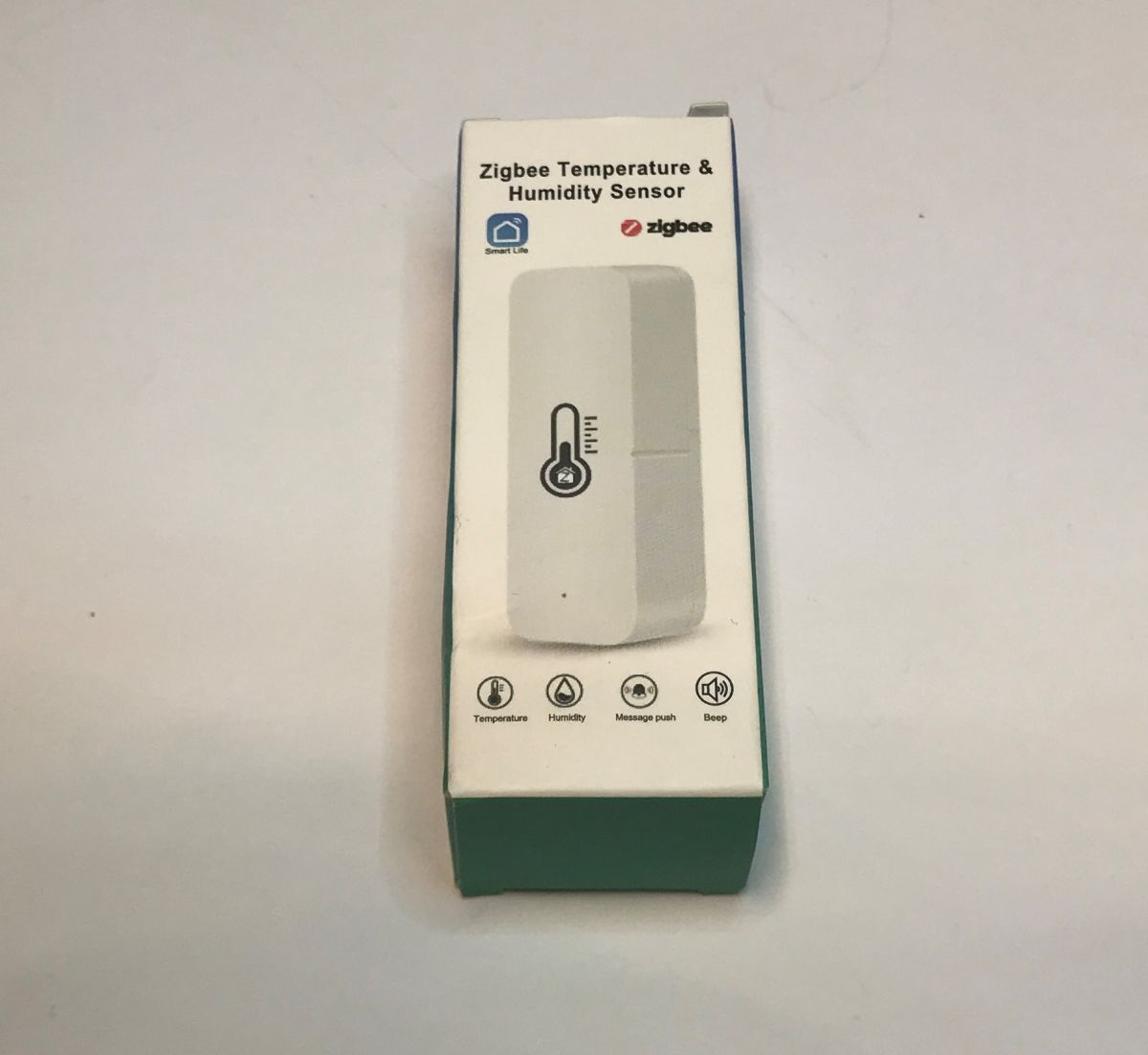
  • Zigbee temperature and humidity sensor packaging with function icons
    The subject of the TH08 sensor, based on the CHT8310 chip and offering Wi-Fi connectivity, has already been raised many times in our forum. Its integration with the Home Assistant proved possible, albeit quite challenging. This time I will show its Zigbee variant, whose pairing with HA is much simpler. We will also take the opportunity to look inside both devices to see how they differ.

    Let's start with the question of pricing. The Zigbee version can be bought in our country for around £40, while the Wi-Fi version is slightly cheaper, costing £20 to £30. Here one might be tempted to say that why would you need one Zigbee sensor when you can have two Wi-Fi ones for the same price? but I recommend caution. Indeed Wi-Fi is cheaper, but it is also more difficult to convert so that it works without the cloud:
    [BK7231N/CBU] Tuya TH08 Generic Wi-Fi Temperature & Humidity Sensor [CHT8310]
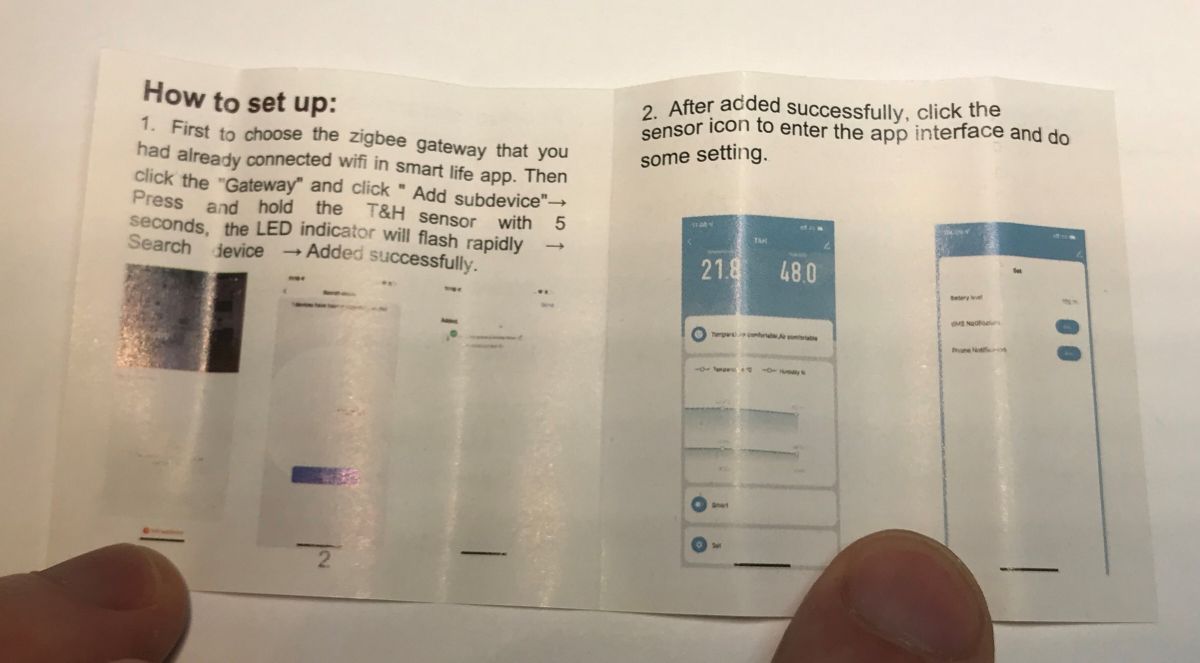
    So let's see what we get in the kit. In addition to the sensor, it includes instructions and a strip of double-sided tape.
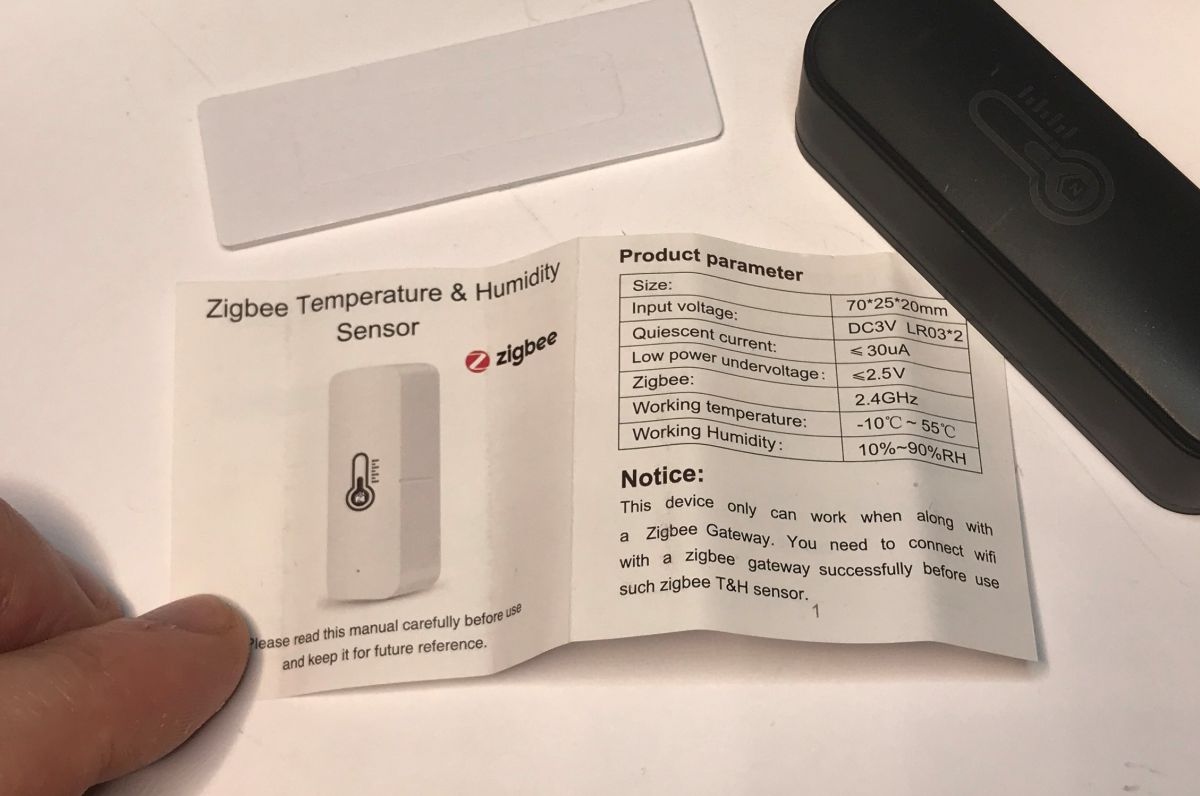
    Instruction manual and black Zigbee temperature and humidity sensor on white background Zigbee sensor setup instructions shown with app screenshots and pairing steps
    The sensor itself requires two AAA batteries:
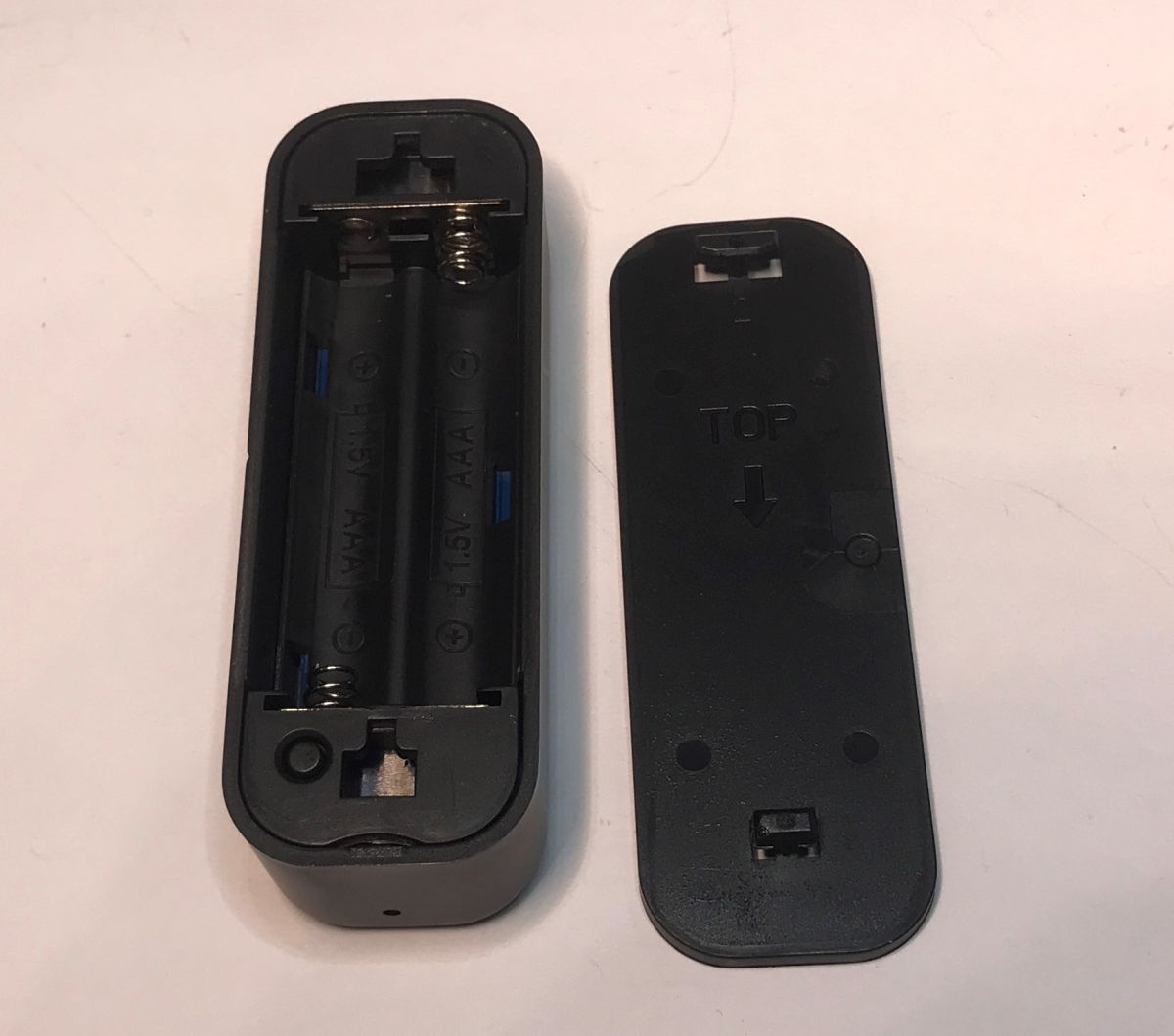
    Open TH08 sensor casing with compartment for two AAA batteries visible

    Pairing with HA
    Normally this sensor works with Tuya, but here I will run it with Home Assistant:
    Home Assistant tutorial - setup, Wi-Fi, MQTT, Zigbee, Tasmota
    You will need a Zigbee transceiver - I used a CC2531:
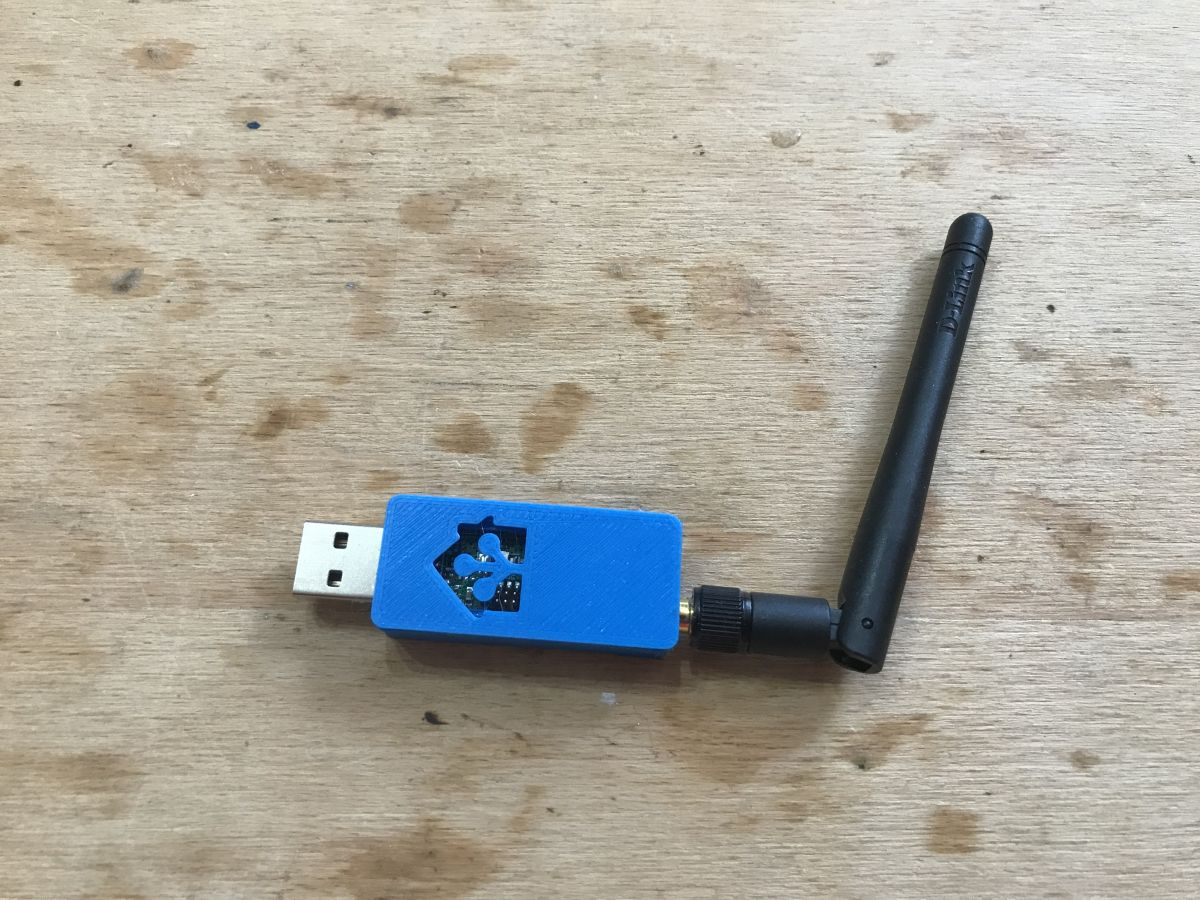
    Zigbee CC2531 transceiver with blue USB case and black antenna
    On the HA side, I use Zigbee2MQTT. I simply allow pairing and press a button on the device as instructed:
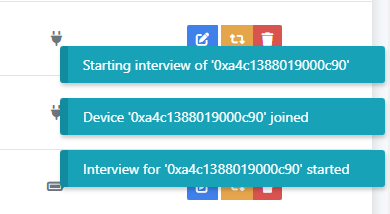
    Zigbee device pairing process with Home Assistant shown on screen
    HA correctly detects the device as TS0201 (TH02Z):
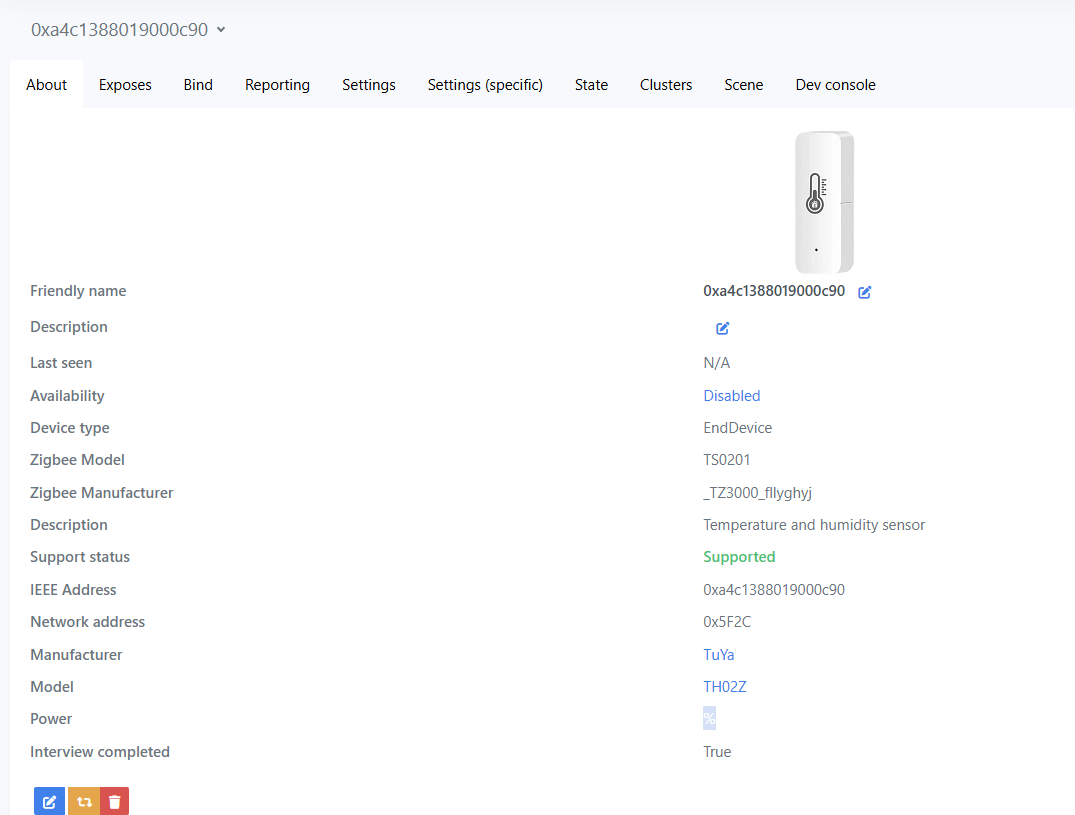
    Zigbee TS0201 sensor pairing screen in Home Assistant UI
    Variables provided include battery level (in %), battery voltage (V), temperature and humidity.
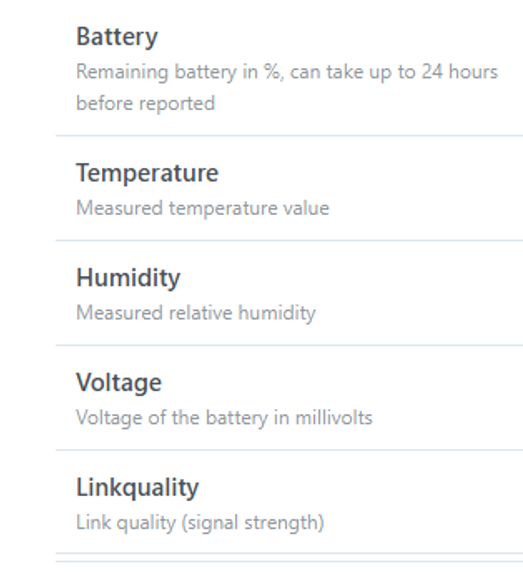
    TH08 sensor data list: battery, temperature, humidity, voltage, signal quality
    Interestingly, here we also have control over temperature and humidity calibration. The 'precision' option allows you to specify the number of digits after the dot, it will not improve the actual precision of the reading.
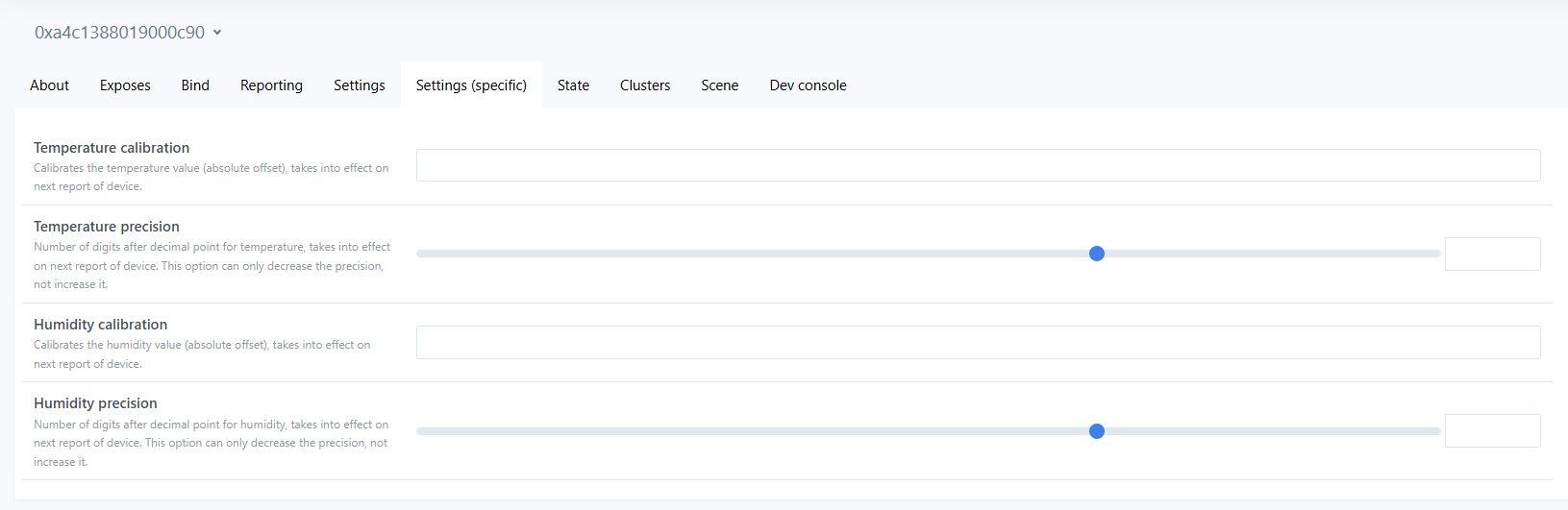
    Calibration and precision settings for Zigbee temperature and humidity sensor
    That's basically it - the device is ready for operation as soon as it is paired.

    Compare the Zigbee version with the Wi-Fi version
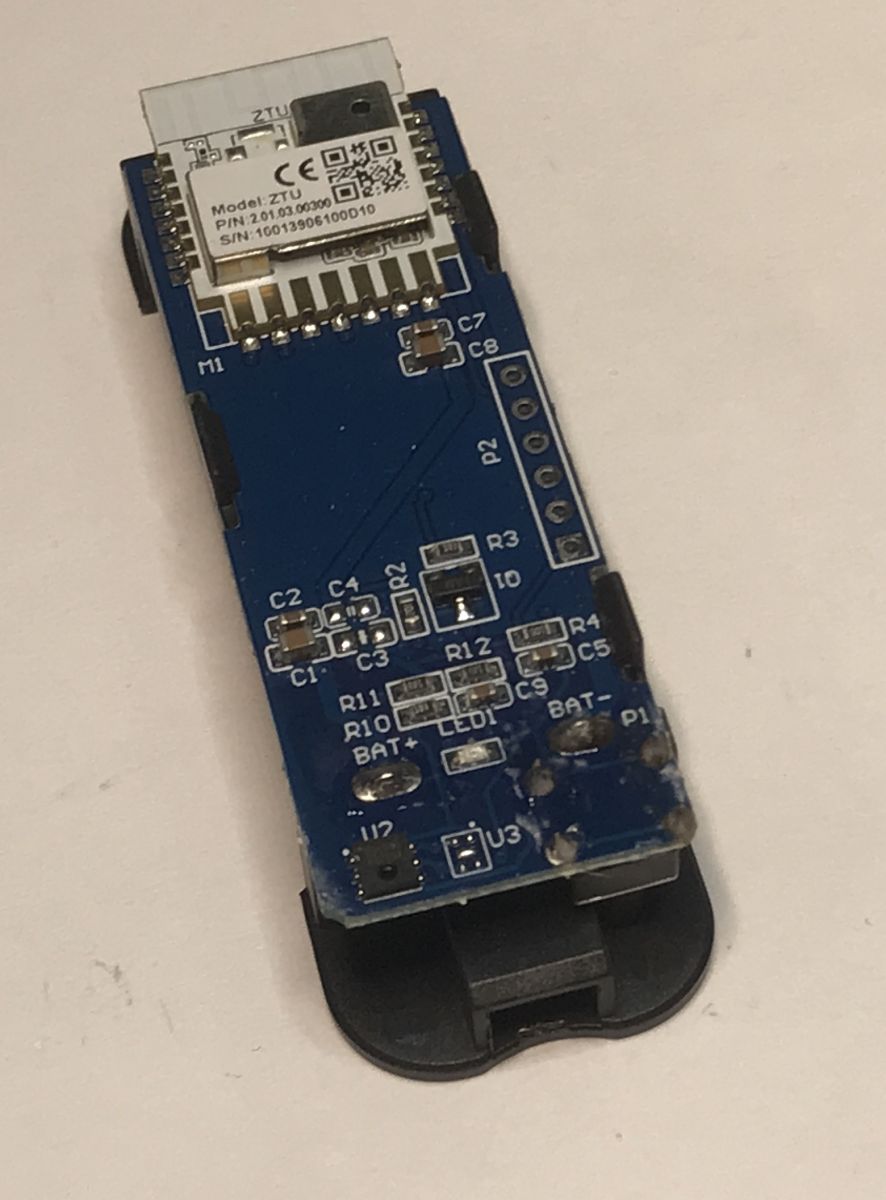
    Let's compare the construction TH08 with the device from the subject:
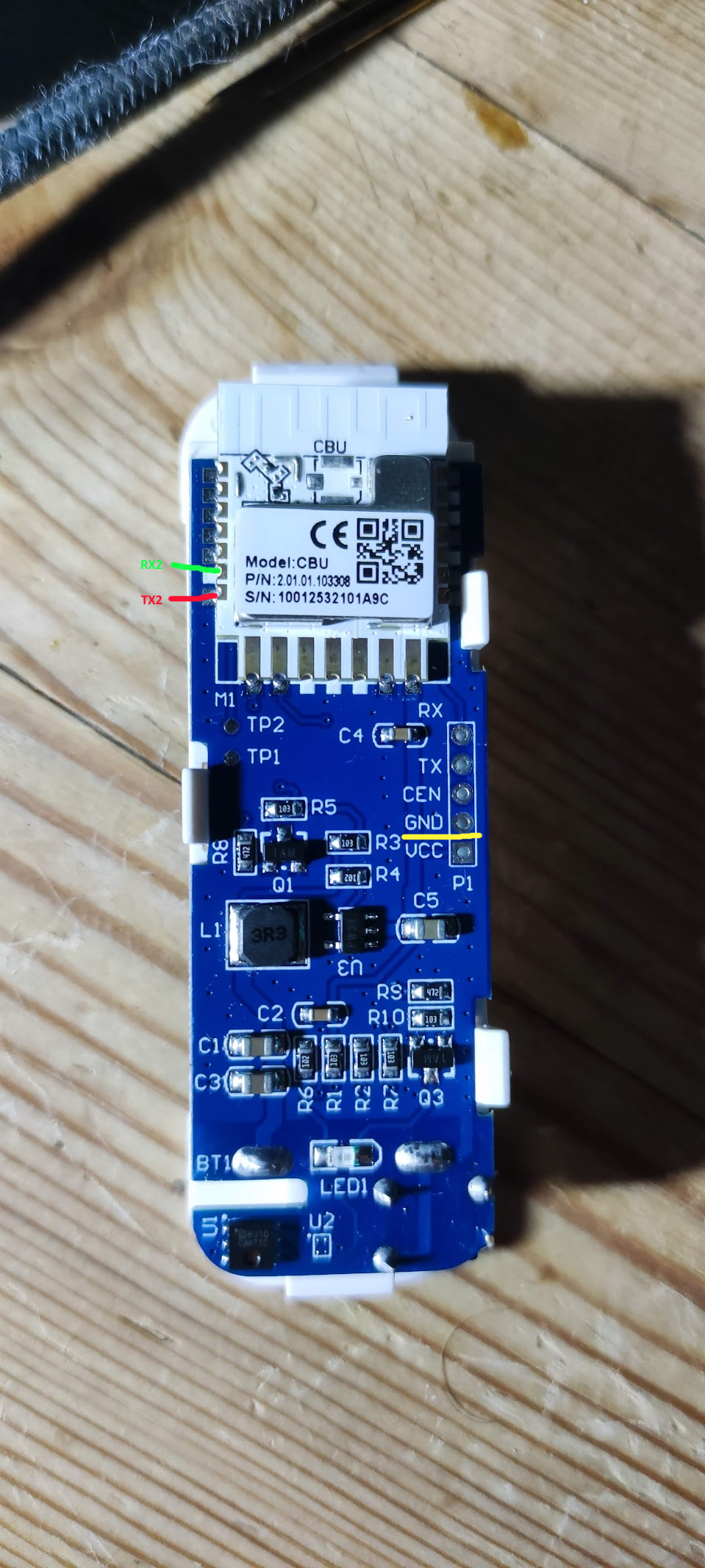
    Wi-Fi TH08 sensor PCB with CBU module and labeled TX2, RX2 pins Zigbee sensor PCB with ZTU module and labeled electronic components
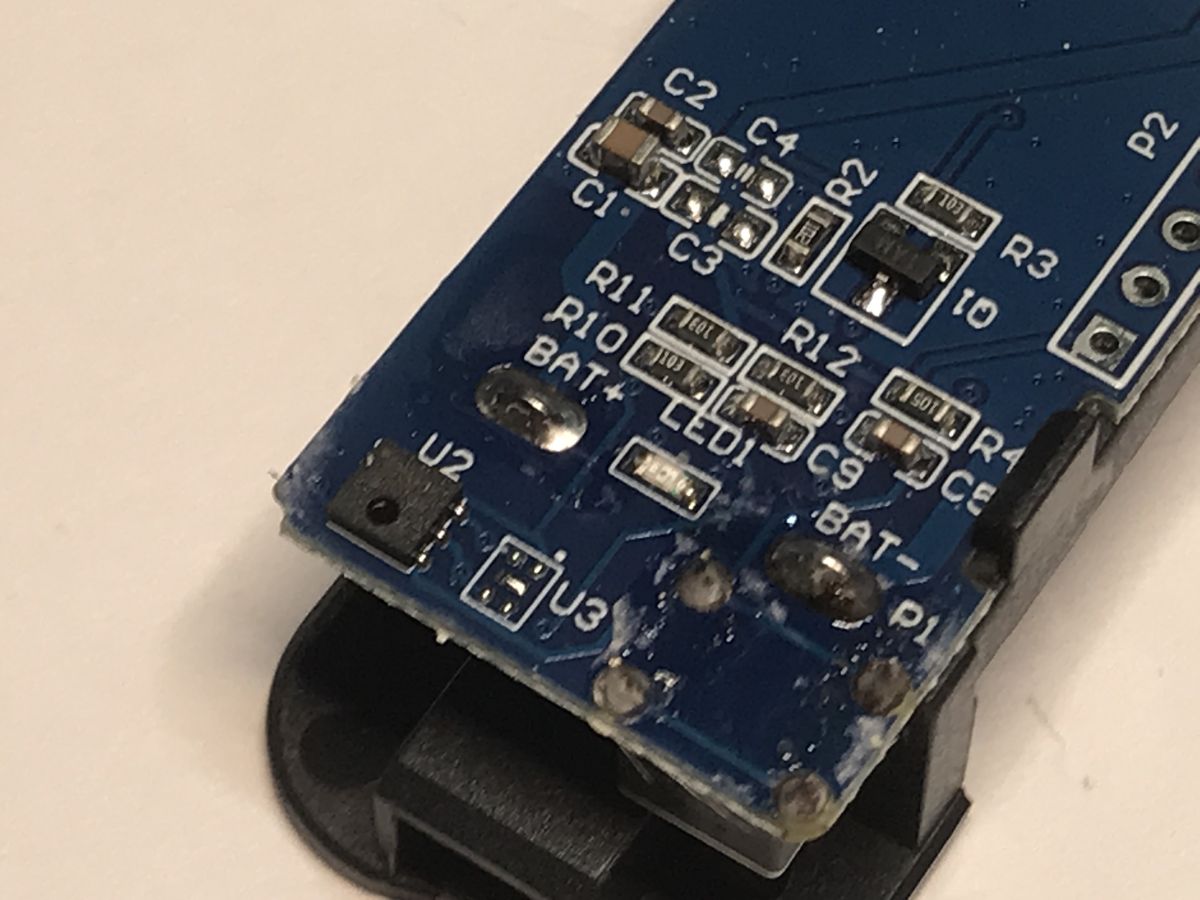
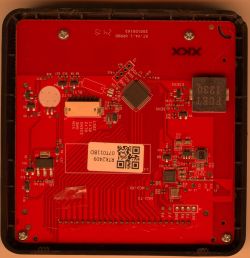
    The version with Wi-Fi is based on the CBU module (BK7231N). In addition it has a coil circuit that looks like an inverter to me. Presumably the Wi-Fi module doesn't want to work very well on low voltages, so the inverter makes sure there's that 3.3V and not less - without it, the voltage drops as the battery discharges.
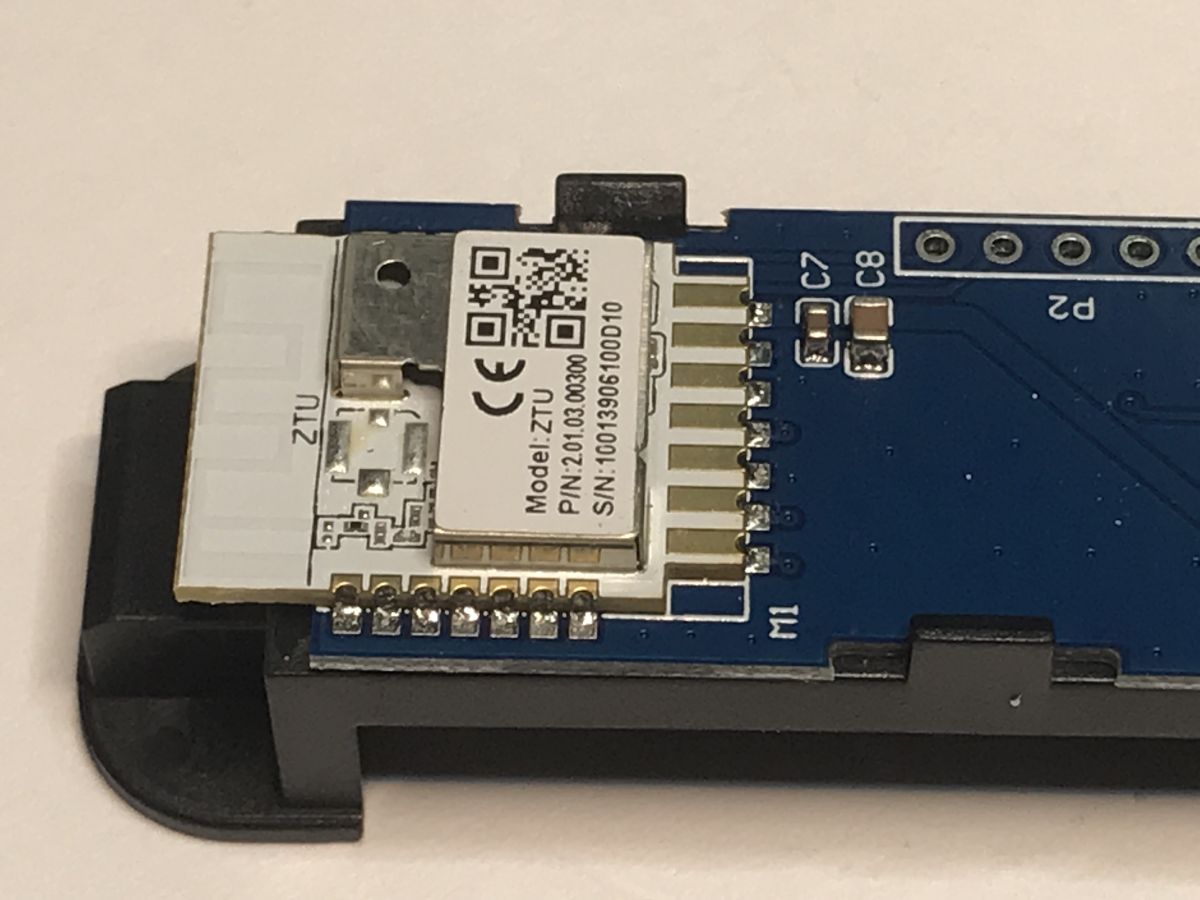
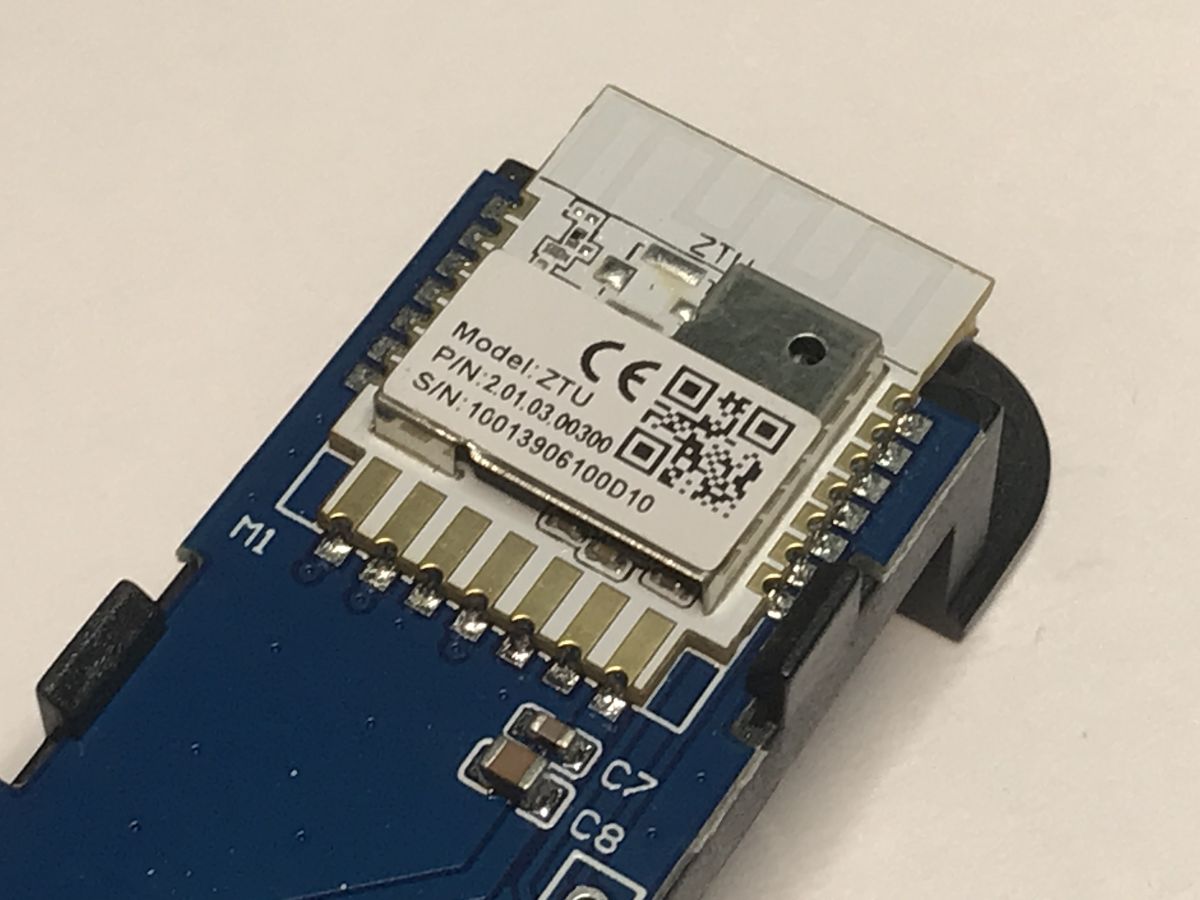
    The Zigbee version is based on the ZTU module. Both modules have compatible leads and the boards look similar, although here there is no inverter. The Zigbee-based circuit is simpler and therefore more efficient.
    According to Tuya's specifications, the CBU operates at voltages from 3.0 to 3.6V, while the ZTU can operate as high as 1.8V to 3.6V (although a voltage higher than 2.8V is recommended). This also explains the differences in construction.
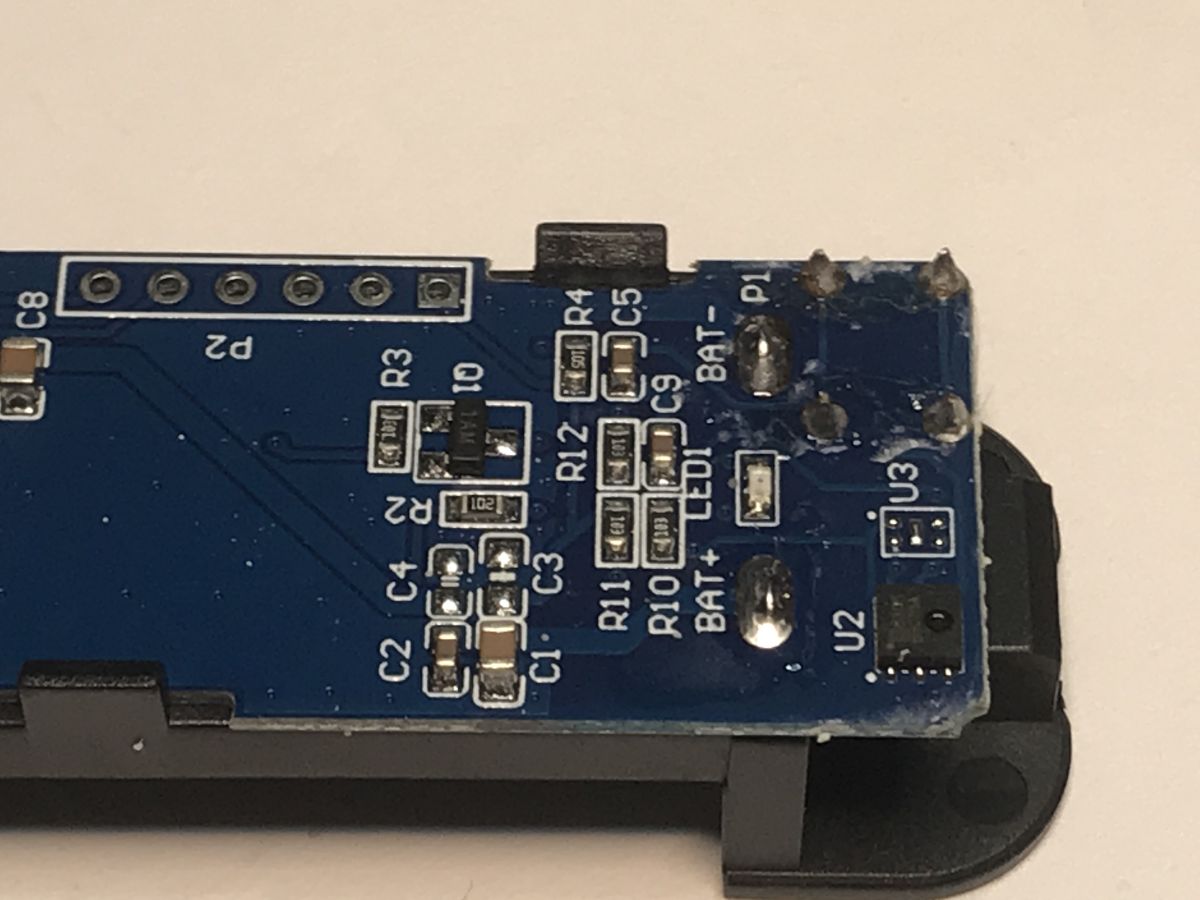
    Close-up of the TH08 sensor PCB with labeled components and visible solder joints Zigbee ZTU module on a sensor board, with visible electronic components and QR code. Zigbee ZTU module on a PCB with labels and soldered connectors Close-up of Zigbee sensor PCB with labeled components and visible soldering points. Close-up of Zigbee sensor PCB with labeled components and visible soldering points.
    The sensor itself appears to be the same model in both devices.

    Summary
    There is a reason why Zigbee has a reputation for being a more energy efficient protocol - this is evident even from the design of this device. Additionally, pairing Zigbee with a system running 100% locally is much simpler than with Wi-Fi. You don't even need to change the firmware.
    I believe that the solution shown in the context of battery-powered sensors is much better and also simpler than Wi-Fi. It is rather worth paying more and getting the result faster.
    And what do you think? Do you use sensors on Zigbee? Or do you prefer Wi-Fi and in this context?

    Cool? Ranking DIY
    Helpful post? Buy me a coffee.

    About Author
    p.kaczmarek2
    Moderator Smart Home
    Offline 
    p.kaczmarek2 wrote 14233 posts with rating 12132, helped 647 times. Been with us since 2014 year.
  • ADVERTISEMENT
  • #2 21725046
    divadiow
    Level 38  
    I have played with quite a few wifi 2xAA battery devices and they are indeed a fiddly pain sometimes, especially if they have TuyaMCU. The general feeling from user posts I think is that battery life, even with powersave and deep sleep, is a concern with wifi variants - depending on the frequency of wake-up for check-in of course.

    Added after 12 [minutes]:

    do these things have a log out like CBU? Can the firmware be read to file?
  • ADVERTISEMENT
  • #3 21725071
    p.kaczmarek2
    Moderator Smart Home
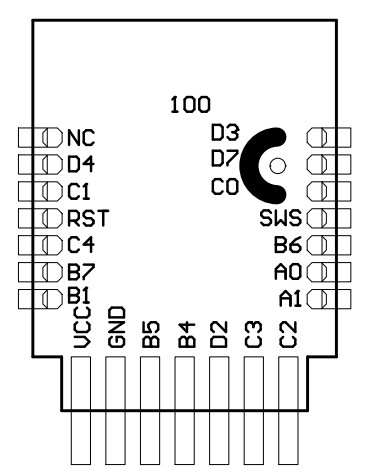
    ZTU pinout:
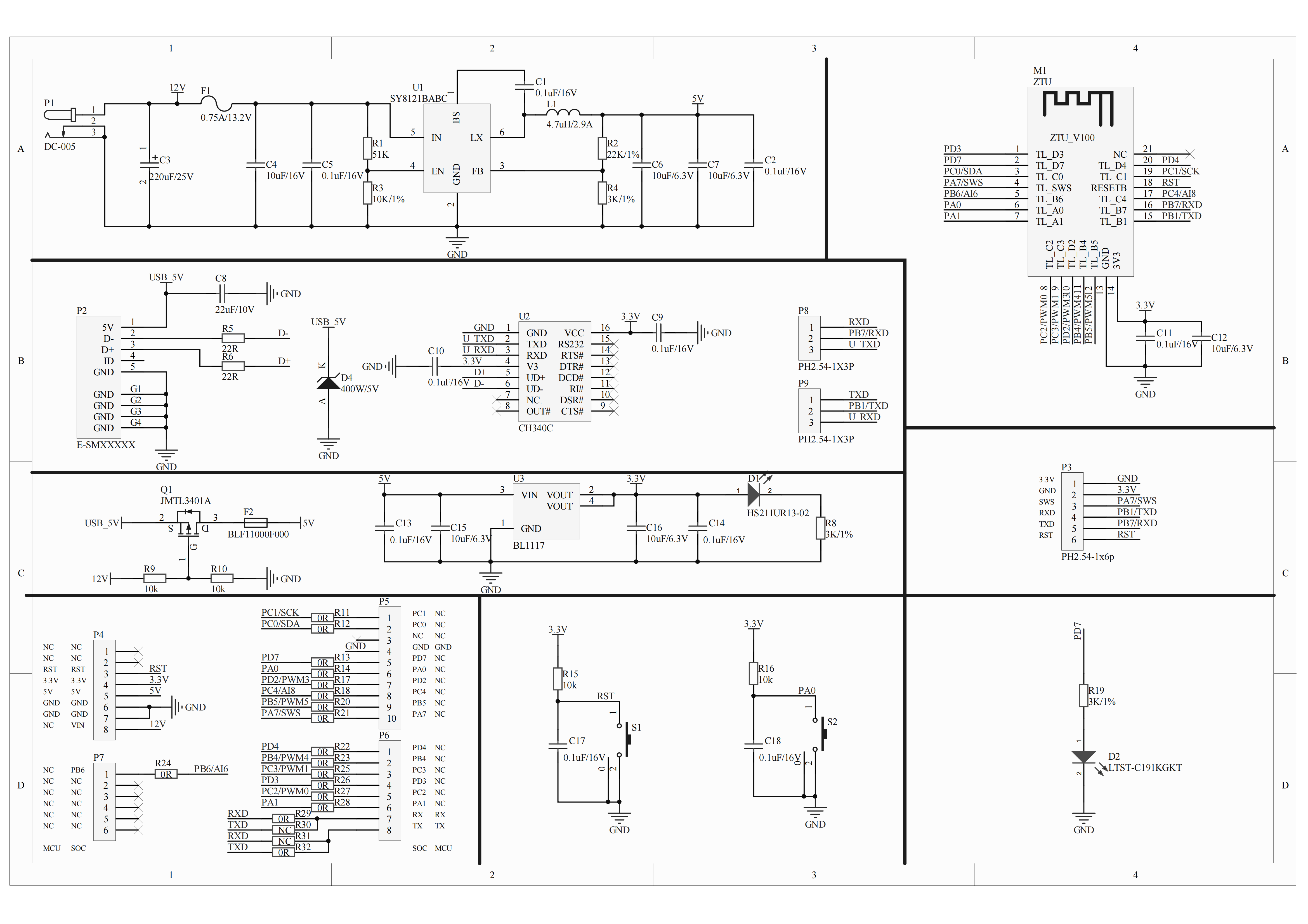
    ZTU module pinout diagram showing GPIO labels and signal lines.
    15B1I/OUart_TXD, which corresponds to B1 (Pin 6) of IC
    16B7I/OUart_RXD, which corresponds to B7 (Pin 17) of IC


    I didn't try doing ZTE flash dump yet, but I tried with other Zigbee chip - BL702 - and it worked well.

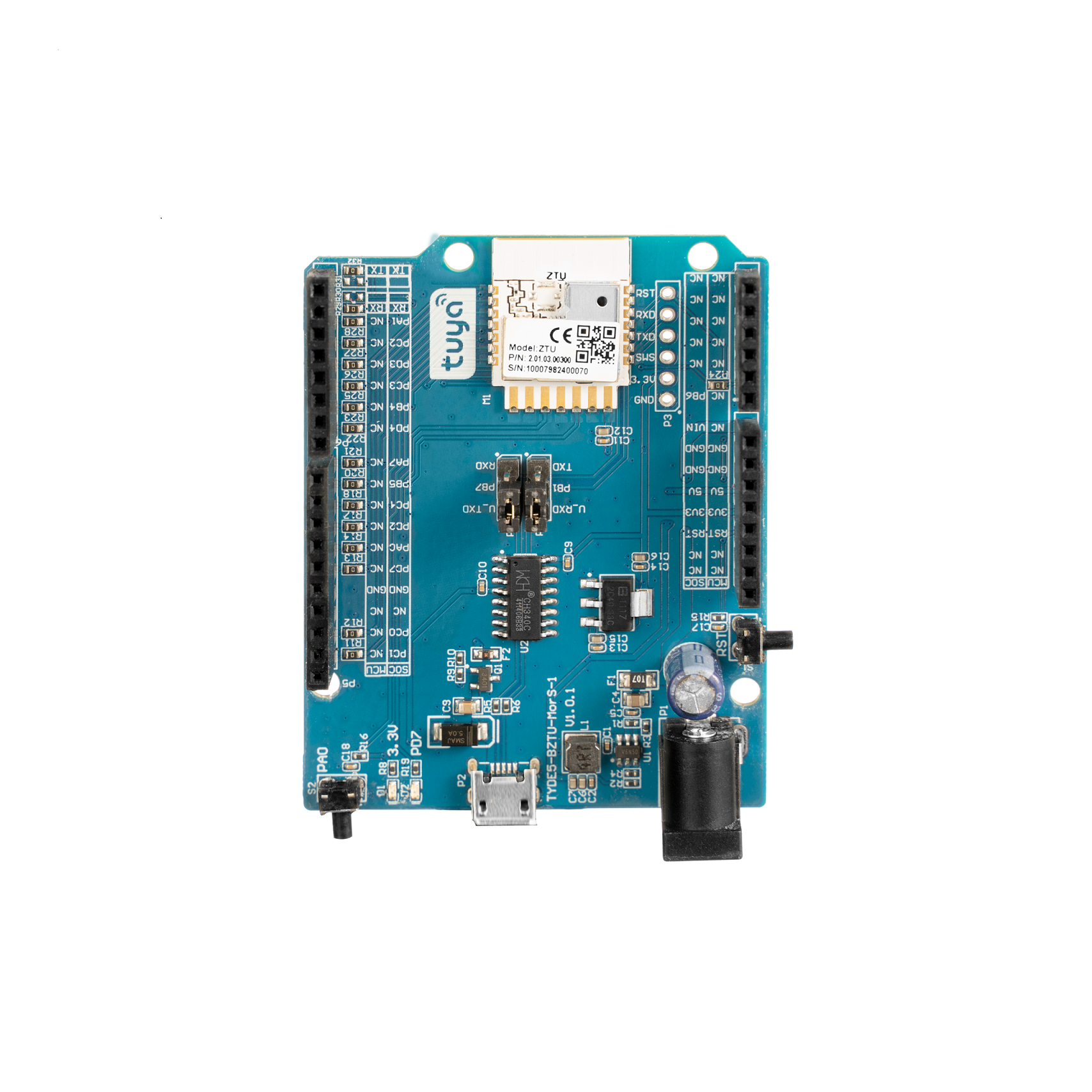
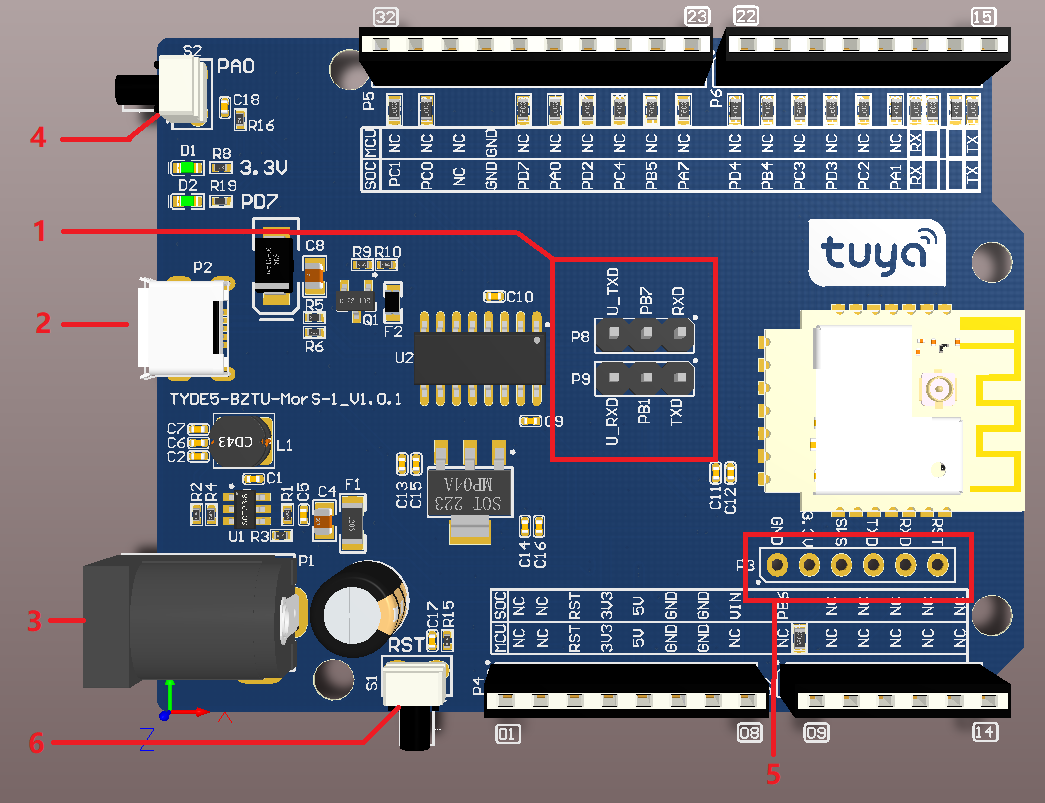
    Dev board:
    https://developer.tuya.com/en/docs/iot/tuya-sandwich-ZigBee-soc-board-ztu-V2?id=Kby6arczjimaf
    Tuya ZTU dev board with Zigbee module and labeled I/O pins
    TYDE5-ZTU dev board with UART and interface pins labeled
    Block diagram of ZTU board showing UART RXD and TXD pin connections
    Helpful post? Buy me a coffee.

  • ADVERTISEMENT
  • #4 21725363
    krzbor
    Level 29  
    Buying ZigBee temperature sensors powered by normal batteries makes no sense. Such sensors are unnecessarily large. A round sensor on a CR2450 battery shows 100% battery after more than a year, and reports quite often. In general, 3V lozenge batteries work well in ZigBee sensors.
  • #6 21725753
    pier
    Level 24  
    If the Zigbee version is simpler then why is it more expensive?
    I use the TS0201 powered by a single AA battery.
  • #7 21725763
    p.kaczmarek2
    Moderator Smart Home
    @krzbor now I've started to wonder how much longer this version from the topic (with two AAA) will last. For me the longer runtime is a plus, I don't mind the size of the hardware.
    Helpful post? Buy me a coffee.
  • #8 21725872
    krzbor
    Level 29  
    p.kaczmarek2 wrote:
    how much longer will this version from the topic (with two AAA
    last
    It depends which battery has a higher self-discharge.
  • ADVERTISEMENT
  • #9 21726132
    piotrszulc1
    Level 10  
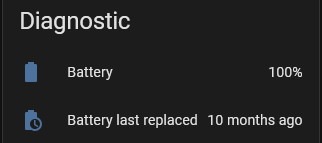
    I can recommend the bluetooth sensors BTH01 or THB2 (both Tuya), on which you can easily, even without soldering, upload alternative software from pvvx , which broadcasts in BTHome format. Home assistant supports this natively. Additionally, if you use a Bluetooth proxy then you don't have to worry about range.
    In terms of battery savings, I haven't replaced it yet.
    Screenshot showing battery at 100% and last replaced 10 months ago
  • #10 21726498
    Nargo
    Level 23  
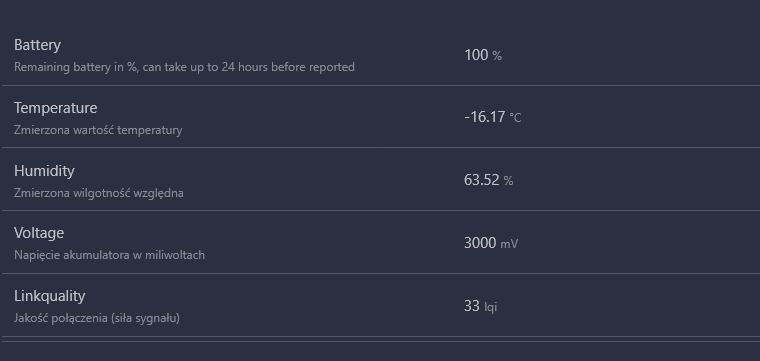
    Batteries from 25 Oct 2024,
    as of 10.08.2025 in the freezer :D

    Sensor readings: 100% battery, -16.17°C, 63.52% humidity, 3000 mV, 33 lqi


    Temperature chart from freezer sensor between September 1 and October 5

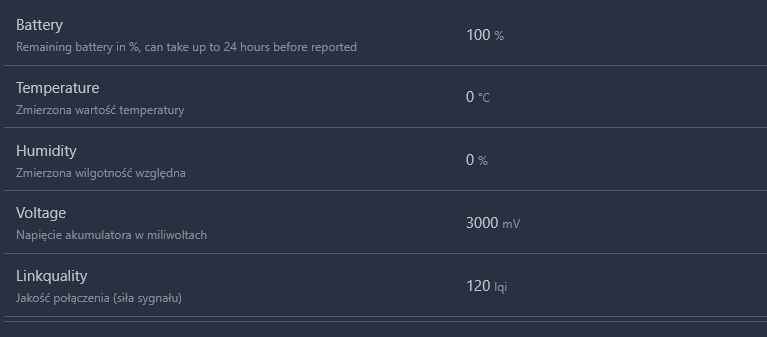
    A second identical sensor died (shows no indication) after 3 months.
    Sensor screen showing: battery 100%, temperature 0°C, humidity 0%, voltage 3000 mV
📢 Listen (AI):

Topic summary

✨ The discussion compares the Zigbee and Wi-Fi variants of the TH08 temperature and humidity sensor, both based on the CHT8310 chip, focusing on their integration with Home Assistant (HA). The Zigbee TH08Z-B sensor offers simpler pairing with HA compared to the Wi-Fi version, which is more challenging to integrate and often requires cloud connectivity. Pricing differs, with the Zigbee model around £40 and the Wi-Fi version between £20 and £30. Wi-Fi sensors, especially those using TuyaMCU, tend to have shorter battery life due to frequent wake-ups and power consumption, despite power-saving modes. Zigbee sensors powered by standard batteries, such as CR2450 3V lozenge cells, demonstrate longer battery life and smaller form factors. Technical details include UART pinouts for Zigbee chips (ZTU pinout) and references to flashing firmware dumps. The discussion highlights the trade-offs between cost, ease of integration, battery life, and device size for battery-operated temperature and humidity sensors in home automation.

FAQ

TL;DR: Zigbee TH08Z‑B pairs to Home Assistant in minutes, exposes temp/humidity/battery, and runs from 1.8–3.6 V; “pairing … is much simpler.” Price check: Zigbee ≈ £40, Wi‑Fi TH08 £20–£30. [Elektroda, p.kaczmarek2, post #21724565]

Why it matters: This FAQ helps Home Assistant users pick and set up a battery sensor that works locally without cloud lock‑in.

Quick Facts

Is Zigbee TH08Z‑B really easier to pair with Home Assistant than the Wi‑Fi TH08?

Yes. With Zigbee2MQTT you enable pairing and press the device button. Home Assistant discovers it as TS0201 (TH02Z). The author notes Zigbee pairing is “much simpler” than the Wi‑Fi path that needs de‑clouding or firmware work. [Elektroda, p.kaczmarek2, post #21724565]

What sensors and controls appear in Home Assistant after pairing?

You get temperature, humidity, battery percentage, and battery voltage. You also get software calibration for temperature and humidity. A “precision” option only changes displayed decimal places, not real accuracy. [Elektroda, p.kaczmarek2, post #21724565]

How do I pair TH08Z‑B with Zigbee2MQTT?

  1. Put your coordinator (e.g., CC2531) into permit‑join in Zigbee2MQTT.
  2. Hold the sensor’s button as instructed to enter pairing.
  3. Wait for TS0201 to appear, then adjust calibration if needed. [Elektroda, p.kaczmarek2, post #21724565]

Why does the Wi‑Fi TH08 drain batteries faster?

Its CBU/BK7231N module typically needs 3.0–3.6 V and includes an inverter to keep 3.3 V as cells sag. That higher, regulated rail and Wi‑Fi check‑ins cost energy. “Zigbee has a reputation for being more energy efficient.” [Elektroda, p.kaczmarek2, post #21724565]

What chips are inside the Zigbee and Wi‑Fi versions?

Wi‑Fi TH08 uses a Tuya CBU module with BK7231N. Zigbee TH08Z‑B uses a Tuya ZTU module; community members tied it to TLSR825x silicon. Boards look similar, but Zigbee lacks the inverter. [Elektroda, insmod, post #21725566]

Can I read or dump firmware from the Zigbee module?

The ZTU module exposes UART pins (e.g., B1 TXD, B7 RXD) per shared pinout. The author hasn’t dumped ZTU yet, though BL702 dumps worked elsewhere. Use the pinout as a starting point. [Elektroda, p.kaczmarek2, post #21725071]

Does the Zigbee TH08Z‑B need a boost converter like the Wi‑Fi board?

No. The Zigbee board is simpler and omits the inverter. ZTU operates from about 1.8–3.6 V (recommended >2.8 V), so it tolerates lower battery voltage. [Elektroda, p.kaczmarek2, post #21724565]

What coordinator was used successfully?

A CC2531 USB stick worked with Zigbee2MQTT during testing. Pairing succeeded and entities appeared without custom firmware on the sensor. [Elektroda, p.kaczmarek2, post #21724565]

How long will batteries last—AAA vs CR2450?

AAA capacity helps, but lifetime varies with self‑discharge and reporting frequency. One member reports a CR2450 Zigbee sensor still shows 100% after more than a year, with frequent reports. Treat this as an anecdote. [Elektroda, krzbor, post #21725363]

Any known failures or edge cases to watch for?

One user reported a second identical sensor failed with no indication after about three months. Monitor early for DOA or premature failure and keep receipts. [Elektroda, Nargo, post #21726498]

Why is the Zigbee version pricier if the circuit is simpler?

Observed pricing shows Zigbee ≈ £40 versus Wi‑Fi £20–£30. Simpler hardware doesn’t guarantee lower retail price due to market positioning and radio stacks. “It is rather worth paying more and getting the result faster.” [Elektroda, p.kaczmarek2, post #21724565]

Are Wi‑Fi AA/AAA sensors viable for battery power?

They work, but users report fiddly behavior and battery‑life concerns even with deep sleep. TuyaMCU models can add integration friction compared to Zigbee. Plan for shorter replacement intervals. [Elektroda, divadiow, post #21725046]

What’s inside the ZTU development ecosystem?

Tuya’s ZTU dev boards exist, and a low‑cost TB‑03F‑KIT uses the same TLSR825x chip. Community threads discuss custom firmware efforts for this platform. [Elektroda, insmod, post #21725566]

Is there a Bluetooth alternative that stays local in HA?

Yes. BTH01 and THB2 (Tuya) can run pvvx firmware to broadcast BTHome frames. Home Assistant supports BTHome natively, and Bluetooth proxy extends range. [Elektroda, piotrszulc1, post #21726132]

What model name will I see in Zigbee2MQTT logs?

It typically appears as TS0201, sometimes noted as TH02Z in the UI. After pairing, set calibration and precision to match your environment. [Elektroda, p.kaczmarek2, post #21724565]
ADVERTISEMENT